

Media2URL vs Postimages: Image Hosting and Link Management Compared

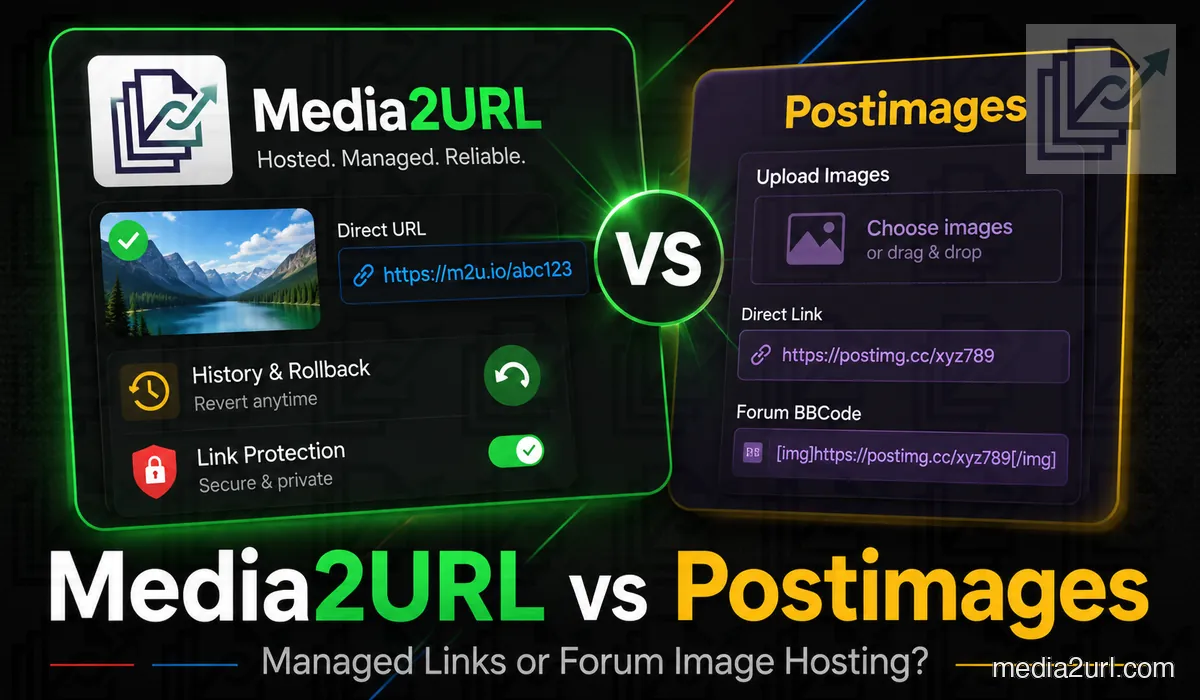
A forum user may only need to upload a screenshot and copy the BBCode. Postimages handles this task through a focused uploader with resize presets, expiry choices and permanent-link options.
The same workflow may not be enough for a business or documentation team. An image may need editing, approval, future replacement or access by several members of the same project.
Media2URL can create the same kind of direct image link, but the file does not have to become a finished job after upload. It can stay inside a workspace where the team organises it, edits it, keeps versions and controls how it is shared later.
The main difference appears in the work around the hosted image. Postimages focuses on fast image hosting, while Media2URL connects the link with team access, file processing and continued asset management.
Quick answer
Choose Postimages when you mainly want to upload images and receive direct links, BBCode or standard resize options without setting up a larger media workspace. Its high batch allowance and forum-focused workflow are especially useful when the image link itself is the final result.
Choose Media2URL when the image will still need work after that link is created. The file can remain inside a workspace with folders, member roles, visual editing, file history and supported access controls.
Media2URL also handles supported PDFs, videos, GIFs and audio files. That difference matters more when the same project contains several media types rather than only forum or blog images.
What Postimages provides
Postimages is designed for sharing images through forums, websites, blogs and social platforms. Its main uploader provides permanent links, several resize presets and expiry choices from one hour through one year.
A user can also select no expiration. Images may be chosen from a device, pasted from the clipboard or dropped into the upload area. Postimages provides a separate page for uploading through an existing public image URL.
Free accounts currently allow images up to 32 MB and dimensions up to 10,000 × 10,000 pixels. Free hotlinks are limited to 1280 pixels and the account includes 1,000 API units per month.
Premium accounts currently allow images up to 96 MB and dimensions up to 65,535 × 65,535 pixels. Premium also adds original-resolution hotlinks, an ad-free experience and 10,000 monthly API units.
Other Premium features include image replacement without changing the URL, direct image embedding inside email newsletters and one-click gallery downloads.
Postimages currently allows up to 1,000 images in one batch. A larger collection can be divided into several uploads and placed inside the same gallery.
Published Postimages pricing
| Postimages plan | Current published details |
|---|---|
| Free | 32 MB images, 1280-pixel hotlinks, advertisements and 1,000 API units |
| Premium monthly | $14.99 per month |
| Premium yearly | $6.99 per month when billed as $83.88 |
| Premium three-year | $3.49 per month when billed as $125.64 |
Postimages describes Premium as unlimited image hosting. Its FAQ also explains that very high storage or bandwidth use may lead to a discussion with the user when the usage pattern does not allow the service to recover its costs.
The published word “unlimited” should therefore not be rewritten as unlimited bandwidth under every condition.
How Media2URL differs
Media2URL also supports the normal upload-and-copy workflow, but its dashboard is built around a complete media library rather than one image-hosting page.
Assets can be organised through nested folders, tags, bookmarks and bulk actions. An image can also be opened inside a layer-based Image Editor before the final direct or share-page link is copied.
A full visual edit is not needed every time another website layout needs a different version of the same image. Supported assets can also use URL transformations for another width, height, crop, quality setting or eligible WebP/AVIF output.
This is useful when the original image is already correct. A smaller blog thumbnail or another website crop can come from the stored source without opening the editor and saving another copy first.
Teams can create isolated workspaces for clients, departments or product lines. Owners can invite Admins, Editors or Viewers without sharing the main account login.
Media2URL keeps those later controls attached to the stored file. The owner can replace an asset, return to an earlier supported version or inspect a link that is not behaving as expected. Where available, the same file can also use expiry, passwords or other limited-access rules under Security & Access Controls.
Temporary signed delivery is another option for supported private files. Instead of exposing a normal public file address, the recipient receives a link that works only for its allowed period.
The same workspace can also contain PDFs, videos, GIFs and audio files. Dedicated tools allow supported files to be processed without moving every task to another platform.
Where Postimages and Media2URL Overlap
Both platforms can create hosted image links and accept files from a local device. They also support remote uploads from publicly accessible image URLs where the relevant workflow is available.
Both platforms provide some form of file replacement. Postimages reserves same-URL replacement for Premium users, while Media2URL connects replacement with its wider file-version workflow.
Both services can also apply time-based behaviour. Postimages can remove an image after a selected period, while Media2URL can apply expiry rules to supported hosted links.
The main difference is the surrounding structure. Postimages remains focused on hosted images and galleries, while Media2URL places assets inside workspaces with folders, member roles, editing tools and activity records.
Main feature comparison
| Capability | Postimages | Media2URL |
|---|---|---|
| Main workflow | Fast image hosting for forums, blogs and websites | Managed media workspaces with hosted links |
| Local image upload | Supported | Supported |
| Clipboard paste | Supported | Supported inside the uploader |
| Drag and drop | Supported | Supported |
| Upload through URL | Supported through a separate page | Supported for accessible public files |
| Free image size | 32 MB | Based on the active Media2URL plan |
| Premium image size | 96 MB | Based on the active Media2URL plan |
| Batch upload | Up to 1,000 images | Based on the active upload workflow |
| Permanent image links | Supported | Supported while the file and account remain active |
| Resize before upload | Several fixed presets | Layer-based editor plus supported URL-based image variants |
| On-demand image variants | Fixed resize choices during upload; no equivalent dynamic transformation workflow documented | Width, height, fit, crop position, quality and supported WebP/AVIF output |
| Expiry by time | One hour through one year, or no expiration | Selected expiry time where supported |
| Expiry by view count | Not described as a Postimages control | View limits and one-time access where supported |
| Direct image hotlinks | Up to 1280 pixels on Free and original resolution on Premium | Based on file settings and plan |
| Forum output | Forum-ready links and BBCode | HTML, Markdown, BBCode and direct URLs |
| Galleries | Supported | Folders, collections and shared folder links |
| Password protection | No password access check in the normal hosting workflow | Password-protected access where supported |
| Link-only sharing | Images are available to people with the address | Unlisted file access available |
| Private workspace access | Not provided | Supported for authorised workspace members |
| EXIF handling | Kept by default; optional removal for signed-in accounts | Detection and optional removal within the upload workflow |
| Anonymous EXIF removal | Not available; anonymous uploads keep EXIF | Based on the active Media2URL privacy workflow |
| Image replacement | Premium feature | Replacement connected with file history and supported rollback |
| Previous-version rollback | ✕ Not described | Earlier supported versions can be restored from file history |
| Visual image editor | Resize presets before upload | Layer-based editor with crop, adjustments, text, shapes and drawing |
| Nested folders | Galleries are supported | Nested folder tree |
| Tags and bookmarks | Not presented as core image-management tools | Supported |
| Team workspaces | Not presented as isolated business workspaces | Owner, Admin, Editor and Viewer roles |
| Audit logs | Not presented | Supported activity records and CSV export |
| Newsletter embedding | ★ Premium | Direct links and share pages based on plan and access |
| API | Published API units are included by plan; permitted automated use should be checked against current Terms | No public API currently offered; dashboard workflows |
| Link diagnosis | No dedicated media-link diagnostic workflow documented | Link Doctor for HTTP status, redirects, content type, CORS and byte-range behaviour |
| Bulk public URL migration | Remote upload handles one URL through the page | Media Migration from supported bulk URLs or cloud sources with duplicate checking and source mapping where available |
| Approved embed domains | Not described as a file-level rule | Supported where available |
| File-specific bandwidth rules | Not presented | Supported where available |
| Fallback destination | Not presented | Supported for selected delivery failures |
| PDF, video and audio tools | Image hosting only | Dedicated PDF workspace plus supported video, GIF and audio processing tools |
| Suitable users | Forum members, bloggers and quick image-hosting users | Creators, agencies, support teams and managed projects |
Postimages provides a strong focused workflow for image hosting. Its large batch allowance, forum outputs and simple resize choices may be more useful than a complex dashboard for many users.
Media2URL covers more of the work that happens after the upload. Its advantage becomes clearer when the image still needs editing, another web variant, file history or access by several people.
The table should not be read as proof that every user needs the larger Media2URL workflow. A person uploading one forum screenshot may receive little value from workspaces or audit logs.
EXIF Metadata Handling
Postimages does not silently strip EXIF metadata from every uploaded image. Its current FAQ says that camera details, dates and GPS information remain inside the uploaded file by default.
A signed-in user can enable EXIF removal through the Postimages account settings. Anonymous uploads keep their original metadata and do not receive this optional cleaning step.
Media2URL places the metadata check inside the normal hosted-file workflow. Supported images can be checked before the public copy is created, and the uploader can decide whether the detected metadata should remain.
The difference is not that only one service can remove EXIF data. Postimages provides an account setting, while Media2URL presents the decision while the asset is being prepared for upload.
Neither service should promise that EXIF handling removes visible private information from the image itself. A phone number, address or account detail inside the pixels must be reviewed separately.
EXIF handling comparison
| Privacy step | Postimages | Media2URL |
|---|---|---|
| Default EXIF behaviour | Original EXIF data remains | User receives the supported upload warning |
| Removal option | Available through account settings | Available during the supported upload workflow |
| Anonymous uploads | Original EXIF data remains | Based on the selected Media2URL workflow |
| Visible private details | Not removed through EXIF cleaning | Can be covered through the visual editor |
Link-Only Sharing Is Not Password Protection
Postimages does not publish uploaded images inside a global public catalogue. An image is normally viewed by someone who has received or discovered its address.
This link-only behaviour can be suitable for a forum attachment or casual shared image. It should not be described as password-protected or fully private storage.
Postimages states that it does not provide password protection or a similar access check. A person who obtains the image URL can open the file.
Media2URL separates simple link sharing from stronger access controls. An Unlisted file can stay outside normal discovery while still opening for someone who has the URL. Private files instead remain available to authorised workspace members, while supported Password Protected files require the selected password.
Other limits can be added where the file and plan support them. A link may expire after a selected time or stop normal access after its allowed view or download condition has been reached.
Temporary signed links add another option for supported private delivery. The recipient gets time-limited access without turning the underlying file into a normal public URL.
No access rule can remove a copy after another person has downloaded or captured the visible image. These controls manage the hosted address rather than the recipient’s device.
Link Fallback Redirects
Postimages does not describe a user-configured fallback destination as part of its normal image-hosting workflow. The comparison should not claim that every removed or expired Postimages image immediately returns one particular error page.
Postimages explains that a deleted image may remain inside its CDN cache for around 30 minutes. A browser cache may keep it visible for longer on the same device.
Media2URL can attach a fallback destination to supported public delivery failures. An expired campaign image may lead to the new campaign page, while a discontinued product image may lead to its replacement.
The fallback rule must not bypass a password, private setting or workspace permission. It should only apply to the supported public failure conditions selected by the file owner.
Moving Existing Images Into Media2URL
Remote upload and media migration solve different problems.
Postimages provides a separate remote-upload workflow when you already have one public image URL and want to host that image through Postimages. That is convenient for an individual file.
A larger migration usually starts with something different. You may have a spreadsheet containing old image URLs or an existing media library that now needs to live inside a new workspace.
Media2URL's Media Migration workflow can bring supported files in through groups of source URLs or available cloud-storage sources. Duplicate checking helps when the old collection contains the same file more than once.
Where source-to-new-URL mapping is available, the migration result can also show which new Media2URL address belongs to each old source. That becomes useful when existing articles or records still contain the previous URLs.
Neither service should bypass a private account, login page or storage permission. The files still need to belong to you or be content you are allowed to move and host.
A migration example
Suppose a website owner has dozens of old Postimages URLs spread across blog posts written over several years.
Downloading each image and uploading it again would work, but it also means repeating the same task for every file and manually recording every new address.
A Media Migration job can handle supported source URLs as part of the move. The owner can then review which files arrived successfully and which sources need attention because the original image is missing, restricted or no longer reachable.
If the old list contains the same image several times, duplicate checking can also prevent unnecessary copies. Where mapping is available, the final record helps the owner match each old source with its new Media2URL URL before changing links across the website.
Keep the original files or another backup until the updated pages have been checked. A migration should never make one hosting account the only surviving copy of important media.
Checking an old image URL before moving it
An old image link may still open in your browser but behave differently when another website or migration tool requests it.
Link Doctor checks the HTTP response and follows redirects to see where the address actually ends. The content type can show whether the URL returns a real image or an HTML page instead.
CORS information is useful when the same media needs to work inside browser scripts or editing tools. For video and audio URLs, byte-range checks can also show whether partial requests used for seeking are supported.
The tool does not make a private source public and it does not bypass Postimages permissions. It simply shows what the reachable URL is returning before you decide what to do with it.
Team Workspaces and Project Separation
Postimages accounts are suitable for managing uploaded images and galleries. Its public product pages do not describe isolated business workspaces with separate member roles.
Media2URL allows a business or agency to create different workspaces for clients, departments or product lines. Each workspace keeps its files, folders and settings separate from other projects.
The Owner controls billing, workspace deletion and member access. Admins can manage members and settings, while Editors can upload and change assets.
Viewers receive read-only access. They can inspect files and copy allowed links without editing the asset or changing the workspace structure.
This structure provides value when several people must work with the same hosted images. It may not be needed for a person who only uploads private forum screenshots.
Activity Records Inside a Shared Library
A shared media library may need a record of important changes. The owner may want to know who uploaded an image, renamed a file or changed another member’s role.
Media2URL records supported workspace events through an audit log. Each event is connected with the member who performed the action.
Supported records can also be exported as a CSV file for an internal review. This can help an agency or business understand what changed during a client project.
An audit log does not prevent every mistake. It provides a trace of supported actions after the work has taken place.
Resize Presets Versus Editing and URL Variants
Postimages provides several resize presets before the image is uploaded. The choices range from small avatar sizes through Full HD and 4K dimensions.
This approach is useful when the user only needs a standard output size. The image can be hosted without opening a separate editing environment.
Media2URL provides a layer-based browser Image Editor around the stored asset. A user can crop or straighten the image and change brightness, contrast, saturation, sharpness or blur. Text, shapes, stickers and drawing elements remain as separate layers.
The full editor is not necessary when the image itself does not need changing. If a website only needs another size or crop, supported URL transformations can request that variation from the stored source.
This creates two different workflows. The editor is useful when the content of the image needs work. URL transformations are more useful when the same finished image simply needs to be delivered differently somewhere else.
Postimages remains the simpler choice for a quick preset. Media2URL provides more control when the image must be prepared inside the same hosted library.
Image Replacement and Version History
Postimages Premium allows the owner to replace an image while keeping its existing URL. This is useful when the same address has already been added to a forum, blog or email newsletter.
Its public documentation does not describe a complete visual timeline of earlier image versions. The comparison should not claim that Postimages definitely keeps or removes every previous binary because this behaviour is not explained.
Media2URL connects replacement with file history. The active image can be updated while its managed URL remains in use, and an earlier supported version can be restored if the replacement turns out to be wrong.
Consider a product diagram that already appears inside several help articles. An Editor uploads the revised design while the existing Media2URL address remains in use.
If the new version contains an incorrect label, an earlier file can be restored from the version history. The team does not have to change every article link again.
Previous versions consume storage and remain subject to the selected plan’s retention rules.
Permanent Links and Image Retention
Postimages describes its output as permanent image links. Its FAQ also says that images are not removed because of inactivity.
This gives Postimages an advantage over temporary hosts that remove unused files after a short period. It remains useful for old forum posts and long-running discussion threads.
Permanent should not be read as a guarantee that every file will remain available under every possible condition. The account, service terms and content rules still apply.
Postimages also reserves the right to contact users whose storage or bandwidth use becomes very large and does not support the service’s operating costs.
Media2URL links also remain connected with the account, selected plan and retention conditions. Important business assets should have an independent original copy outside either hosting platform.
Postimages Has a Strong Forum Workflow
Postimages remains especially useful for forums. Its upload result provides forum-ready links, and the platform offers upload plugins for supported forum systems.
The plugin can place image uploading inside the forum’s posting page. This helps members who do not know how to upload an image separately and copy the correct BBCode.
Media2URL can also produce BBCode, Markdown and direct links. It does not replace the convenience of a Postimages plugin already installed inside an active forum.
A forum owner should therefore consider the complete posting experience rather than only comparing the number of controls available after upload.
When a Project Contains More Than Images
Postimages is an image-hosting platform. Its focused scope helps keep the upload workflow simple.
A business project may also include a PDF guide, demonstration video, audio sample or animated GIF. Media2URL can keep these supported files inside the same project workspace.
The PDF workspace covers common document work such as merging, different split workflows, visual page organisation, watermarks and page numbering. Supported controls also cover compression, passwords, metadata and conversion between PDF pages and image files.
Supported videos can be compressed or trimmed. GIF and audio workspaces provide their own speed, trimming and format controls.
These tools do not make Media2URL necessary for a normal forum image. They provide value when one team needs several file formats inside the same organised account.
When Postimages is the suitable choice
Postimages may be the better fit when:
- You mainly need fast image hosting with direct links or forum-ready BBCode.
- Standard resize presets and simple time-based expiry already cover the job.
- You regularly upload large local batches and the 1,000-image batch workflow is useful.
- Your forum already uses a Postimages upload extension or the Postimages workflow is familiar to its members.
Premium may also make sense when you specifically need larger image uploads, original-resolution hotlinks, newsletter embedding or same-URL replacement.
Postimages remains particularly strong when images are the only file type and the work largely ends after the correct hosting link has been created.
When Media2URL is the suitable choice
Media2URL may be a better fit when:
- Client or internal files need separate workspaces with Owner, Admin, Editor and Viewer roles.
- Images still need editing, URL variants, file history or rollback after they have been uploaded.
- Existing media needs to be moved into a managed library rather than submitted one URL at a time.
- Hosted files need passwords, expiry, signed access, link diagnosis or supported view and download limits.
Media2URL may also suit projects that include PDFs, videos, GIFs and audio files alongside images.
It can be unnecessary when all you need is one BBCode link for a forum post. Postimages already solves that job very well.
Final Assessment
Postimages and Media2URL overlap at the most basic level because both can host an image and give you a link. The difference becomes clearer after that first upload.
Postimages is built around straightforward image hosting. It has strong forum support, large local batch uploads, simple resize and expiry choices, galleries and Premium image replacement. Those features make it a practical choice when images are the whole job.
Media2URL is more useful when the file remains part of an ongoing project. The image can stay inside a workspace where it is organised, edited, delivered in supported variants, replaced later and shared with controls that remain attached to the hosted asset.
Choose Postimages when you mainly need a dependable image-hosting workflow and familiar forum or website outputs. Choose Media2URL when the image will still need team access, editing, migration or controlled sharing after its first link has been created.
Neither product needs to be the better choice for everyone. The useful question is whether the job ends with the image link or continues around the file afterwards.
Related comparisons
- Media2URL vs Imgur
- Media2URL vs ImgBB
- Media2URL vs Image2URL
- Media2URL vs Cloudinary
- Media2URL vs ImageKit
Comparison Review Note
This page was reviewed on August 18, 2026 using Postimages' current uploader, pricing information, FAQ and Terms of Use together with features available in the current Media2URL platform.
Postimages pricing, limits and service rules can change. Media2URL plans and feature availability can also change, so check the current product information before moving an important or production-facing media library.
Frequently Asked Questions
Is Postimages completely free?
Postimages provides a free, advertisement-supported account with 32 MB uploads, hotlinks up to 1280 pixels and 1,000 monthly API units. Premium adds larger files, original-resolution hotlinks, an ad-free experience and other management features.
Can I replace an image on Postimages?
Yes. Postimages Premium users can replace an uploaded image while keeping the same URL. The public documentation does not describe a complete earlier-version rollback timeline.
What file types does Postimages support?
Postimages is designed for image hosting. Users should check its active uploader for the currently accepted image formats and limits. Media2URL supports images and other accepted file types such as PDFs, videos, GIFs and audio files according to the selected plan and processing tool.
How are expiry controls different on Postimages and Media2URL?
Postimages offers simple time-based image expiry choices, which work well when you already know how long the image should remain available. Media2URL can also use supported view or one-time access limits, and temporary signed links are available for suitable private-delivery workflows. The better option depends on whether you want the limit based on time, access or both.
Does Postimages Remove EXIF Metadata Automatically?
No. Postimages keeps EXIF data by default. A signed-in user can enable EXIF removal through the account settings, while anonymous uploads keep their original metadata.
Does Postimages Support Password-Protected Images?
No. Postimages states that it does not provide password protection or a similar access check. Images are normally available to people who have their addresses.
Does Media2URL Support Team Workspaces?
Yes. Media2URL supports isolated workspaces with Owner, Admin, Editor and Viewer roles. Each workspace keeps its files, folders, settings and supported activity records separate from other projects.
Can Media2URL Edit an Image After Upload?
Yes. Media2URL has a layer-based browser editor for changes such as cropping, adjustments, text, shapes and drawing. Supported images can also use URL transformations when the file itself is already correct but another size, crop, quality level or eligible WebP/AVIF output is needed.
Can Media2URL Handle PDFs and Other Files?
Yes. Media2URL supports more than image hosting. Available workflows also cover PDFs, videos, GIFs and audio files, although the exact processing options depend on the file type and active plan. Postimages remains focused on image hosting.