Media2URL Logo
Screenshot Link Generator

Screenshot to URL

Instantly capture your desktop screen, browser tab, or app window, and turn it into a secure, shareable URL. You can also drag-and-drop existing screenshot files.

Capture Your Screen

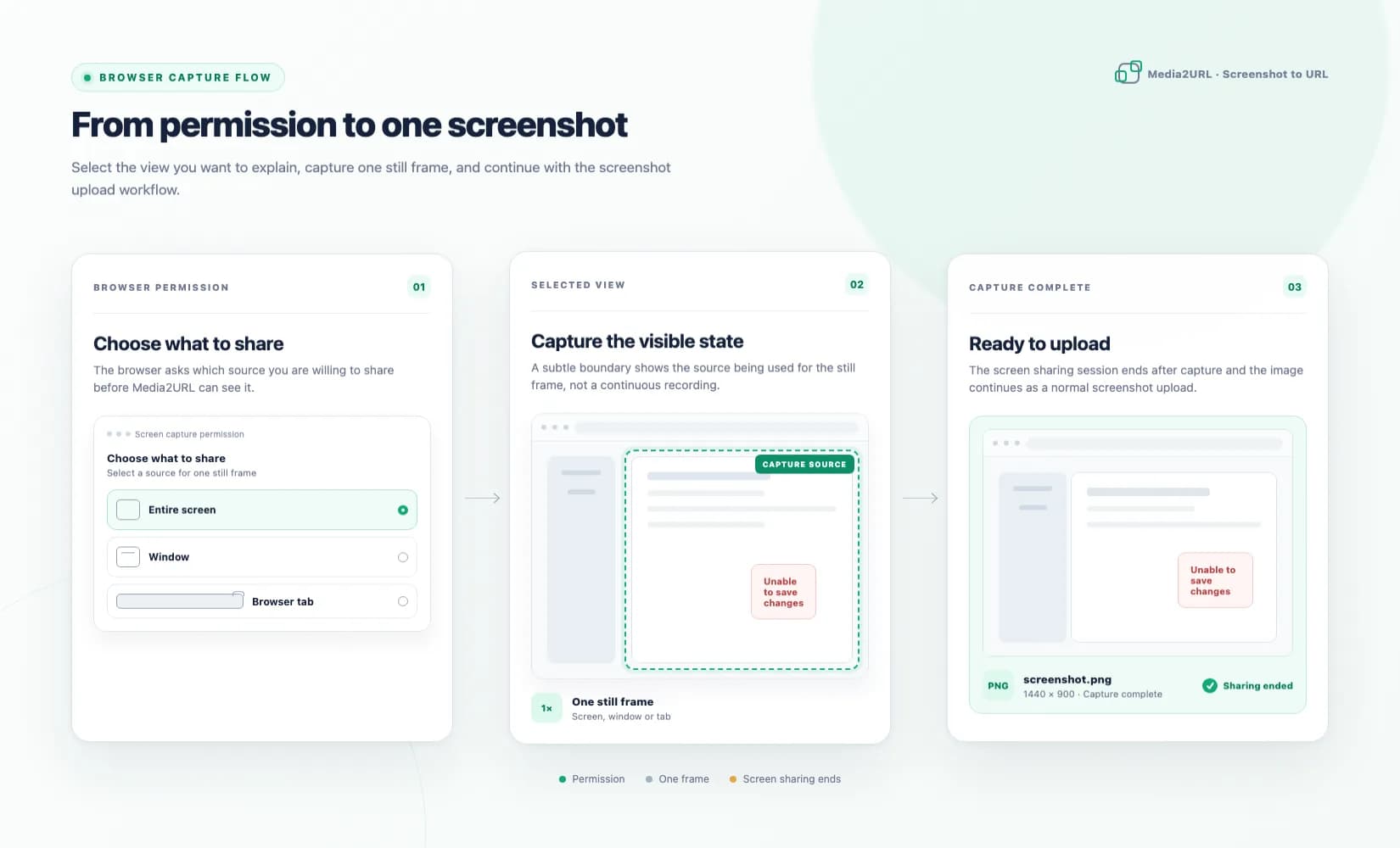
Click the button below to select a screen, window, or tab to capture. Your screenshot will be automatically uploaded.

Strict upload policy: do not upload malware, viruses, NSFW content, illegal content, phishing files, executable payloads, abusive content, or copyrighted material you do not own. Violations may lead to immediate file removal, link disabling, account deletion, and permanent bans.

Secure Sandboxed CaptureCaptured locally, zero background recording
Automatic UploadsInstantly hosts frame to get URLs
GDPR & Privacy GuardedComplete delete controls & expiry limits

Taking a screenshot to share with a developer, client, or support team usually requires saving the file locally, opening a chat application, or logging into cloud storage to drag and drop it. This creates unneeded clutter on your local drive and takes unnecessary steps.

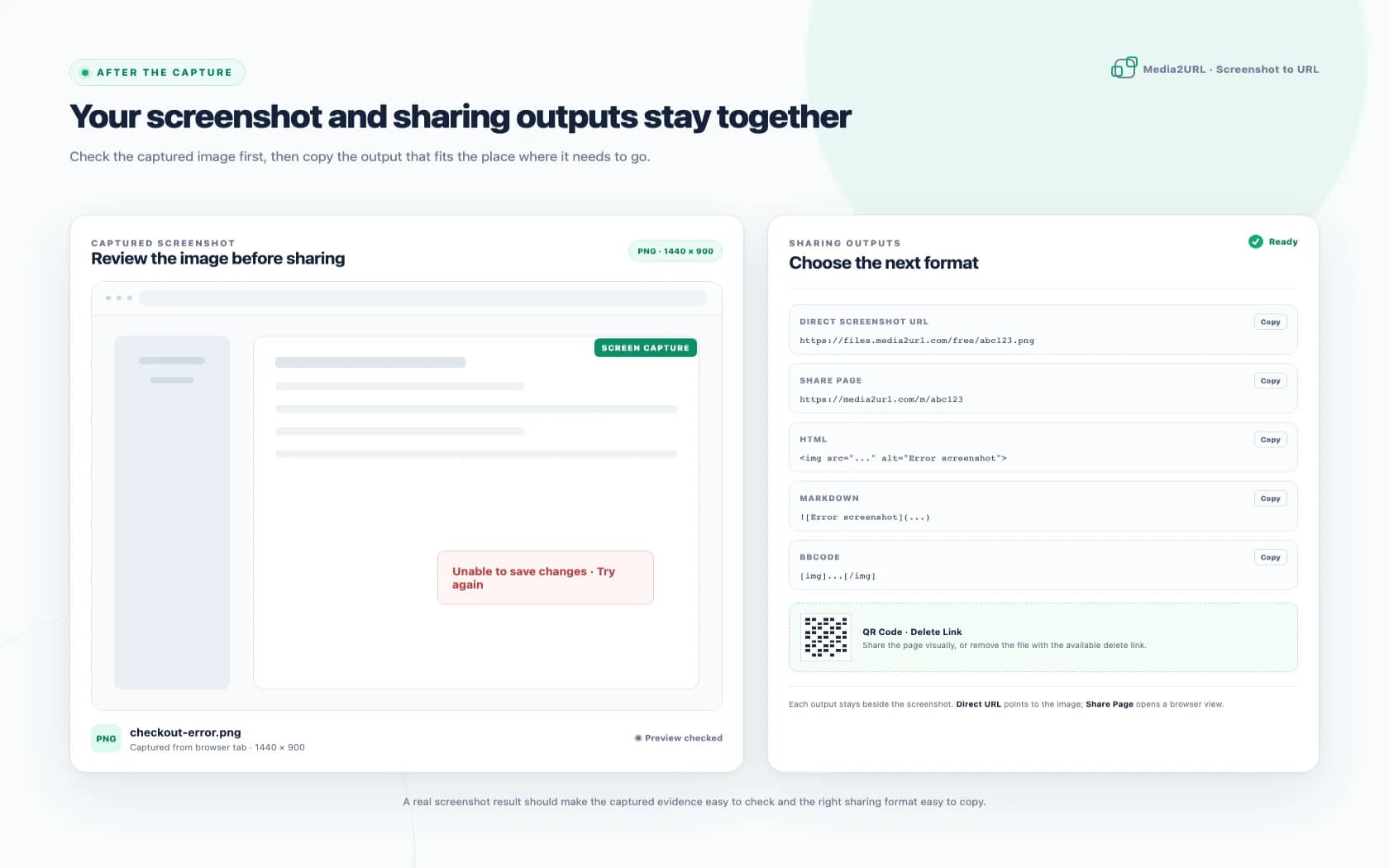
With our Screenshot to URL converter, you can capture your screen, window, or tab directly inside the browser. Our secure locally-run sandboxed capture tool takes one frame, stops the stream instantly, and uploads it to our high-speed Cloudflare storage. In seconds, you get copy-ready direct links, HTML embeds, Markdown shortcuts, and QR codes.

Why Capture Screenshot to URL

  • Capture any screen, application window, or browser tab with zero software installation.
  • Automatic frame conversion to high-quality optimized PNG files.
  • Perfect for sharing bug reports, designs, and dashboard analytics.
  • Control security with temporary expiration spans and public/private options.

Privacy & Compliance First

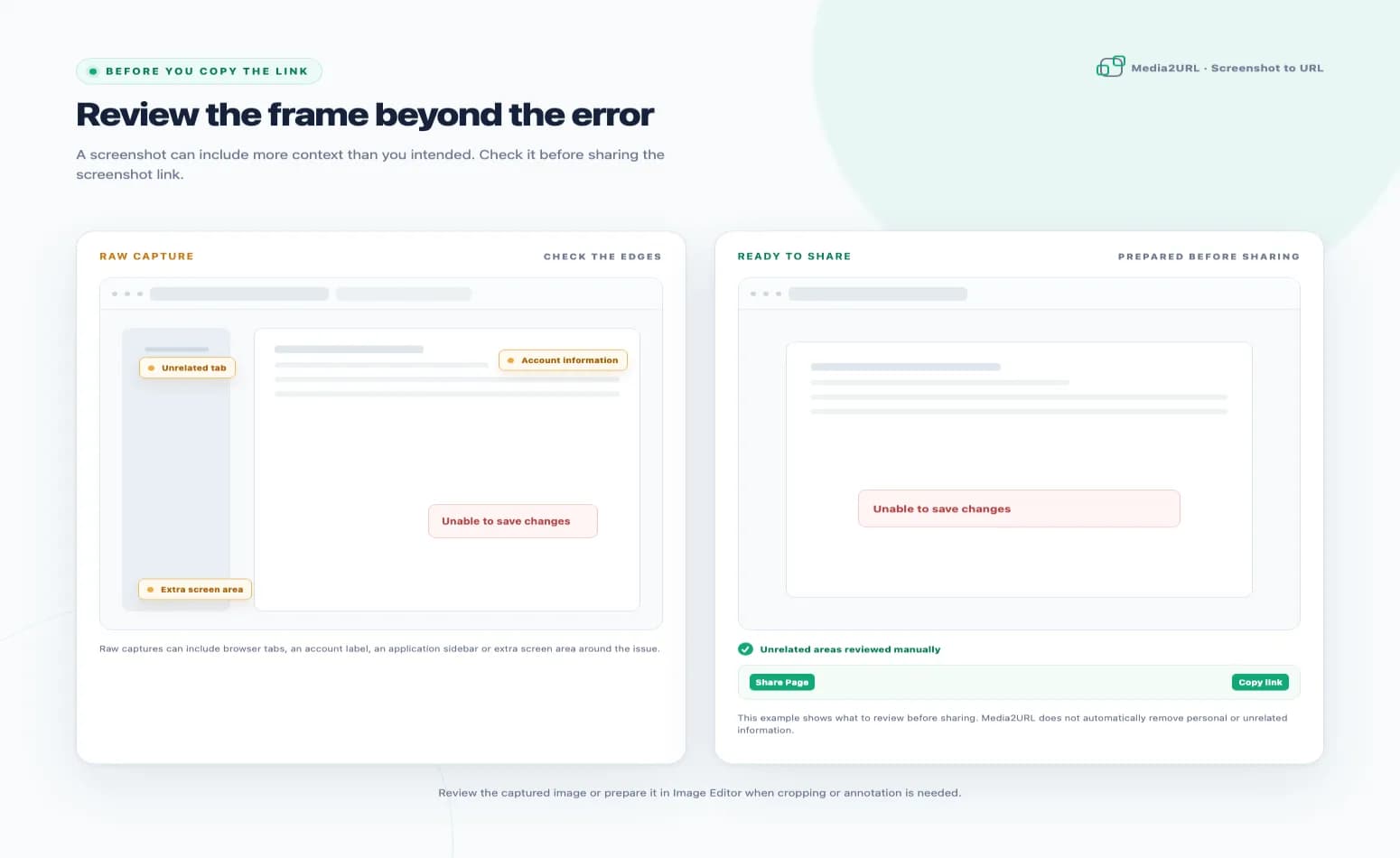
User security is our priority. Unlike downloadable recorder apps that might monitor desktop activity, our in-browser capture requests only the single frame you authorize. We do not store, stream, or read any video streams background data. All uploads are guarded by custom expiration rates and manual delete tokens.

Raw File Links

Get the direct, hosted asset URL perfect for hotlinking, markdown, and website code integrations.

Share Pages

Create client-friendly, structured preview pages complete with copy formats and delete tokens.

Embed Ready

Instantly obtain pre-generated HTML tags, Markdown notation, BBCode, or QR codes.

What you get after capture

Output FormatBest use case
Direct URLEmbed inside forums, web layouts, direct CDN loading
Share page URLCopy to Slack, Discord, email chains, client communication
HTML codeCMS editors, personal blogs, dashboard inserts
Markdown codeGitHub issues, pull requests, README documentations
BBCodeClassic community message boards and forums

Frequently Asked Questions

General answers regarding screenshot capturing safety and link storage.

How do I convert a screenshot to a URL?

Choose 'Take Screenshot' and click 'Start Screen Capture' to select a screen, window, or tab. The tool captures the frame and automatically uploads it, yielding direct and shareable links.

Is screen capturing safe and legal?

Yes. Screen capture uses standard browser APIs and runs entirely locally. It only captures the single frame you authorize and does not record or stream continuous activity.

Can I upload an existing screenshot file?

Yes. Switch to the 'Upload Image' tab to drag-and-drop or select any saved screenshot file (PNG, JPEG, WebP, etc.).

Related Media Share Tools

Need to convert or share other media formats? Choose a specialized tool from our suite: