

Agency client
Keep one client's shared files and project members inside the appropriate workspace. Use folders inside that library for the client's own file structure rather than creating another workspace for every small group of assets.
A folder can organise files, but it cannot decide who belongs to the project. That difference becomes important when the same account is handling personal uploads, internal work and files for several clients.
Team Workspaces create a broader boundary around the shared library. Choose the workspace you are working in, invite the people who need access, then use roles to control what those members can do inside that project.
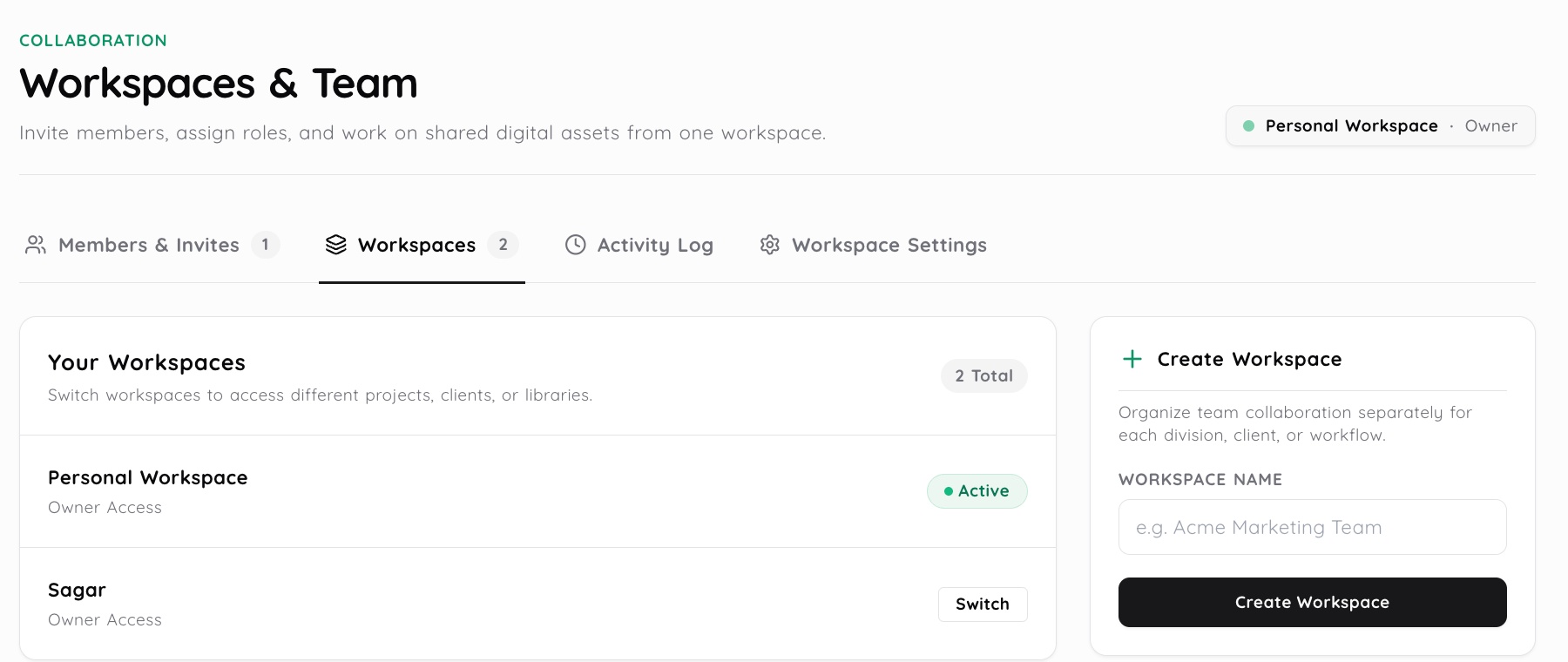
A folder answers where related files should sit inside one library. A workspace answers a larger question because it separates the people, shared files and permission context around the project.
One workspace can still contain several folders. Moving a file between folders does not change who belongs to the workspace, and adding someone to a workspace is not the same thing as sending that person one share link.
This distinction becomes useful when the same account handles several projects. The files can stay organised inside each library while the workspace keeps the people and project boundary clear.
Media Library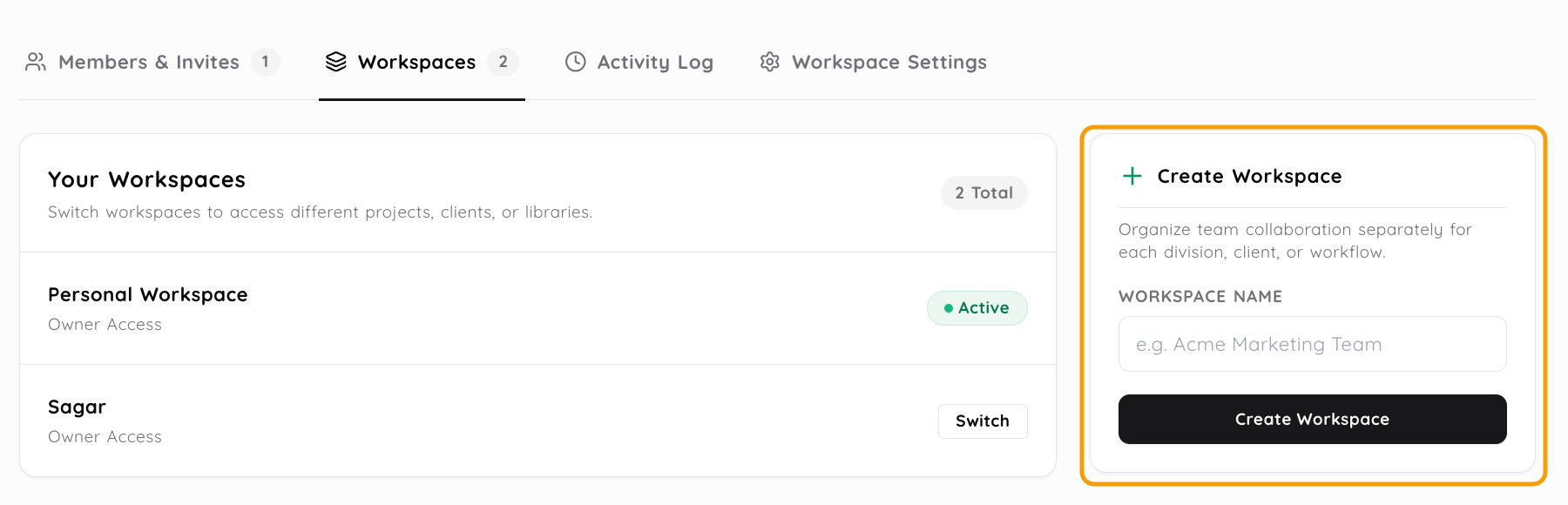
A signed in account can have personal files and may also belong to one or more team workspaces. The active workspace tells the dashboard which shared library and permission context should be in front of you.
If a file appears to be missing, check the workspace switcher before assuming that it was deleted. The asset may simply belong to another project or to the personal library.
That separation also helps prevent a new upload from landing beside the wrong client's files. Choose the intended workspace before adding material when several projects are active at the same time.
Not everybody in a project needs the same level of control. Someone preparing and organising files may need broader access than a person who only needs to inspect the shared work.
Media2URL uses Owner, Admin, Editor and Viewer roles inside the workspace. The role determines the member's reach inside that collaboration context, while the exact actions available can depend on the workspace and account.
| Role | Typical place in the workspace |
|---|---|
| Owner | Owns the workspace and its highest level account responsibility. |
| Admin | Helps manage the workspace, its members and permitted project controls. |
| Editor | Works with shared project files using the editing controls available to the role. |
| Viewer | Uses the narrower workspace controls available for reviewing or viewing shared work. |
Assign the role around the work the person needs to do rather than giving every member the broadest access available.
Team membership changes over time. A contractor can finish the work, an employee can move to another project, or a client contact may no longer need access to the shared workspace.
Removing that member changes their future workspace access. It does not delete the team owned files for everybody else, including files that the departing member originally uploaded into the workspace.
The asset has its own lifecycle. Use the Media Library when a shared file itself should be moved to Trash, restored or permanently removed.
A workspace role controls what an authorised member can do inside the shared project. It does not automatically make every hosted URL private.
Public, Unlisted, password protected and Private delivery follow their own access rules. A Private team asset can require the signed in recipient to have the appropriate workspace permission, while a public asset follows its public delivery behaviour even if it was organised inside a team workspace.
Use the workspace for collaboration boundaries and the file's access controls for delivery boundaries.
When several people work with the same project, it can become difficult to remember who changed a file or when a membership action happened. Workspace activity records help with that internal history where the relevant logging is available.
Those records are different from analytics for people opening a public link. Views, downloads, bandwidth and other supported link activity belong to the Insights area rather than the workspace membership model.
| Use | It answers |
|---|---|
| Workspace | Which people and project context should contain the shared library? |
| Folder | Where should related files sit inside that library? |
| Share link | How should somebody receive or open one hosted asset? |
| Private access | Should opening that hosted asset require authorised workspace access? |
The same project can use all of these at once. The important part is giving each control the job it was designed to handle rather than expecting a folder or link to replace the workspace boundary.
Keep one client's shared files and project members inside the appropriate workspace. Use folders inside that library for the client's own file structure rather than creating another workspace for every small group of assets.
Editors can work with the campaign files while another member uses a narrower role for review. The files remain in the shared project even when individual membership changes later.
A support workspace can keep internal project material separate from personal uploads. Customer specific delivery still needs the access setting that fits the file rather than relying only on workspace membership.
A small business can keep personal files away from shared work while giving members only the workspace access they need. The library inside that workspace remains the place where the actual assets are organised.
Check the active workspace first. A member who belongs to several projects can be looking at the correct account but the wrong shared library.
Then check whether the member still belongs to that workspace and whether their current role allows the action they are trying to perform. File state is a separate question, so use the Media Library when the asset itself may have been moved or deleted.
No. A folder organises files inside one library, while a workspace creates a broader boundary around the people, shared files and permissions connected to a project.
Yes. The workspace switcher changes the active collaboration context, including the shared library you are working in. Personal files remain separate from team workspace files.
Media2URL uses Owner, Admin, Editor and Viewer roles. The exact actions available to each member can depend on the workspace and account, so assign the role around the job that person actually needs to do.
Removing a member changes that person's future workspace access. It does not automatically delete the team owned files, including shared files that person previously uploaded into the workspace.
Use Team Workspaces when the problem is about people, projects and shared permissions. Once you are inside the right workspace, use the Media Library to organise and manage the actual files stored there.