

Media2URL vs Image2URL: Image Hosting Features Compared

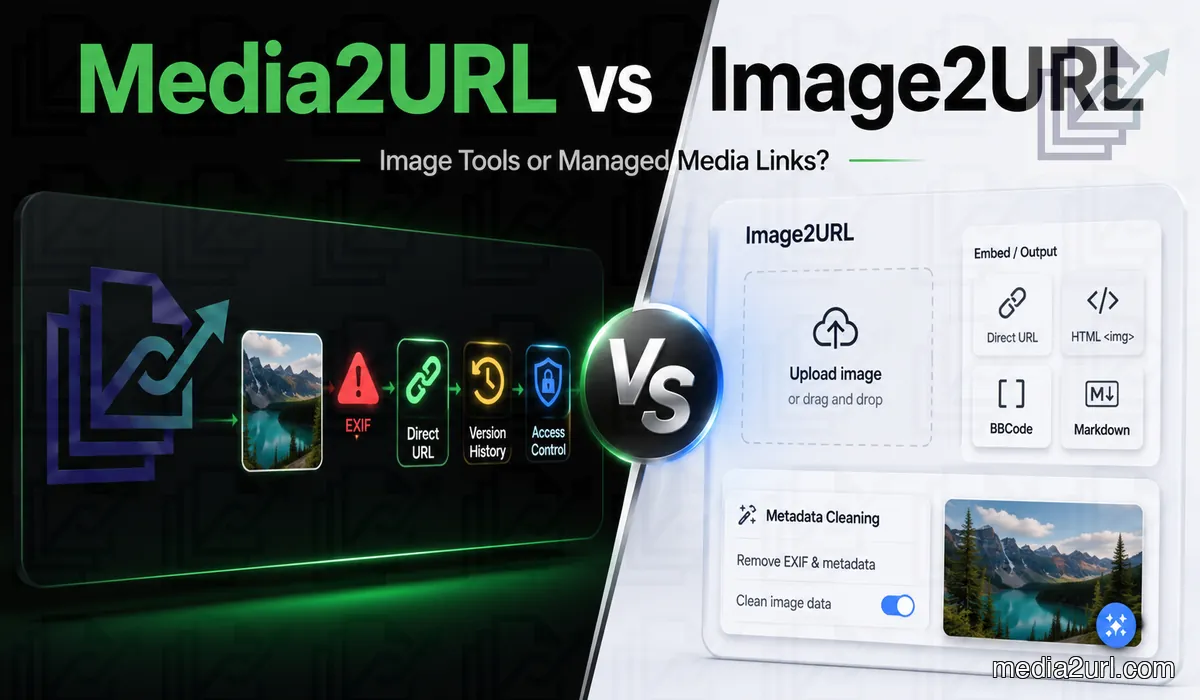
A person who needs one direct image URL may not require a full media workspace. The image goes into an uploader, the service returns a hosted link and that may complete the entire job. For a blog post, Markdown file or support reply, there may be nothing else to manage.
Image2URL is built around this quick hosting experience, but it now extends much further than one upload box. Its platform includes storage plans, image and file utilities, AI-assisted tools, API access and developer packages.
Media2URL also creates direct hosted links, but more of the later work stays connected with the stored asset. A file can remain inside its workspace while it is organised, edited, processed or shared with selected access rules. Supported images can also provide another size or web format through URL transformations without requiring a separate manual upload.
The two services therefore overlap across image hosting and file tools. Their main difference appears in how they organise the workflow after the first upload.
A simple upload is where Image2URL feels suitable
Suppose a student needs to place one 700 KB PNG diagram inside a homework forum message.
The student does not have an account and does not need to log in. They drag the file into the upload box and copy the direct URL. The image renders inside the forum and remains visible until the student decides to request its deletion.
Media2URL would also produce a usable direct image URL, but its workspaces, editing controls and file-management options may not add much value for this one-time task.
Image2URL is not only one upload box
The main Image2URL uploader provides permanent image links without requiring an account for basic use. Its current image workflow supports common formats with a 2 MB limit on the Free plan.
The wider paid product now includes storage quotas, image management, private images, API access and monthly AI credits. This makes Image2URL more than a temporary utility for one anonymous upload.
Current Published Plan Comparison
| Plan | Free | Pro | Dev |
|---|---|---|---|
| Upload size | 2 MB | 50 MB | 100 MB |
| Daily uploads | 10 | 1,000 | 10,000 |
| Storage | 500 MB | 50 GB monthly or 75 GB with the current annual offer | 250 GB |
| Batch upload | Not included | 20 images | 200 images |
| Upload history | Not included | 30 days | Permanent |
| Image management | Not included | Included | Included |
| Private images | Not included | Included | Included |
| Bonus AI credits | 5 per day | 100 per month | 400 per month |
| API calls | Not included | 5,000 per month | 50,000 per month |
| Webhooks | Not included | Not included | Included |
| Support | Community | Priority |
The Pro plan is listed at $9 per month. Its current annual offer reduces the effective monthly rate and adds storage above the normal 50 GB base allowance.
The Dev plan is listed at $29 per month. It is aimed at products, internal tools and automation workflows that require larger upload allowances, API access and webhook events.
Pricing and promotional storage allowances can change. Users should confirm the active billing option before choosing a plan.
Image2URL Uses Different Limits for Different Tools
Image2URL does not use one file-size rule across every uploader and utility. The main image-hosting workflow has its own allowance, while GIF, video, audio, PDF and other tools can publish different limits.
Those values should be checked on the exact tool being used. Image2URL changes and expands its tools regularly, and some published pages can show different limits depending on the workflow or page version.
This matters when comparing the two platforms because saying “Image2URL has a 2 MB limit” would be misleading outside the main Free image uploader. A person preparing a video or PDF should check that specific uploader rather than applying the image limit to every file type.
The same principle applies to paid features. Storage, API use, batch uploads and other allowances should be checked against the active pricing page before they become part of a production workflow.
Image2URL Still Has a Strong Browser-Based Privacy Utility
It would still be inaccurate to say that Image2URL ignores image metadata. Its Privacy Cleaner runs inside the browser and does not require the selected photographs to be uploaded for processing.
The tool can inspect and remove information such as GPS location, timestamps and camera details. It currently accepts batches of up to 50 photographs with a 12 MB limit for each file.
Cleaned images can be downloaded together as a ZIP file. This makes the utility useful when a person needs to clean several photographs before choosing where they will be hosted.
Media2URL handles the same concern inside its normal media workflow. The privacy check appears while a supported image is being prepared for upload, so the user does not need to open a separate website tool first.
The Media2URL Image Editor can also be used to cover visible information before publication. Text, shapes and drawing layers remain editable until the final version is exported.
| Privacy workflow | Image2URL | Media2URL |
|---|---|---|
| Where it appears | Separate browser utility | Connected with the hosted-file workflow |
| File processing | Local browser processing | Upload and editor workflow |
| Batch cleaning | Up to 50 supported photographs | Based on the active upload workflow |
| Metadata visibility | Shows detected metadata fields | Warns about supported detected metadata |
| Visible information cleanup | Separate image tools may be needed | Text, shapes and drawing layers available in the editor |
Image2URL currently provides the stronger dedicated batch metadata-cleaning utility. Media2URL connects privacy checks and visual editing with the file that will remain inside the hosted library.
The difference appears with a file that changes
Consider a documentation team that uses one screenshot inside an onboarding guide, a troubleshooting page and public API documentation.
The application interface changes after a product update. The team does not only need a new image link. It must prepare the replacement, confirm that the correct screen is visible and avoid editing every page where the old URL has already been added.
Inside Media2URL, the screenshot can remain in the same workspace and folder. An Editor can open it inside the image editor, crop the changed interface and save the result as a new version.
The published address can remain active while the hosted file is replaced. If the new screenshot contains a mistake, an earlier version can be restored from the file history.
A Viewer can inspect the final asset and copy its public URL without receiving permission to edit or delete the file. The workspace audit log can also show who uploaded or changed the asset.
This workflow adds value after the first URL has already been placed inside several documents.
Main feature comparison
| Capability | Image2URL | Media2URL |
|---|---|---|
| Main workflow | Fast permanent image links with a wider tools ecosystem | Hosted media links inside a managed visual workspace |
| Anonymous image upload | Available within the Free allowance | Available according to the current Media2URL plan |
| Free image upload size | 2 MB on the main image workflow | According to the current Media2URL pricing page |
| Storage allowance | 500 MB Free, with larger paid quotas | According to the selected Media2URL plan |
| Batch image upload | Pro and Dev plans | Supported through bulk upload workflows |
| Upload history | 30 days on Pro and permanent on Dev | File records with managed version history |
| Permanent image links | Advertised | Supported while the file and account remain active |
| Private images | Included on paid Image2URL plans | Public, Unlisted, Private and Password-protected access |
| Limited access | Private images available on paid plans | Passwords, expiry, signed delivery and supported view/download limits |
| Image management | Included on paid plans | Nested folders, tags, bookmarks and bulk actions |
| Team workspaces | Not described as isolated multi-user workspaces | Isolated workspaces with Owner, Admin, Editor and Viewer roles |
| Workspace audit records | Not described in the public pricing table | Supported activity logs with CSV export |
| Image editing | Separate crop, conversion and AI-assisted tools | Layer-based browser editor plus on-demand URL transformations |
| On-demand image variants | Separate image processing and hosting tools | URL-based width, height, fit, crop position, quality and supported WebP/AVIF output |
| Privacy cleaning | Dedicated local browser cleaner | Integrated upload warning and visual editing workflow |
| AI tools | Available through AI tools and plan-based credits | No separate AI workflow is currently included |
| PDF tools | PDF hosting and separate document utilities | Dedicated PDF workspace for merge, split, page organisation, watermarks, numbering, compression, passwords and conversion |
| Video tools | Video hosting and separate compression tools | Compression, trimming, MP3 extraction and GIF creation |
| GIF tools | GIF hosting and separate compression tools | Speed controls, reverse playback and colour optimisation |
| Audio tools | Audio hosting and MP3 utilities | Trimming, bitrate controls and format conversion |
| File versions | Upload history is published by plan | Active versions and supported replacement options |
| External URL tools | URL utilities and developer workflows are available | Media Migration from supported bulk URLs or cloud sources with duplicate checking and source mapping where available |
| Link checking | URL expander, parser, opener and batch checking tools | Link Doctor for HTTP status, redirects, CORS, content type and byte-range behaviour |
| Social share-page control | Not described as a hosted-file feature | Editable social preview details for supported share pages |
| Link fallback | Not described as a hosted-file setting | Supported fallback rules where available |
| API | Pro and Dev | Public API not currently offered |
| Webhooks | Dev | Not currently offered |
| Developer packages | CLI, MCP server, React, Next.js and Python tools | Dashboard workflows |
| Suitable users | Quick upload users, developers and AI-tool users | Creators, agencies, support teams and managed client workspaces |
Image2URL now covers a broad mix of hosting, developer and AI-assisted workflows. Its public developer stack includes an API together with tools for command-line, MCP and framework-based integrations.
Media2URL overlaps with part of that workflow but takes a different direction. Its stronger distinction appears in isolated workspaces, editable stored assets, multi-format processing and link controls that remain connected with the file after publication.
The table should be read as a workflow comparison rather than a count of tools. A separate utility and an integrated workspace feature may solve the same problem in different ways.
Feature Availability and Plan Limits
Both services distribute some capabilities according to the user’s plan. A feature shown on the platform should not automatically be treated as available with every Free or paid account.
Image2URL publishes separate limits for uploads, storage, AI credits, API requests and webhooks. Media2URL also applies plan limits to storage, processing, workspaces and controlled delivery.
This comparison describes the features available in the current public products. Users should check the active pricing pages before depending on a particular allowance for production work.
A promotional storage amount or temporary annual discount should not be described as a permanent plan allowance.
API Comparison
Image2URL provides a documented external API with API keys, asynchronous job status checks and signed webhook events. Its current plans publish 5,000 monthly API calls on Pro and 50,000 on Dev.
The developer stack also includes a command-line tool, an MCP server and packages for React, Next.js and Python. This gives Image2URL a practical route into websites, automation scripts and AI-assisted workflows.
Media2URL does not currently offer a public developer API comparable with Image2URL's developer stack. Its main workflows happen through the dashboard, so Image2URL is the clearer choice when uploads must be wired directly into an application, agent or automation script.
Link Checking Is Now an Area of Partial Overlap
Image2URL now includes several URL utilities alongside its hosting tools. The tools directory lists a URL expander, URL opener, URL parser and batch URL checker.
These utilities can help a user inspect or process an address before using it. This means the comparison should not claim that Image2URL only creates new links and provides no URL-checking tools.
Media2URL approaches the same problem through Link Doctor. Instead of only expanding or parsing the text of a URL, the tool checks how a reachable media address behaves when another service requests it.
The response status and redirect path can show whether the file is actually reachable and where the request finishes. Content-type checks are useful when a URL appears to be an image but eventually returns an HTML page instead.
CORS information matters when an image needs to be used through browser scripts or a canvas-based workflow. For video and audio, byte-range testing can also show whether the server supports partial-content responses used when a player seeks to another part of the file.
The difference is therefore not that Image2URL has no URL tools. Image2URL provides several general URL utilities, while Media2URL's Link Doctor is more specifically aimed at diagnosing media delivery behaviour.
Upload History, Audit Logs and Visitor Analytics
Upload history, workspace audit logs and visitor analytics describe different types of information.
Image2URL provides upload history on its paid plans. This helps an account owner return to files uploaded during the plan’s retention period.
Media2URL keeps file records and version history inside the media library. Its workspace audit log records supported actions such as uploads, file renaming, metadata changes, role updates and invitations.
These audit records show what members changed inside the workspace. They should not be described as visitor analytics because they do not answer the same question as file views or referring-domain reports.
Any traffic or referral feature should appear in this comparison only when it is active inside the current dashboard and its plan limits are publicly stated.
Controlled sharing is not the same as private-image storage
Image2URL includes private images on its Pro and Dev plans. The public pricing table confirms the feature, although it does not show every rule that may apply to a private image.
Media2URL treats access as part of the hosted-file lifecycle under Security & Access Controls. A supported file can use Public, Unlisted, Private or Password Protected access depending on the plan and file type.
Expiry dates, view limits and download caps can be applied where those controls are available. One-time access can also fit a temporary review workflow where the recipient should not keep returning to the same unrestricted link.
Signed delivery provides another option when a private file needs temporary URL-based access. The generated link can be given a limited lifetime instead of exposing a normal unrestricted public file address.
These controls are useful for review files and client material, but they should not be placed in front of a normal public website image. The access setting still has to match the way the file will actually be used.
No sharing rule can remove a copy that another person has already downloaded or captured through a screenshot.
Social Preview Studio
The share page can remain separate from the direct image response. This allows a team to use the raw file inside a website while sending the richer preview page through chats or client messages.
Migration Is Not the Same as Batch Upload
Image2URL supports batch uploads for users who already have files on their device. Its developer ecosystem also gives technical users other ways to send images through the API, SDK packages or command-line workflows.
Media Migration solves a different problem. The source files may already live somewhere else online or inside supported cloud storage, and the goal is to bring those files into the Media2URL workspace rather than select them again from a local folder.
Supported migration jobs can work with groups of source URLs or available S3-compatible storage. Duplicate checking helps avoid bringing the same content into the workspace repeatedly when a larger library is being moved.
Where source-to-new-URL mapping is provided, the migration result can also preserve the relationship between the old address and the newly created Media2URL URL. This becomes useful when existing pages or records still refer to the previous host.
Image2URL's API and developer tools may be more suitable when a technical team wants to build its own migration or upload pipeline. Media2URL's advantage is the dashboard workflow when the files are meant to become managed assets inside the new workspace.
Neither service should bypass a login screen, private bucket permission or another owner's restricted file. The source still needs to be accessible through a supported authorised workflow.
Separate Image Tools Versus an Integrated Editor
Image2URL has developed a wide tools directory around its hosting product. The current toolset includes image conversion, compression, background removal, image extension, photo restoration, sharpening, image-to-prompt generation and watermark creation.
Some AI-assisted operations use credits. The current Free plan includes daily bonus credits, while Pro and Dev receive monthly allowances. Additional credit packs are available to paid subscribers.
This structure suits a user who wants to open one dedicated tool for a specific result. The output can then be downloaded or hosted through the relevant Image2URL workflow.
Media2URL takes a more integrated approach through its interactive editor. An uploaded asset can remain inside the library while the user changes brightness, contrast, saturation, sharpness, blur or colour temperature.
The editor also supports crop ratios, straightening, editable layers, drawing, shapes, stickers and typography. The result can overwrite the active version, create a derivative or remain as a separate asset.
The visual editor is not the only way to create another image output. Supported hosted images can also use URL transformations for width, height, fit, crop position, quality and eligible WebP or AVIF output. This works better when a website only needs another predictable size or format and there is no reason to open the full editor.
Image2URL currently provides the wider set of separate AI-assisted image utilities. Media2URL provides a deeper layer-based editing workflow around the asset that is already stored in the workspace.
Working With PDFs, Videos, GIFs and Audio
Both platforms now cover more than normal image uploads. The difference appears in how those tools connect with the stored file.
Image2URL provides separate hosting, conversion and compression pages for PDFs, videos, GIFs and audio files. A user can select the tool required for the current format and receive a hosted or downloadable result.
Media2URL places its processing workspaces closer to the stored asset. The PDF workspace covers merging and several split workflows, visual page organisation, watermarks and numbering. Supported controls also cover compression, password handling, metadata and conversion between PDF pages and images.
Supported videos can be compressed, trimmed or converted into audio and GIF files. GIF playback speed can be changed or reversed, while audio files can be trimmed and converted with selected bitrate settings.
This difference is relevant for teams that want every processed version to remain inside the same workspace and folder structure.
Managing the Link After Publication
A permanent-link claim means that the service does not intend to remove the address through a normal short expiry period. It does not answer every question that may appear after the link is used.
The owner may still need to know whether the file was replaced, whether access has expired or where a visitor should go if the original asset is no longer available.
Media2URL keeps these controls connected with the hosted file. The dashboard can show the current access state, version history and supported delivery rules. Where signed delivery is available, temporary access can also be generated without changing the underlying stored asset.
A fallback address can be attached to supported public failure cases. For example, an old product image may send the visitor to the current product page instead of leaving an empty destination.
Fallback rules must not bypass private access, password protection or workspace permissions.
Image2URL may remain suitable when the permanent hosted address is the final output. Media2URL adds value when the link will continue to be managed after publication.
Image2URL may suit you when
Image2URL may fit your workflow when you want:
- You mainly want a fast hosted image URL and do not need a larger workspace around the file.
- You want Image2URL's standalone AI or privacy utilities for a particular image task.
- Your application needs its documented API, webhook support or developer packages.
- You want integrations such as its CLI, MCP server or framework-specific upload tools.
The Pro plan may suit frequent creators who need larger uploads and image management. The Dev plan is more relevant when Image2URL becomes part of a product, script or webhook-based workflow.
Media2URL may suit you when
Media2URL may fit your workflow when you want:
- Files for different clients or projects need to stay inside separate workspaces with member roles and activity records.
- Images, PDFs, videos, GIFs or audio files need dashboard-based preparation after they are uploaded.
- Hosted files need access rules, signed delivery, version replacement or link diagnosis after the URL has already been shared.
- Existing media needs to be moved from supported URLs or cloud sources into the managed library instead of uploaded again one file at a time.
Media2URL may also suit an agency or small team that does not need Image2URL's API and developer ecosystem. Its main value appears when creating the first URL is only the beginning and the file still needs to be organised, changed or controlled later.
Final assessment
Image2URL has grown well beyond a basic image-to-link uploader. It combines quick hosted image URLs with paid image management, a large directory of standalone tools and a developer ecosystem that includes API access, SDK-related tools, CLI support and an MCP server.
Media2URL approaches the same market from the managed-asset side. It creates direct links too, but the uploaded file can remain inside a workspace where it can be organised, visually edited, processed into other supported outputs and controlled after publication.
Image2URL is the more natural choice when the goal is a quick hosted image, a specific standalone AI or privacy tool, or programmatic integration through its developer stack. Media2URL makes more sense when the same asset still needs work after the first link has been created.
The decision therefore comes down to what happens next. If the URL itself is the finished result, Image2URL can be the simpler fit. If the file, its versions and its access still need to be managed later, Media2URL provides the more connected workflow.
Related comparisons
- Media2URL vs Imgur
- Media2URL vs ImgBB
- Media2URL vs Postimages
- Media2URL vs Cloudinary
- Media2URL vs ImageKit
Comparison Review Note
This page was reviewed on August 18, 2026 using the current public Image2URL uploader, pricing information, tools directory and developer pages together with features available in the current Media2URL platform.
Image2URL changes and expands its tool directory regularly, and some individual uploader limits may differ between pages or plans. Check the active tool and pricing page when a particular upload size, storage allowance, AI credit limit or API quota is important to your workflow.
Frequently Asked Questions
Does Image2URL provide permanent links?
Yes. Image2URL currently advertises its hosted image links as permanent and without a normal automatic expiry period. As with any hosted service, continued availability is still subject to the platform's terms, content rules and service operation.
Does Image2URL remove EXIF metadata?
Yes. Image2URL provides a separate browser-based Privacy Cleaner. It can inspect and remove EXIF details from batches of supported photographs without uploading the files for the cleaning operation.
What is Image2URL’s free file limit?
The main Free image-hosting workflow currently uses a 2 MB image limit, but that number should not be applied to every Image2URL tool. Video, GIF, audio, PDF and other workflows can publish their own limits, so check the specific uploader before preparing a larger file.
Does Image2URL have an API?
Yes. Image2URL publishes an external API with API-key authentication and asynchronous task routes. The current pricing page lists 5,000 monthly API calls on Pro and 50,000 on Dev, while webhooks are included with Dev.
What does Media2URL add to upload history?
Media2URL connects file history with the wider workspace. A user can overwrite the active file, save a new version, create a derivative or restore an earlier asset while keeping the managed link workflow in place. The asset can also remain inside the same folder with its tags, sharing rules and workspace activity records.
Does Image2URL Provide AI Tools?
Yes. Image2URL lists tools such as background removal, image extension, photo restoration, image enhancement and image-to-prompt generation. Its current plans include bonus AI credits, while extra credit packs are available to paid subscribers.
Does Image2URL Have an MCP Server or SDKs?
Yes. Image2URL provides an MCP server, a command-line tool and packages for React, Next.js and Python. These tools are useful when image uploads need to become part of an application or automated workflow.
Does Media2URL Support Team Workspaces?
Yes. Media2URL supports isolated workspaces with Owner, Admin, Editor and Viewer roles. Each workspace keeps its files, folders, settings and supported audit records separate from other projects.
Does Media2URL support URL-based image transformations?
Yes. Supported Media2URL images can request another width, height, fit, crop position or quality through URL-based transformation controls. Eligible outputs can also use WebP or AVIF, while the separate layer-based editor is available when the image itself needs visual changes.
Which is better for developers?
Image2URL is the clearer choice when the workflow needs a public API, MCP server, CLI or framework-specific developer packages. Media2URL currently focuses on dashboard-based workflows rather than offering an equivalent public developer ecosystem.