

Media2URL vs ImgBB: Image Hosting and Link Controls Compared

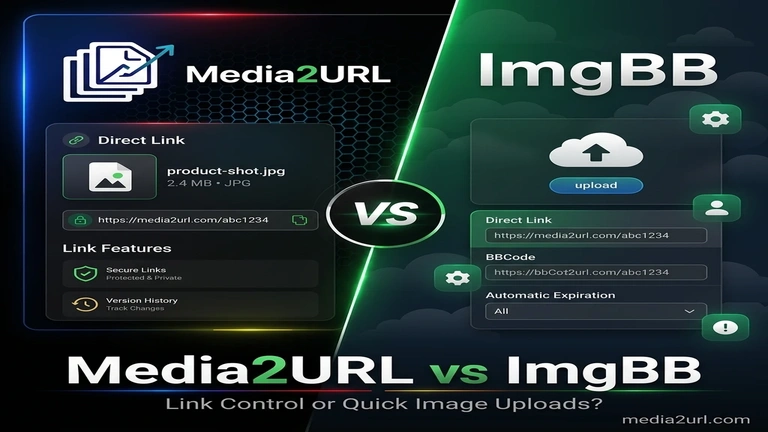
A user can open ImgBB, drop an image into the uploader and copy a direct link or BBCode within a short time. This simple workflow already solves the main requirement for many forum users, website owners and people sharing screenshots.
ImgBB also provides resizing, automatic deletion, albums and remote image uploads. A Pro account adds larger files, image replacement and API access.
Media2URL can complete the same basic upload-and-copy task, but more of the later work stays connected with the stored asset. Images can remain inside organised workspaces where they can be edited, versioned and shared with selected access controls. Supported images can also provide other sizes or web formats through URL transformations without creating another upload for every variation.
The difference is no longer only about what happens after a link is published. It also appears in how the asset is prepared, who can manage it and whether the same dashboard must support other file types.
Quick answer
Choose ImgBB when the job mainly ends after the image is uploaded. It provides a quick image-hosting workflow with direct links, BBCode, viewer pages, upload-time resizing, albums and optional automatic deletion. Its API also makes sense when image uploading needs to become part of another application.
Choose Media2URL when the image will still need work after its URL has been created. A file can remain inside a managed workspace with folders, team roles, editing, versions and access controls. Supported images can also use on-demand URL transformations when a website needs another size, crop or format.
Media2URL also handles supported PDFs, videos, GIFs and audio files. Those extra workflows matter when image hosting is only one part of a larger project rather than the entire job.
What ImgBB already does well
ImgBB provides a focused image-upload workflow. Users can drag and drop a file, paste an image from the clipboard, browse from a device or add an existing image URL.
Before upload, the user can add a title or description and apply an image resize. After upload, ImgBB provides viewer links, direct image links, HTML and BBCode formats.
The standard uploader currently lists a 32 MB limit. Images can also be deleted automatically after a selected period ranging from five minutes to six months.
Uploaded images can be placed inside a new album. The album may remain public, work through a private link or require a password. An account is needed when the owner wants to save and manage the album later.
ImgBB Pro currently advertises 64 MB files, direct linking, image replacement, API access, removal of advertisements and unlimited space. The phrase “unlimited space” is a published plan claim and should not be rewritten as unlimited bandwidth or use without service conditions.
These are meaningful hosting features. ImgBB should not be presented as a service that only returns one basic image address.
How Media2URL differs
Media2URL supports the normal direct image link workflow, but it places the uploaded file inside a broader media workspace.
Images can be organised through nested folders, tags, bookmarks and bulk asset actions. A user can also edit the image through a layer-based Image Editor before saving it as a new version, derivative or separate asset.
Visual editing is not required every time another website variation is needed. Supported Media2URL images can also use URL-based transformations for width, height, fit, crop position and quality, with WebP or AVIF output available where supported. This works well when the same stored image needs to appear in several predictable website layouts.
Teams can create isolated workspaces for clients or internal projects. Owners can invite Admins, Editors or Viewers without sharing the main account login.
Media2URL also keeps link controls connected with the asset. The owner can replace the file, restore an earlier version or diagnose an external URL without treating each action as a separate hosting job. Supported files can also use passwords, expiry, signed delivery or view and download limits under Security & Access Controls where those controls are available.
The same account can process PDFs, videos, GIFs and audio files. This makes Media2URL suitable for workflows where image hosting is one part of a wider file library.
Where ImgBB and Media2URL Overlap
Both platforms can upload images from a device or an existing public URL. They can also provide direct image addresses and formats that are useful for websites or forum posts.
Both services support file replacement in some form. ImgBB lists image replacement as a Pro feature, while Media2URL connects replacement with its file history and rollback workflow.
Access control also overlaps. ImgBB supports private and password-protected albums, while Media2URL applies visibility and access settings to hosted files and shared folders.
The main difference appears in structure. ImgBB remains centred on image uploads and albums, while Media2URL places images inside workspaces that also contain editing tools, folders, member roles and activity records.
Main feature comparison
| Capability | ImgBB | Media2URL |
|---|---|---|
| Main workflow | Quick image hosting and sharing | Managed media workspace with hosted links |
| Drag and drop upload | Supported | Supported |
| Clipboard paste | Supported | Supported inside the uploader |
| Upload from image URL | Supported | Supported for accessible public files |
| Standard image limit | 32 MB on the public uploader | Based on the active Media2URL plan |
| Paid image limit | 64 MB listed for Pro | Based on the active Media2URL plan |
| Resize during upload | Supported | Layer-based browser editor plus on-demand URL transformations |
| URL-based image variants | No equivalent documented dynamic transformation workflow | Width, height, fit, crop position, quality and supported WebP/AVIF output |
| Direct image URL | Supported | Supported |
| Viewer or share page | Viewer page available | Configurable share page |
| HTML and BBCode | Supported | HTML, Markdown and BBCode |
| Image albums | Public, private-link or password-protected albums | Folders, collections and shared folder links |
| Nested folder structure | Not presented as a main album feature | Supported |
| Tags and bookmarks | Not presented in the main uploader | Supported inside the library |
| Bulk asset actions | Multi-image uploading is supported | Visibility, expiry, tags and folder actions |
| Automatic timed deletion | Five minutes through six months | Selected expiry periods |
| Limited-access file links | Private-link and password-protected album workflows | Passwords, expiry, signed delivery and supported view/download limits |
| Image replacement | Pro feature | Supported with managed file history |
| Previous version restoration | Not described in the public Pro list | Supported |
| Visual image editor | Resize and basic upload editing | Layer-based editor with adjustments, drawing, text and shapes |
| Team workspaces | Not described as isolated workspaces | Owner, Admin, Editor and Viewer roles |
| Workspace audit logs | ✕ Not described | Supported activity logs and CSV export |
| Public URL migration | Single image URL upload through the uploader or API | Media Migration from supported bulk URLs or cloud sources with duplicate checking and source mapping where available |
| Link diagnosis | No dedicated media-link diagnostic workflow documented | Link Doctor for HTTP status, redirects, CORS, content type and byte-range behaviour |
| Social preview controls | Not described as a per-file hosted feature | Supported share-page controls |
| Hotlink domain rules | Direct linking is supported | Approved-domain rules where available |
| File-specific bandwidth rules | Not presented | Supported where available |
| Fallback destination | Not presented | Supported for selected delivery failures |
| PDF, video and audio tools | Image-focused hosting platform | Dedicated PDF workspace plus video, audio and GIF processing tools |
| API | Public image-upload API available | No public API currently offered; dashboard-first workflows |
| Suitable users | Forum users, bloggers and quick image-sharing workflows | Creators, agencies, support teams and managed workspaces |
ImgBB remains stronger where a person wants a focused image-upload experience with familiar forum outputs and very little setup.
Media2URL covers a larger part of the asset workflow. Its main difference appears through workspaces, image editing, URL transformations, file organisation and link controls that remain connected with the hosted asset.
The table should not be read as proof that every Media2URL feature is needed for one image. Extra controls provide value only when the file will be managed again later.
A simple upload is where ImgBB feels suitable
Suppose a student needs to place one 700 KB PNG diagram inside a homework forum message.
The student does not have an account and does not need to log in. They drag the file into the upload box and copy the direct URL. The image renders inside the forum and remains visible until the student decides to request its deletion.
Media2URL would also produce a usable link, but its workspaces, editing controls and file-management options may not add much value for this one-time task.
Remote upload is available on both
Remote image upload is available on both platforms. ImgBB lets a user add an image URL through its public uploader instead of downloading the image first.
The ImgBB API also accepts a binary file, Base64 data or an image URL up to 32 MB. Its optional expiration value can remove the upload after a period between 60 seconds and 180 days.
Media2URL should therefore not describe remote upload itself as a unique feature.
Media2URL's difference is the wider Media Migration workflow rather than basic remote upload. Supported media can be brought into the workspace through bulk URL jobs or available cloud-source workflows instead of submitting every image individually.
Duplicate checking becomes useful when a larger source library contains repeated files. Where source-to-new-URL mapping is available, the migration result can also preserve the relationship between the old address and the new Media2URL URL.
This is a different use case from ImgBB's image-URL uploader. ImgBB is convenient when you already have one image URL and simply want to host that image. Media Migration becomes more relevant when a collection of existing media needs to move into a new managed library.
Neither workflow should bypass a login screen or private storage permission. The user still needs to own the files or have permission to move and host them.
A real migration example
Suppose an online store has an old spreadsheet containing dozens of product-image URLs. The files are already published, so downloading each image and uploading it again would create unnecessary manual work.
A Media Migration job can process supported source URLs as a larger migration workflow. The store owner can review which files were successfully brought into the workspace and which sources failed because the original file was unavailable or restricted.
Duplicate checking also matters when the old spreadsheet contains the same product image more than once. Where source mapping is provided, the team can keep a record of which new Media2URL URL belongs to each original source.
ImgBB's remote uploader remains useful when the requirement is simply taking one existing image URL and creating an ImgBB-hosted copy. Media2URL's migration workflow is more useful when the source itself is a collection that needs to become part of a managed library.
Automatic deletion compared with limited views
ImgBB provides clear time-based automatic deletion. Its public uploader currently offers periods from five minutes to six months.
This setting is useful for temporary screenshots or forum images that should disappear after a known period. The image is removed according to the selected expiry rather than remaining as a permanent upload.
Media2URL approaches temporary access differently. A supported file can use a selected expiry time, while available view or download limits can stop normal access after the intended sharing condition has been reached.
One-time access can also fit a review file that should not remain repeatedly available. Signed delivery provides another option when a private file needs a temporary URL rather than a normal unrestricted public address.
Albums and controlled file sharing
ImgBB albums can remain public, work through a private link or require a password. This is a useful way to place several related images under one shared destination.
Media2URL uses folders and collections as part of its broader media library. A folder can sit inside another folder, remain attached to a workspace and be shared through a supported folder link.
The difference is that a Media2URL folder also supports the surrounding workspace structure. Member roles, bookmarks, tags and bulk asset actions can remain connected with the files inside it.
Individual Media2URL files may also have a separate share page with a custom title, description, thumbnail, theme and CTA destination. The raw direct image URL remains available for websites and embeds.
ImgBB albums may be enough for a personal gallery or a group of forum images. Media2URL folders may suit a client project or team library that will continue to change.
Team Workspaces and Member Roles
ImgBB accounts allow users to save and manage uploaded images and albums. Its public uploader does not describe isolated business workspaces with separate member roles.
Media2URL allows a company or agency to create different workspaces for clients, departments or product lines. Files, folders and workspace settings remain separated from the other projects under the account.
The Owner has full control over billing, member access and workspace deletion. Admins can manage members and settings, while Editors can upload or modify files.
Viewers receive read-only access. They can inspect assets and copy allowed links without changing the file or workspace structure.
Invitations use secure tokens with a limited validity period. Pending invitations can be revoked or issued again when needed.
Activity Records for Shared Work
A team library needs more than access permissions. The owner may also need to understand who uploaded a file, renamed an asset or changed a member’s role.
Media2URL records supported workspace actions inside an audit log. Events can include file uploads, metadata changes, file renaming, invitations and role updates.
Each event is connected with the active workspace member. Supported audit records can also be exported as a CSV file for an internal review.
Audit logs do not prevent every mistake. They provide a record that helps the owner understand what changed and who performed the action.
File replacement and version history
ImgBB Pro includes an image replacement feature. This allows a paying user to update an uploaded image without treating replacement as a completely new hosting task.
ImgBB’s current public Pro feature list does not describe a complete visual timeline of earlier versions or a rollback workflow. The comparison should not claim that ImgBB definitely deletes every previous binary because that behaviour is not explained publicly.
Media2URL connects replacement with a visible file history rather than treating it as a single overwrite action. The active file can be replaced while the managed published URL remains in use, and an earlier supported version can be restored when the replacement turns out to be wrong.
This becomes useful when one image already appears in several pages. The team can update the hosted asset instead of searching every page for the old URL, while file history gives them a way back if the new version contains a mistake.
Previous versions use storage and may remain subject to the selected plan’s retention rules.
Upload-Time Resizing Versus Editing and URL Variants
ImgBB allows the user to resize an image from the upload interface. A title and description can also be added before the upload is completed.
This is useful when the final task only needs a different image size. The user does not have to open a separate advanced editor for a simple resize.
Media2URL provides a complete browser-based Image Editor around the stored asset. It includes crop ratios, straightening, brightness, contrast, saturation, sharpness, blur and colour temperature controls. Text, shapes, stickers and drawing elements remain as separate layers.
A full visual edit is not always necessary. If the stored image is already correct and the website only needs another size or crop, supported URL transformations can request width, height, fit, crop position and quality directly from the hosted source. Eligible output can also use WebP or AVIF.
ImgBB remains the simpler choice for a quick upload-time resize. Media2URL provides both visual editing for changing the asset and URL transformations for creating supported delivery variants later.
Direct links and social previews
Both services provide direct image URLs, which are essential for HTML embedding, Markdown rendering, and website design.
Media2URL also provides a visual preview editor for shared links (the "Social Preview Studio"). When you share a Media2URL page on Slack, Twitter, or Facebook, the platform generates dynamic meta tags. You can customize:
- Title and Description
- Custom thumbnail image
- CTA (Call to Action) destination
- Caching parameters
The raw direct image URL remains separate. A direct file URL does not contain the same Open Graph page controls as an HTML share page.
The share-page configuration can remain attached to the managed asset even if the image itself is replaced later. This helps a team keep the public presentation and file history inside the same workspace.
Link Doctor
A media URL can look correct in a browser and still fail when another website, player or browser-based tool tries to use it. That makes the actual HTTP response more useful than simply checking whether the URL opens.
Media2URL Link Doctor follows the response and shows the HTTP status and redirect behaviour. The content type can reveal whether an address that looks like an image URL really returns image data or eventually lands on an HTML page.
CORS information is useful when a file needs to be fetched through JavaScript or used inside a canvas-based workflow. A normal browser display can succeed even when the same file cannot be accessed in the way another web application expects.
For video and audio URLs, Link Doctor can also test byte-range behaviour. Partial-content support matters when a media player needs to seek to another part of the file without downloading everything from the beginning.
The tool does not repair a restricted link or bypass another service's permissions. It helps explain what the reachable media URL is returning so the next step is based on the actual response.
| Test | Why it matters |
|---|---|
| HTTP status and redirects | Shows whether the URL responds and where the request finally ends |
| Content type | Helps identify a real media response versus an HTML page or error |
| CORS behaviour | Shows whether browser scripts or canvas workflows can access the resource |
| Byte-range behaviour | Helps check partial-content support used by video or audio seeking |
Hotlink protection
ImgBB hosts your images and provides embed codes. It does not allow you to configure which specific domains are allowed to load your images.
Media2URL provides active domain hotlink controls:
- Domain Allowlist: Specify which external websites are allowed to display your images.
- CORS Restrictions: Block unauthorized third-party apps from hotlinking your bandwidth.
- Fallback Image: Serve a branded placeholder or blank SVG when a blocked domain attempts to request the image.
This is different from ImgBB Pro’s published direct-linking feature. Direct linking confirms that the image may be embedded. A domain allowlist controls which normal referring websites are permitted to use the Media2URL file.
Per-file bandwidth control
If one of your shared files goes viral or gets hotlinked on a high-traffic forum, it can consume your account's monthly bandwidth allowance.
Media2URL allows you to set a bandwidth ceiling on individual files. You can configure a limit in megabytes or gigabytes for:
- A temporary campaign banner
- A product image used by partners
- A public PDF or download
- An audio or video sample
Once the file reaches its configured budget, the platform applies a fallback rule or pauses delivery to protect your account. Do not describe this feature as unlimited bandwidth protection. The file budget remains part of the wider account and plan limits.
Link Guard and fallback
If a file is deleted, reaches its view limit, or expires, visitors will see a broken image placeholder on your website.
Media2URL solves this with Link Guard. The user can configure a global or file-specific fallback destination. Instead of returning a 404 Not Found error, the platform serves a selected fallback image.
ImgBB provides the hosted image, viewer page and selected embed formats. Its public Pro feature list does not describe a configurable fallback destination for an unavailable image.
For example, when a seasonal promo banner expires, Link Guard can automatically serve a fallback logo image, keeping your website layout clean.
Privacy before upload
An image may contain hidden EXIF details such as the camera model, date information or location data. It may also contain visible private information inside the photograph or screenshot.
Media2URL checks supported images for EXIF information during the upload workflow and can remove supported metadata before the hosted copy is created.
The image editor can also help with visible information. A user can place a shape over a phone number, draw attention to an area or prepare a separate cleaned version before sharing it.
This does not mean that every private detail will be found automatically. The user should review the complete image before creating a public link.
A photographer may decide to preserve camera information, while a support employee may remove it from a screenshot or customer file. The final choice should remain visible to the person uploading the image.
What Happens When the Library Contains More Than Images
ImgBB is designed around image hosting. Its focused interface is one reason the upload workflow remains simple.
Media2URL can store and process other supported file types inside the same workspace. This matters when a client project contains product images, instruction PDFs, demonstration videos and audio samples.
The PDF workspace handles common document-preparation work such as merge and split workflows, visual page organisation, watermarks, page numbering and compression. Supported controls also cover passwords, metadata and conversion between PDF pages and image files. Supported videos can be compressed or trimmed, while GIF and audio tools provide their own format controls.
These features do not make Media2URL necessary for someone who only wants one image link. They provide value when a team wants several file types to remain inside one organised account.
Where ImgBB is a suitable choice
ImgBB may fit your workflow when:
- You want a quick image upload with direct links, viewer pages, HTML or BBCode and very little setup.
- Upload-time resizing or automatic deletion is enough for the image you are sharing.
- Public, private-link or password-protected albums cover the organisation you need.
- Your application needs ImgBB's public image-upload API rather than a dashboard-only workflow.
ImgBB's Pro plan may also suit someone who specifically needs larger 64 MB images, image replacement, direct linking or its advertised storage offering.
Its strength is focus. If the upload and resulting image link complete the job, the extra structure of a media workspace may not provide much additional value.
Where Media2URL is a suitable choice
Media2URL may fit your workflow when:
- Client or internal media needs to remain inside separate workspaces with Owner, Admin, Editor and Viewer roles.
- The hosted image still needs visual editing, URL-based variants, versions or rollback after its first upload.
- Existing media needs to be migrated into a managed library rather than submitted one image URL at a time.
- Files need passwords, expiry, signed delivery, link diagnosis or supported view and download controls after publication.
Media2URL may also be more practical when the same project includes PDFs, videos, GIFs or audio files. Its main value appears when creating the direct URL is only the first step and the asset will still need to be managed later.
Final verdict
ImgBB remains a strong choice for focused image hosting. Its uploader is simple, it provides direct links and familiar forum embed formats, and its current service also covers remote uploads, albums, automatic deletion, image replacement on Pro and a public upload API.
Media2URL approaches image hosting as part of a wider asset workflow. The image can remain inside a workspace where it can be organised, edited, transformed into supported delivery variants, replaced and controlled after its URL has already been published.
If you mainly need to upload an image and copy the result, ImgBB may be the simpler choice. If that same file will later need team access, version changes, migration, controlled sharing or diagnostics, Media2URL is closer to that workflow.
Neither service needs to win every use case. The better choice depends on whether the work ends with the image link or continues around the hosted asset after publication.
Related comparisons
- Media2URL vs Imgur
- Media2URL vs Postimages
- Media2URL vs Image2URL
- Media2URL vs Cloudinary
- Media2URL vs ImageKit
Comparison Review Note
This page was reviewed on August 18, 2026 using ImgBB's current public uploader, Pro plan information and API documentation together with features available in the current Media2URL platform.
ImgBB's pricing, upload limits and published features can change. Check the current uploader or plan page when a particular allowance is important to a production workflow.
Frequently Asked Questions
Does ImgBB support uploading from an image URL?
Yes. ImgBB’s public uploader accepts existing image URLs. Its API also accepts an image as a binary file, Base64 data or a public image URL up to the documented limit.
Can ImgBB automatically delete an image?
Yes. ImgBB’s public uploader provides automatic deletion periods from five minutes through six months. Its API accepts an expiry value between 60 seconds and 180 days.
Can ImgBB replace an image without changing its link?
ImgBB currently lists image replacement as a Pro feature. Its public feature list does not explain a complete version timeline or earlier-version rollback workflow.
What does Media2URL add to image replacement?
Media2URL connects file replacement with version history. A hosted asset can be updated while its managed link remains in use, and an earlier supported version can be restored if the replacement needs to be reversed. This is useful when the same image is already embedded in several places.
Does ImgBB Support Password-Protected Albums?
Yes. ImgBB allows an album to remain public, work through a private link or require a password. An account is needed to save and manage the album later.
Does Media2URL Support Team Workspaces?
Yes. Media2URL supports isolated workspaces with Owner, Admin, Editor and Viewer roles. Each workspace keeps its files, folders, settings and supported activity records separate.
Can Media2URL Edit an Image After Upload?
Yes. Media2URL has a layer-based browser editor for visual changes such as cropping, adjustments, text, shapes and drawing. Supported hosted images can also use URL transformations when the website only needs another size, crop, quality setting or eligible WebP/AVIF output.
Which Platform Is Suitable for Forum Images?
ImgBB may be the simpler choice when you only need a direct link, BBCode or an automatically deleted forum image. Media2URL may fit better when the same image also needs editing, team access, file history or controlled delivery.
Can Media2URL Handle PDFs and Other File Types?
Yes. Media2URL also provides supported workflows for PDFs, videos, GIFs and audio files. Its PDF workspace covers common document preparation, while the other media workspaces provide focused processing controls. ImgBB remains primarily an image-hosting service.