

Media2URL vs Cloudinary: Media APIs, Editing and Asset Management

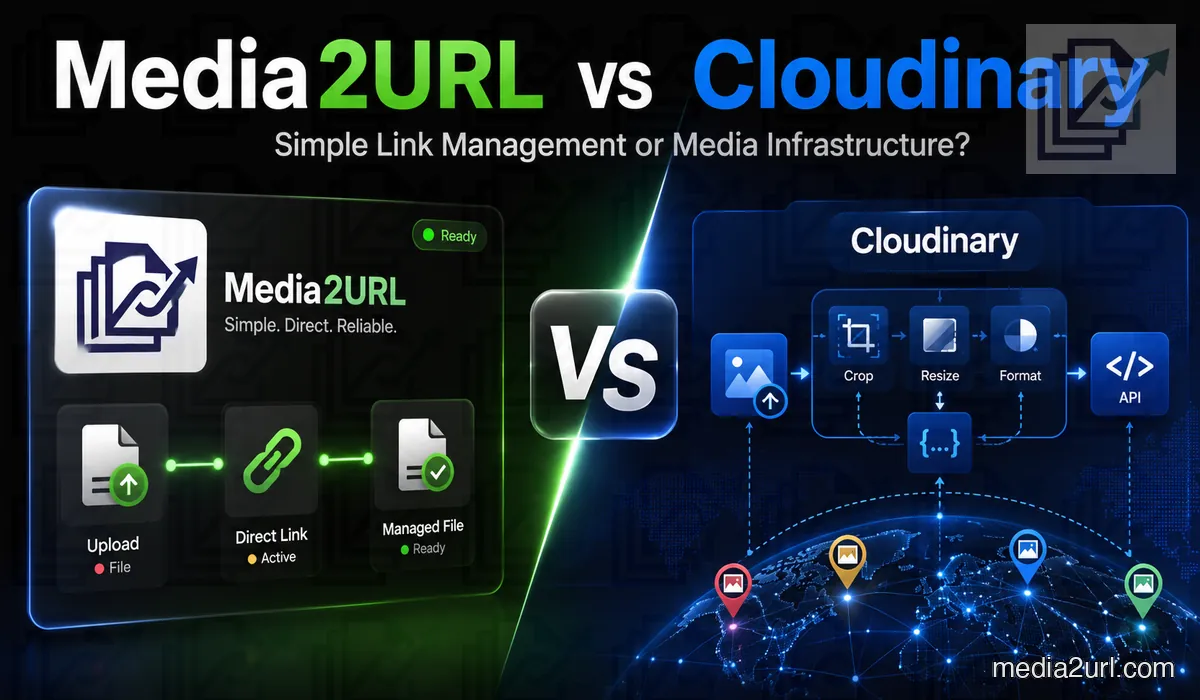
A large ecommerce application may need five image sizes from one product photograph. It may also require automatic cropping, format selection, video transcoding, signed delivery URLs and SDK-based uploads.
Cloudinary is built for this type of programmable media infrastructure. Developers can transform and deliver assets through URLs, APIs and official SDKs.
Media2URL approaches the same media problem from a more visual workflow. A file can be uploaded or brought into a workspace, organised and processed there, then shared through the required direct or controlled link. It also supports focused URL-based image transformations, but the product does not expect the complete media workflow to be built around an API or SDK.
Both platforms host, process and deliver media. They serve different levels of technical depth and should not be presented as equal products with the same purpose.
Quick answer
Choose Cloudinary when media delivery is part of your application architecture. Its transformation system, APIs and SDKs make more sense when a website or app needs to create image and video variants automatically, optimise delivery at request time or run a larger programmable media pipeline.
Choose Media2URL when most of the work happens around the file and its link. A team can organise media in visual workspaces, edit or process supported file types, create direct links and keep access, replacement and diagnostic controls connected with the hosted asset.
Cloudinary goes much further in programmable image and video infrastructure. Media2URL covers a narrower technical scope but brings more common file preparation and link-management tasks into a dashboard where they can be used without building the workflow through code.
Cloudinary is a complete media platform
Cloudinary is not a normal image-hosting service. Its platform combines upload APIs, transformations, asset storage, CDN delivery and digital asset management.
Images can be resized, cropped, reformatted and optimised through transformation URLs. Video workflows include transcoding, trimming, adaptive delivery and other processing controls.
Cloudinary can create derived assets the first time a transformation URL is requested. The generated result is cached through its delivery network and reused for later requests.
The platform also supports uploads through REST APIs and official SDKs. Applications can use signed or unsigned upload workflows depending on their security requirements.
Cloudinary’s depth makes it suitable for developers building production websites, mobile applications, ecommerce platforms and large media systems.
Cloudinary pricing uses credits
Cloudinary’s self-service plans use monthly credits across transformations, storage and bandwidth.
Cloudinary's current Free plan includes 25 credits and does not require a payment card. On the Free plan and several self-service plans, transformation and bandwidth usage is measured through a rolling 30-day window rather than simply resetting at the beginning of each calendar month. Paid self-service plans provide larger credit allowances and additional account features.
One credit can represent a different amount of usage depending on whether it is consumed through storage, bandwidth or transformations. A business should estimate all three before selecting a plan.
Transformations also affect usage. Creating several derived versions of each asset can consume part of the monthly allowance even when the original file is uploaded only once.
This pricing structure fits a broad media platform where processing and delivery are closely connected. A user who mainly wants simple hosted links may prefer a plan explained through direct storage and bandwidth limits.
What Media2URL now provides
Media2URL is no longer limited to a direct uploader with a few link controls.
It hosts images, videos, GIFs, audio files, PDFs and general downloadable documents. Each asset can provide a direct file URL and a browser-friendly share page.
The asset remains inside a managed library where it can be organised, edited and replaced. Teams can create separate workspaces for different clients or projects.
Media2URL also provides on-demand image transformations for supported assets. A delivery URL can request width or height, fit behaviour, crop position and output quality, with WebP or AVIF available for eligible outputs. This means a smaller website does not always need to save another copy just because the same image is required at a different size.
This creates genuine overlap with part of Cloudinary's transformation workflow, but not at the same depth. Cloudinary supports much larger transformation chains, automatic format and quality decisions, AI-assisted cropping and a broad developer ecosystem around those outputs.
Main feature comparison
| Capability | Cloudinary | Media2URL |
|---|---|---|
| Image hosting | Advanced CDN media delivery | Hosted direct and share links |
| Video hosting | Advanced delivery and processing | Hosting with practical processing tools |
| Audio and raw files | Supported asset types | Supported file-link workflow |
| Upload APIs | Extensive REST APIs and SDKs | No public Media2URL API; dashboard-first workflow |
| Browser uploader | ✓ Available | Available |
| Remote asset fetch / Migration | Remote URL upload, fetch delivery, auto-upload migration and API-based ingestion | Media Migration from bulk URLs or supported S3-compatible storage with duplicate checking and source-to-new-URL mapping |
| Dynamic image resizing | Extensive transformation API | URL-based width, height, fit, position and quality controls |
| Format conversion | Extensive | Supported JPEG, PNG, WebP and AVIF output workflows |
| Automatic format selection | Available through transformation options | Format can be requested for eligible assets |
| Automatic quality selection | ✓ Available | Adjustable quality delivery |
| Responsive image generation | Advanced | Focused URL transformation workflow |
| Image effects | Extensive | Browser adjustments and canvas editing |
| Layer-based browser editor | Available through Cloudinary tools and integrations | Built-in canvas editor |
| Video transcoding | Advanced | Compression and format workflows |
| Adaptive streaming | ✓ Available | Not a full adaptive streaming platform |
| Video trimming | ✓ Available | Available |
| Video to GIF | ✓ Available | Available |
| Audio extraction | Available through media processing | Video to MP3 workflow |
| GIF processing | ✓ Available | Speed, reverse and compression |
| PDF hosting | Supported as raw assets | Direct and share-page hosting |
| PDF editing | PDF delivery, page rasterisation and programmable transformation workflows | Dedicated visual PDF workspace for merge, split, page organisation, watermarks, numbering, compression and password controls |
| Version history | Revision and backup workflows | Asset timeline and rollback |
| Signed URLs | Advanced signed delivery | HMAC signed delivery with configurable expiry where supported |
| Private assets | Private and authenticated delivery types | Private workspace access |
| Time-based access | Supported through access-control workflows | Dashboard expiry controls and signed-link TTL |
| Password access | Can be built through access architecture | Dashboard password setting |
| Maximum download count | Requires a suitable implementation | Dashboard-controlled download limit |
| One-time viewing | Requires a suitable implementation | One-time access workflow where supported |
| Asset analytics | Usage and delivery information | Share-page views, downloads and bandwidth totals |
| Team roles | Advanced roles and DAM permissions | Owner, Admin, Editor and Viewer |
| Multiple environments | Product environments and DAM structures | Isolated workspaces |
| Audit history | Available through enterprise and DAM workflows | Downloadable workspace audit logs |
| Link diagnosis | Delivery reports, error reports and developer troubleshooting tools | No-code Link Doctor for HTTP status, redirects, CORS, content type and byte-range behaviour |
| Custom delivery domain | Custom CNAME available from Advanced plans; enterprise delivery options available on higher tiers | 1 verified custom delivery domain included on the Business plan |
| Main audience | Developers, media teams and enterprises | Creators, agencies and small teams |
The difference is not raw capability
It would be incorrect to say Cloudinary cannot handle media versions, private access, temporary delivery or team permissions.
Cloudinary supports public, private and authenticated asset types. Private original assets can require signed access, while authenticated assets can restrict both original and transformed versions.
Signed URLs and token-based delivery can also control access to protected media. Higher-level Cloudinary products provide more asset-protection and rights-management features.
Many Media2URL workflows can therefore be built with Cloudinary. The difference is how much configuration and development the user wants to handle.
Media2URL places common choices inside forms and dashboard controls. Cloudinary gives developers a large programmable system that can support much more customised behaviour.
Image transformation comparison
Cloudinary provides one of the most complete image-transformation systems available.
A delivery URL can request dimensions, crop methods, gravity, overlays, quality adjustments, effects and output formats. Different options can be combined into one transformation chain.
Media2URL also supports URL-based image transformations for eligible images. Width and height can be requested from the stored source, while fit mode and crop position control how the image sits inside the requested dimensions. Quality can be adjusted and supported outputs can be returned as WebP or AVIF when a modern format is needed.
This works well when a website has a predictable group of image layouts and creating a separate file for every size would be unnecessary. Cloudinary remains much more capable when the transformation itself becomes application logic, such as chained effects, automatic gravity, face-aware cropping, overlays or generative image operations.
| Image requirement | Cloudinary | Media2URL |
|---|---|---|
| Resize by width and height | ✓ Available | Available |
| Cover and contain fit | ✓ Available | Available |
| Automatic smart cropping | Advanced gravity and AI options | Manual position controls; no equivalent AI auto-crop system |
| Face-aware cropping | ✓ Available | Not available as an equivalent automatic workflow |
| JPEG to WebP | ✓ Available | Available |
| JPEG to AVIF | ✓ Available | Available for eligible delivery |
| Automatic format selection | ✓ Available | Output format selected through transformation options |
| Automatic quality tuning | ✓ Available | Manual quality setting |
| Image overlays | Advanced transformation layers | Browser editor overlays |
| Text overlays | Advanced transformation options | Browser editor text layers |
| Transformation chains | Extensive | Focused transformation parameters rather than complex chains |
| SDK-generated URLs | ✓ Available | Not the main workflow |
Media2URL can serve several practical website variants from one image. It does not replace Cloudinary’s full responsive image and transformation engine.
A developer workflow
Consider an ecommerce application with thousands of product photographs.
The frontend needs a small thumbnail, a product card image and a high-resolution zoom view. Mobile users should receive a suitable format and image size based on their device.
Cloudinary is the stronger option for this workflow. Developers can generate transformations through delivery URLs or SDK helpers.
The same source asset can produce many derived versions without manually saving each output. Cloudinary also supports automatic format and quality decisions for suitable requests.
Media2URL can provide resized and reformatted images through focused URL options. This may be enough for a smaller website with a limited number of predictable layouts.
It does not provide the same level of transformation logic, device adaptation or developer tooling.
Browser image editing
Cloudinary’s platform includes several media editing and transformation systems. Many advanced changes are controlled through APIs, transformation syntax or DAM tools.
Media2URL provides a direct canvas editor inside the workspace.
A user can change brightness, contrast, saturation and sharpness. Blur, grayscale, opacity and colour temperature controls are also available.
Images may be cropped with free-form or fixed ratios. A straightening control helps fix tilted photographs and screenshots.
The canvas supports text, freehand drawing and vector shapes. Stickers and image overlays can also be placed above the original file.
Every object appears as a layer. Layers can be hidden, locked or reordered without writing a transformation URL.
| Editing workflow | Cloudinary | Media2URL |
|---|---|---|
| API transformations | Extensive | Focused URL controls |
| Dashboard image editing | Available through product tools | Built-in canvas editor |
| Layer visibility | Product and workflow dependent | Available |
| Layer locking | Product and workflow dependent | Available |
| Freehand drawing | Product dependent | Available |
| Text overlays | Transformations and product tools | Available |
| Compare with original | Workflow dependent | Drag comparison slider |
| Save another version | ✓ Available | Available |
| Export as WebP | ✓ Available | Available |
Cloudinary offers greater technical depth. Media2URL may feel more direct for a person who wants to edit one asset through a normal visual canvas.
Video processing
Cloudinary provides advanced video transformation and delivery features. These include transcoding, resizing, cropping, effects and optimised streaming workflows.
It is suitable for applications that publish video at scale or need several output formats from one source.
Media2URL covers a smaller set of practical video tasks. A user can compress a file, prepare it for web playback and trim a selected section.
A video clip can also be converted into an animated GIF. The audio track may be extracted as an MP3 file.
| Video requirement | Cloudinary | Media2URL |
|---|---|---|
| Video hosting | Advanced | Available |
| Format transcoding | Extensive | Focused conversions |
| Adaptive streaming | ✓ Available | Not a full streaming system |
| Smart cropping | ✓ Available | Not available as an equivalent automatic workflow |
| Video transformations | Extensive | Basic practical tools |
| Compression presets | Available through transformations | Web and sharing presets |
| Clip trimming | ✓ Available | Available |
| Video to GIF | ✓ Available | Available |
| Audio extraction | Available through processing | Available |
| Developer SDKs | Extensive | Not the main workflow |
Choose Cloudinary when video is part of a production application. Media2URL may suit someone who wants to prepare and share a smaller video without building a video pipeline.
PDF tools
Cloudinary can upload and deliver PDF files and use their pages in supported transformation workflows. A page can be rasterised into an image or thumbnail, and Cloudinary can also create PDF output from images. These capabilities fit its programmable media model rather than behaving like a traditional visual PDF editor.
Media2URL provides a dedicated PDF workspace for someone who needs to work on the document itself before sharing it. Several PDFs can be selectively merged, while split controls can separate individual pages or selected ranges without taking the file into another PDF application.
The page organiser is useful when the problem is inside the document rather than its delivery URL. Pages can be moved into another order and supported page actions can be applied before the new PDF is saved.
Watermarks and page numbers can be added through visual controls. The workspace also covers supported metadata changes, password protection or removal, compression presets and conversion between PDF pages and image files.
The difference is therefore not that Cloudinary “does not support PDFs”. Cloudinary works well when PDF handling is part of a programmable media pipeline. Media2URL makes more sense when someone wants a visible document workspace for common PDF preparation tasks before creating or sharing the final link.
| PDF requirement | Cloudinary | Media2URL |
|---|---|---|
| PDF storage | ✓ Available | Available |
| PDF delivery | CDN delivery and supported transformations | Direct and share-page links |
| Page-to-image output | Supported transformation workflow | Available through PDF workspace |
| Merge and split | Requires a separate/custom workflow | Visual merge and multiple split workflows |
| Page organisation | Requires a suitable document workflow | Visual page organisation |
| Watermarks and numbering | Can be built through programmable workflows | Available through PDF tools |
| Compression and passwords | Workflow dependent | Available through supported PDF controls |
Media2URL provides direct document actions for normal users. Cloudinary provides a programmable platform where more customised document workflows can be created.
Link Doctor
A media URL can work perfectly when pasted into a browser and still fail when it is used somewhere else. An image may not load inside a canvas editor, or a video may play from the beginning but refuse to seek when someone jumps forward.
Cloudinary provides delivery reports, error information and developer tools for assets that are already moving through its media infrastructure. These are useful when a technical team is diagnosing its own delivery setup.
Media2URL Link Doctor starts from the URL itself. It checks the HTTP response and follows redirects so the user can see where the request actually finishes instead of assuming the first address is the file being delivered.
CORS headers are also checked because an image may display normally in a browser while scripted access to the same file is blocked. This can matter when a website tries to load that image into canvas or another browser-based media workflow.
For video and audio, Link Doctor can test byte-range behaviour. A server that correctly supports partial requests normally returns HTTP 206 responses, which players often depend on when someone seeks to another part of the file instead of downloading it from the beginning.
The check can also expose the returned content type and Content-Disposition behaviour. This helps when a URL unexpectedly returns HTML or forces a download instead of letting the browser display or play the media inline.
Link Doctor does not bypass authentication, private storage permissions or valid signed-link requirements. Its purpose is to show what the reachable URL is actually returning so the next fix is based on the response rather than guesswork.
| Check | What it helps explain |
|---|---|
| HTTP status and redirects | Whether the request succeeds and where the URL finally leads |
| CORS and content type | Whether browser-based tools can use the file and whether the response is actually media |
| Byte-range response | Whether video or audio seeking receives partial-content support |
| Content-Disposition | Whether the server tries to display the file inline or force a download |
Media Migration and Cloudinary remote media workflows
Moving an existing media library can mean two different things. Some businesses want the files to remain at the old source while a new delivery layer sits in front of them. Others want the files copied into the new platform so the old host no longer remains part of the normal workflow.
Cloudinary supports several approaches. Public remote URLs can be uploaded directly, while its Fetch delivery type can retrieve remote images or videos and serve them through Cloudinary. Auto-upload mappings can also pull an asset into Cloudinary the first time the corresponding delivery URL is requested.
Cloudinary's APIs and SDKs give development teams more ways to build a migration around an existing application. This is useful when the move has to become part of a larger deployment or when media delivery should continue to be controlled programmatically.
Media2URL's Media Migration workflow is more dashboard-focused. Supported files can be brought in through bulk URL jobs or available S3-compatible storage sources so the resulting copies become Media2URL-managed assets.
Duplicate checking helps avoid bringing the same content into the workspace repeatedly. Where the migration workflow provides source-to-new-URL mapping, the resulting export can also be used to match the old location with the new Media2URL URL after the move.
Neither approach is universally better. Cloudinary is stronger when remote ingestion needs to sit inside a larger programmable media architecture. Media2URL is more direct when the goal is to move supported assets into a visual workspace and continue managing the resulting files and links there.
Version history and rollback
Cloudinary supports asset revisions, backup workflows and restoration features. Media2URL should not claim that Cloudinary lacks version history.
The main difference is the workflow shown to the user.
A Media2URL asset has a visible version timeline. The owner can select an earlier file and restore it while keeping the managed public URL.
This is useful for application screenshots, catalogues and product graphics that receive regular updates.
Cloudinary can support a much larger versioning and DAM process. It may involve the Media Library, revision controls, APIs and asset identifiers depending on the chosen product.
Media2URL provides the common replacement action through one asset page.
Asset folders and workspaces
Cloudinary includes Media Library organisation, search and digital asset management. Higher-level products provide detailed permissions and governance for large organisations.
Media2URL provides a smaller workspace model for agencies and teams.
Files can be placed inside nested folders. Tags, bookmarks and collections help people find assets later.
An account can contain separate workspaces for different clients or product lines. Every workspace keeps its own files and settings.
| Media2URL role | Main access |
|---|---|
| Owner | Full workspace and billing controls |
| Admin | Team members and workspace settings |
| Editor | Upload, edit and organise assets |
| Viewer | Browse assets and copy approved links |
Audit logs record actions such as uploads, renaming, metadata changes and member invitations. The logs can be exported as CSV.
Cloudinary provides much more enterprise depth. Media2URL offers a direct permission structure for smaller teams that do not need a complete DAM governance system.
Asset analytics
Cloudinary provides usage information around storage, transformations and delivery. This is especially useful when media processing is part of a production application and the technical team needs to understand how infrastructure usage is growing.
Media2URL's Insights workflow answers a smaller set of questions around hosted files and workspace usage. Depending on the current plan, the dashboard can show share-page views, recent download and bandwidth totals, workspace quota usage and the shared links with the highest recorded view counts.
The two systems should not be treated as equivalent analytics products. Cloudinary's reporting sits closer to large-scale media processing and delivery infrastructure, while Media2URL gives an account owner a simpler view of activity and resource use around the files in the workspace.
| Analytics requirement | Cloudinary | Media2URL |
|---|---|---|
| Storage usage | ✓ Available | Workspace quota information where available |
| Bandwidth usage | ✓ Available | Recent bandwidth totals on supported plans |
| Transformation usage | Available through Cloudinary usage reporting | Not based on Cloudinary's credit model |
| Share-page views | Product/workflow dependent | Available where supported |
| Recent downloads | Product/workflow dependent | Available where supported |
| Workspace audit history | DAM/enterprise workflow dependent | Workspace audit records |
| CSV audit export | Product dependent | Available |
Automated requests may affect view information. Neither platform should describe a raw request count as a perfect count of individual people.
Access control
Cloudinary provides a more advanced access architecture.
Assets can use public, private or authenticated delivery types. Private and authenticated delivery can require signatures or authentication tokens.
Cloudinary also supports time-limited signed access and other protection methods according to the product and plan.
Media2URL puts common access rules inside the hosted-file workflow under Security & Access Controls. A supported asset can be Public, Unlisted, Private or Password Protected depending on the current plan and file type.
Expiry dates, view limits and download limits can be applied where those controls are available. One-time access is useful when a file should not remain normally accessible after its intended viewing condition has been reached.
Signed delivery adds another option for private delivery. Media2URL can generate an HMAC-signed URL with a selected lifetime, so the recipient receives temporary access rather than an unrestricted permanent file address.
The signing configuration can also be rotated when older signed access needs to be invalidated more broadly. If a particular hosted link should stop working immediately, the available link controls can disable it without waiting for an expiry time.
Cloudinary still provides a deeper programmable security architecture. The Media2URL difference is that several common file-sharing conditions can be managed from the dashboard instead of being designed as part of the application backend.
| Access requirement | Cloudinary | Media2URL |
|---|---|---|
| Public assets | ✓ Available | Available |
| Private originals | ✓ Available | Available |
| Authenticated transformations | ✓ Available | Not an equivalent transformation system |
| Signed delivery URL | Advanced signed delivery | HMAC-signed temporary delivery |
| Token-based access | Available on suitable plans | Not confirmed as an equivalent system |
| Password page | Requires suitable application workflow | Dashboard option |
| Time expiry | Available through access controls | Dashboard expiry and signed-link TTL |
| Maximum downloads | Requires suitable implementation | Dashboard-controlled limit |
| One-time viewing | Requires suitable implementation | Available where supported |
| Team permissions | Advanced DAM controls | Owner, Admin, Editor and Viewer workspace roles |
Custom domains and branding
Cloudinary can deliver media through a custom hostname on eligible plans. Its current Advanced plan includes custom CNAME support, while larger enterprise configurations can add infrastructure options such as multi-CDN delivery.
This matters when media URLs are part of a production website and the company wants the delivery hostname to sit under its own domain instead of using the standard Cloudinary hostname.
Media2URL also supports custom delivery domains for the Business workflow. The plan includes one verified custom delivery domain, with domain ownership checked before the hostname is connected to Media2URL delivery.
The setup uses DNS verification. A TXT record confirms control of the domain and the required CNAME then routes the selected delivery hostname to the Media2URL service.
Branding can also be changed on eligible share pages. A workspace can use its supported custom logo and remove standard Media2URL branding where the current plan provides those controls.
Cloudinary remains more suitable when the requirement involves enterprise CDN architecture or several complex delivery configurations. Media2URL's custom-domain feature is aimed at a simpler case where a business wants its hosted links delivered through one verified branded hostname.
| Branding need | Cloudinary | Media2URL |
|---|---|---|
| Custom delivery hostname | Custom CNAME on eligible plans | 1 verified custom delivery domain on Business plan |
| Private CDN / multi-CDN | Available through eligible higher-tier configurations | No equivalent enterprise multi-CDN offering |
| Custom share-page logo | Product/workflow dependent | Available on eligible plan |
| Remove platform branding | Plan/workflow dependent | Available on eligible plan |
Where Cloudinary has the advantage
Cloudinary has a clear advantage in programmable media infrastructure.
- Your website or application needs image and video variants created dynamically through transformation URLs, REST APIs or SDKs.
- Media requires advanced operations such as AI-assisted cropping, complex transformation chains or generative image changes.
- Video delivery depends on production-scale transcoding or adaptive streaming instead of simple file preparation.
- The organisation needs enterprise DAM controls, custom media pipelines or higher-end CDN infrastructure.
Cloudinary makes the most sense when media behaviour is part of the product itself. A development team can decide how an asset should be transformed, protected and delivered through code rather than treating each file as a separate manual workflow.
Where Media2URL has the advantage
Media2URL fits a different kind of workload. Its stronger cases appear when someone needs to manage the file and its link directly rather than build a programmable media system around it.
- Client projects or internal work need visual workspaces where files, roles and available activity remain together.
- Several media types need practical preparation through the image editor, PDF workspace or supported video, GIF and audio tools.
- Hosted links need dashboard controls for passwords, expiry, signed delivery, view or download limits and later diagnosis through Link Doctor.
- Existing supported media needs to be moved into Media2URL through bulk URL or cloud migration without writing a custom migration script.
The platform also suits smaller teams that do not need Cloudinary's complete API and SDK ecosystem. Its advantage is not greater infrastructure depth. It is the ability to keep common file preparation, hosting and link-lifecycle tasks close together in one visual account.
Which platform fits your workflow?
A developer building a large ecommerce catalogue will normally get more from Cloudinary. One product photograph may need several responsive sizes, automatic cropping and another format depending on the requesting device. Those decisions can happen through the delivery system instead of being prepared manually.
A marketing team working with client PDFs, campaign images, short videos and manually shared links faces a different problem. It may care more about finding the file again, making a quick edit, protecting the link or replacing the published asset without rebuilding a media pipeline.
That is the easiest way to separate these products. Choose Cloudinary when the difficult part is generating and delivering media inside the application. Choose Media2URL when the difficult part is preparing, organising and continuing to control the hosted file and its link.
There will still be overlap. A smaller website can use Media2URL URL transformations for predictable image variants, while Cloudinary also has visual asset-management tools for people who are not developers. The decision should come from the workflow that matters most rather than a general claim that one product is simply easier or more powerful.
Can both platforms be used together?
Yes.
A business may use Cloudinary for production product images and videos. The same business may use Media2URL for client documents, support screenshots or temporary project files.
Cloudinary may hold the application media pipeline. Media2URL may handle assets shared manually by marketing and support teams.
The two services can serve different parts of the same organisation.
Final verdict
Cloudinary is the stronger choice when image and video delivery forms part of the application infrastructure. Its APIs, SDKs, transformation engine, adaptive video capabilities and enterprise media options give developers far more control over how assets are generated and delivered at scale.
Media2URL solves a narrower problem through a different workflow. It combines direct file hosting with visual workspaces, focused URL transformations, file-processing tools, version management and link controls that remain available after the asset has been published.
That difference is important for the person choosing between them. An ecommerce platform generating thousands of responsive media variants should look seriously at Cloudinary. An agency that needs to prepare images and PDFs, move existing files, create controlled links and return later to replace or diagnose those assets may find Media2URL much easier to operate.
Media2URL should not present itself as a complete Cloudinary replacement because it does not reproduce Cloudinary's full programmable media infrastructure. It can still be a practical Cloudinary alternative for the narrower group of users whose main requirement is visual file management and controlled media links rather than a developer-led delivery platform.
Related comparisons
- Media2URL vs Imgur
- Media2URL vs ImgBB
- Media2URL vs Image2URL
- Media2URL vs ImageKit
- Media2URL vs Postimages
Comparison review note: This page was reviewed on August 18, 2026 using Cloudinary's current public pricing and product documentation together with features available in the current Media2URL platform. Features, plan limits and account-level options can change, so check the relevant product documentation when a particular capability is critical to your workflow.
Frequently Asked Questions
Is Media2URL a complete Cloudinary alternative?
No. Cloudinary provides advanced transformation APIs, SDKs, video infrastructure and enterprise DAM features that Media2URL does not fully reproduce.
Does Cloudinary have a free plan?
Yes. Cloudinary currently provides a Free plan with 25 monthly credits and no payment card requirement.
What are Cloudinary credits used for?
Credits can be consumed through transformations, storage and bandwidth. The exact usage depends on how assets are processed and delivered.
Does Cloudinary support automatic WebP and AVIF delivery?
Yes. Cloudinary can select or deliver modern formats such as WebP and AVIF through its transformation system.
Does Cloudinary support version history?
Yes. Cloudinary provides revision tracking, backup and restoration workflows according to the product and account configuration.
Does Cloudinary support private files?
Yes. Assets can use private or authenticated delivery types. Signed URLs or authentication tokens can protect restricted content.
Does Media2URL support image transformations?
Yes. Media2URL can request supported image variations through URL-based controls for width, height, fit, crop position and quality. Eligible outputs can also use formats such as WebP or AVIF, while the separate image editor is available when the file itself needs visual editing rather than only another delivery size.
Can Media2URL edit images inside the browser?
Yes. Its editor includes adjustments, crop tools, drawing, text, shapes and layer management.
Can Media2URL process PDFs?
Yes. Media2URL has a dedicated visual PDF workspace rather than only hosting the document. Supported tools cover merge and split workflows, visual page organisation, watermarks, page numbering, compression, passwords, metadata and conversion between PDF pages and image files.
Can Media2URL replace a file without changing its URL?
Yes. A new file can replace the active asset while its managed public URL stays unchanged. Earlier versions can also be restored.
Does Media2URL provide team access?
Yes. Its workspaces support Owner, Admin, Editor and Viewer roles.
Does Media2URL support custom domains?
Yes. The Media2URL Business plan includes one verified custom delivery domain. Domain control is verified through DNS before the selected hostname is connected, using the required TXT verification and CNAME routing setup.
Which platform is easier for non-developers?
Media2URL is more direct when the job involves uploading, editing, organising or controlling files through a visual dashboard. Cloudinary also has visual management tools, but its larger advantage appears when developers need programmable transformations, APIs and application-level delivery control.
Can Media2URL migrate files from another host?
Media2URL's Media Migration workflow can bring supported files into the workspace through bulk URLs or available cloud-source workflows. Where supported, duplicate checking and source-to-new-URL mapping help when a larger set of existing media is being moved rather than uploaded one file at a time.
Can Media2URL and Cloudinary be used together?
Yes. Cloudinary can handle production media delivery while Media2URL manages support files, documents or manually shared assets.