

Media2URL vs AnyToURL: File Limits, Developer Tools and Asset Management

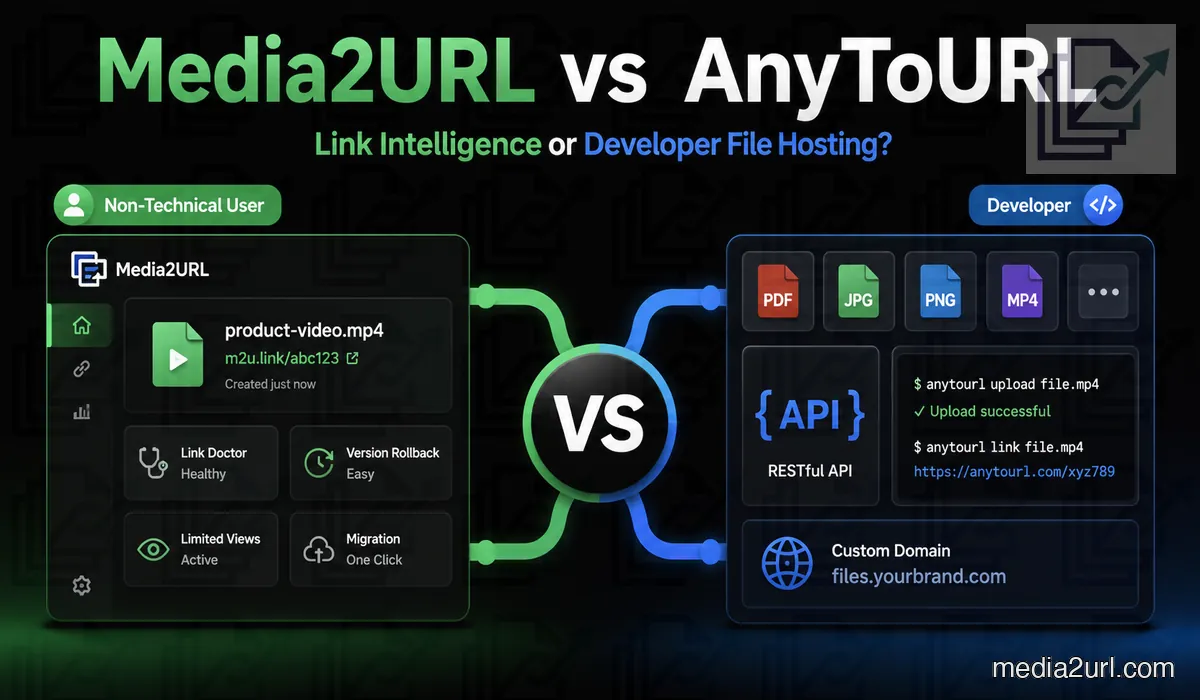
AnyToURL is one of the closest Media2URL competitors because it supports much more than image uploads. Users can host images, PDFs, documents, videos, audio files and code files through the same platform.
Its paid plans also include API access, command-line uploads, larger file limits and short links. Paid files can remain available while the subscription stays active, which makes AnyToURL useful for files that need more than the 24-hour Starter workflow.
Media2URL also supports several file types, but more of the work stays connected with the asset after upload. A file can remain inside a workspace where it is organised, edited, replaced or shared with the access rules available for that asset. Supported images can also provide different website versions through URL transformations without creating another manual upload each time.
The correct choice depends on the workflow. AnyToURL may suit a developer who needs large uploads through an API or CLI. Media2URL may suit a team that wants to edit, organise and update hosted assets from one dashboard.
Quick answer
Choose AnyToURL when large uploads and developer automation are the main requirements. Pro supports files up to 1 GB, while Ultra raises the published limit to 10 GB. Paid plans also provide API access and CLI uploads for scripts, terminal work and build pipelines.
Choose Media2URL when the uploaded file will still need work after the link has been created. It can stay inside a workspace where images are edited, PDFs are prepared, versions are managed and supported access rules remain connected with the hosted asset.
The biggest difference is therefore not the number of supported formats. AnyToURL is stronger when the upload belongs inside developer automation, while Media2URL is more focused on managing and changing the resulting asset through a visual workflow.
AnyToURL Starter keeps the free workflow simple
AnyToURL's current Starter plan is designed for small files that only need temporary hosting. The live uploader and pricing page both show a 5 MB maximum file size with 24-hour retention.
The plan also includes 1 GB of uploads each month and 1 GB of daily bandwidth. Uploading is handled through the web interface rather than the CLI tools available on the paid plans.
| Starter feature | Published allowance |
|---|---|
| Price | Free |
| File retention | 24 hours |
| Maximum file size | 5 MB |
| Monthly uploads | 1 GB |
| Daily bandwidth | 1 GB |
| Upload method | Web only |
| Security scanning | Basic |
This makes Starter suitable for a small document, image or short-lived file that does not need to remain online after the next day. A larger file or anything that needs continued retention moves the decision toward one of the paid plans.
AnyToURL Pro
AnyToURL currently lists Pro at $9.90 per month. The plan is aimed at developers and power users who need permanent storage while subscribed and programmatic upload access.
| Pro feature | Published allowance |
|---|---|
| Monthly price | $9.90 |
| Storage | 100 GB |
| Maximum file size | 1 GB |
| Daily bandwidth | Unmetered |
| API access | Up to 60 uploads/min |
| CLI upload | Included |
| Short links | Included |
| File retention | Permanent (active subscription) |
The CLI is useful for build pipelines, scripts and terminal-based workflows. A developer can upload a generated archive or test file without opening the website for every request.
API access provides another integration path. An allowance of up to 60 uploads per minute gives smaller automation systems and scripts a practical upload route.
AnyToURL Ultra
Ultra is AnyToURL's larger plan for users who regularly work with heavy files. Its current published limit reaches 10 GB per file, which is a genuine advantage when a large archive or long media file needs to be hosted without first being reduced.
The plan currently costs $29.90 per month and includes 1 TB of storage and unmetered daily bandwidth. API upload capacity also rises to 300 uploads per minute, while CLI support and short-link creation remain part of the workflow.
| Ultra feature | Published allowance |
|---|---|
| Monthly price | $29.90 |
| Storage | 1 TB |
| Maximum file size | 10 GB |
| Daily bandwidth | Unmetered |
| API access | Up to 300 uploads/min |
| CLI upload | Included |
| Short links | Included |
| File retention | Permanent (active subscription) |
A 10 GB file allowance is not something Media2URL should try to minimise. If the first requirement is simply getting a very large binary file online, AnyToURL may be the more practical choice.
AnyToURL is strong for developer uploads
A nightly build does not need someone opening a browser and dragging the same type of output into an uploader every evening.
AnyToURL's CLI can upload individual files, several files together or matching groups through globs. It can also return plain URLs or JSON, which makes the result easier to pass into another script or CI process.
Authentication uses an API key, and the CLI can be configured once so the key and API address do not need to be entered with every upload. For a workflow that already lives in a terminal or build pipeline, this is a real AnyToURL advantage rather than something Media2URL needs to imitate.
Browser previews and passwords
AnyToURL supports browser previews for safe formats such as images and PDFs. The recipient can inspect supported content without downloading it first.
Its File History feature allows signed-in users to review active links, expiry states, and view or download usage. AnyToURL also documents password-protected files, although the current pricing table does not clearly assign that option to a particular plan.
Free files expire after 24 hours. Paid plans provide permanent storage while the subscription remains active.
Media2URL also supports file previews and password-controlled access. These features alone are not enough to separate the two platforms.
The more useful comparison involves editing, library organisation, version history and remote asset workflows.
Media2URL supports managed asset delivery
Media2URL can also turn supported media and general files into hosted direct image links, but the library is intended to remain useful after that first URL has been copied. Files can stay organised by project and move into the available editing or processing tools when something changes later.
That difference becomes more noticeable with regularly updated assets. A product image may need another website size, while a PDF may need a new page or watermark before the same project is published again.
Image editing inside Media2URL
AnyToURL focuses on upload, preview and delivery. Its current public pages do not present a full layer-based image editor as a main feature.
Media2URL includes a canvas-based Image Editor for assets already stored in the workspace.
The adjustment controls cover brightness, contrast, saturation and sharpness. Blur, grayscale, opacity and colour temperature can also be changed.
Images can be cropped using free-form or fixed ratios such as 1:1, 4:3 and 16:9. A straightening slider helps correct a tilted image.
The canvas includes freehand drawing and vector shapes. Users can add text, stickers and image overlays without leaving the browser.
Each canvas item appears as a layer. A layer can be locked, hidden or moved above another element.
| Image editing requirement | AnyToURL | Media2URL |
|---|---|---|
| Browser preview | ✓ Available | Available |
| Brightness and contrast | Not presented as a main feature | Available |
| Crop presets | Not presented as a main feature | Available |
| Drawing and shapes | Not presented as a main feature | Available |
| Text overlays | Not presented as a main feature | Available |
| Layer management | Not presented as a main feature | Available |
| Original comparison slider | Not presented as a main feature | Available |
| JPEG, PNG and WebP export | Not presented as a main feature | Available |
The result can replace the active asset or remain as a separate file. This gives the owner control over whether the existing public link should show the edited version.
Editing the image is different from changing its delivery
Opening the Image Editor makes sense when something inside the image needs to change. You may want to crop a screenshot, add text or correct part of the design before publishing it.
A different situation appears when the image itself is already finished. If a website only needs a smaller card image or another crop, supported Media2URL images can request width, height, fit, crop position and quality through URL transformations.
WebP or AVIF can also be requested for eligible outputs. The stored source remains available while different parts of the website use the version that suits their layout.
AnyToURL takes a simpler hosting approach. Its current public product focuses on storing and delivering the uploaded file rather than presenting a comparable on-demand image-transformation workflow.
Same URL after file replacement
A hosted file may already appear inside product documentation, an email campaign or a printed QR code. Replacing that URL everywhere can create unnecessary work.
Media2URL allows the owner to upload a new version under the same managed asset. The public address can continue serving the selected active version.
Previous versions remain available through version history. A mistaken update can be rolled back without publishing another URL.
This is useful for:
- Application screenshots
- Product catalogues
- Marketing graphics
- Public manuals
AnyToURL does provide File History for uploaded content, but its current public product pages do not present Media2URL-style same-URL replacement with a visible rollback timeline as a main workflow.
Link Doctor checks what an existing URL returns
A link can work perfectly when you open it yourself and still fail when another website or browser tool tries to use it. The problem may be a redirect, the response type or a restriction at the final address.
Media2URL Link Doctor follows the request so you can see where the URL actually ends. The content type can show whether an image-looking address reaches a real image file or an HTML page.
CORS becomes relevant when JavaScript or a canvas tool needs access to the file. Video and audio URLs can also be tested for byte-range behaviour because media players often depend on partial requests when someone jumps to another part of a file.
The tool does not repair a private URL or bypass access rules. It simply shows how the reachable address behaves before you decide whether to keep it or move the file somewhere else.
| Check | What it helps explain |
|---|---|
| HTTP status and redirects | Whether the address works and where the request ends |
| Content type | Whether the response is actual media or a webpage |
| CORS headers | Why browser scripts or canvas tools may be blocked |
| Byte-range support | How video or audio links behave during seeking |
Moving an existing library into Media2URL
AnyToURL is particularly good when the upload begins with a local file or a developer script. Its CLI can even upload several matching files in one command, so a technical team already has ways to build its own transfer process.
Media Migration is meant for a different situation. The files may already exist at public source URLs or inside supported S3-compatible storage, and the goal is to bring them into a Media2URL workspace rather than upload every item manually.
Duplicate checking becomes useful when a larger source contains repeated files. Where source-to-new-URL mapping is available, the migration result can also keep the old address beside its new Media2URL link so an existing CMS or spreadsheet can be updated later.
Migration still depends on legitimate access. A password-protected source, private storage location or file you do not have permission to re-host should not be treated as something the migration process can simply bypass.
Local batches work differently from library migration
AnyToURL's CLI is useful when several files are already sitting on the same machine. A developer can upload multiple filenames or use a pattern such as *.png and receive the generated URLs as part of the command output.
Media2URL also supports working with groups of files, but its main difference begins after they enter the account. Those assets can remain inside folders and workspaces where other members continue organising or preparing them.
Neither workflow is automatically better. The AnyToURL approach fits a script that needs outputs quickly, while Media2URL becomes more useful when the uploaded batch turns into an ongoing library.
Folder and library organisation
A collection of direct URLs can become difficult to manage after the account hosts assets for several projects.
Media2URL supports nested folders and movement between directories. Files can also receive tags and bookmarks for faster access.
Search can filter assets by filename, tag or content type. Bulk actions can update several selected files without opening each one.
An agency could create separate folders for campaign graphics, client documents and approved videos. Draft files would remain apart from assets already published.
AnyToURL provides storage and file delivery. Media2URL places more emphasis on organised asset management after upload.
Team workspaces
Media2URL allows multiple workspaces inside one account. Each workspace keeps its own files, folders, presets and settings separate.
A business can create one workspace for every client or brand. Members receive access according to the role assigned to them.
| Role | Main responsibility |
|---|---|
| Owner | Full access, billing and deletion |
| Admin | Member and workspace management |
| Editor | Uploading, editing and organisation |
| Viewer | Browsing and copying approved links |
Invitations are sent through secure email links. Pending invitations can be cancelled or sent again from the member dashboard.
Workspace audit logs record actions such as uploads, renaming, metadata changes and role updates. The logs can be downloaded as CSV for internal review.
AnyToURL currently positions Ultra for teams and heavy users. Media2URL takes a more explicit workspace approach with separate member roles and internal activity records.
PDF tools
AnyToURL can host PDFs and show supported files in the browser. That may be enough when the document is already finished and the job is simply to give someone a link.
Media2URL's PDF workspace is aimed at the document itself. PDFs can be merged or split, while pages can be moved into another order before a new version is saved.
Supported controls also cover watermarks, page numbering, compression and password handling. Metadata can be changed, PDF pages can become images and image files can be combined into another PDF.
| PDF requirement | AnyToURL | Media2URL |
|---|---|---|
| PDF hosting | ✓ Available | Available |
| Browser preview | ✓ Available | Available |
| Merge PDFs | Not presented as a main feature | Available |
| Split page ranges | Not presented as a main feature | Available |
| Reorder pages | Not presented as a main feature | Available |
| Add page numbers | Not presented as a main feature | Available |
| PDF pages to images | Not presented as a main feature | Available |
| Images to PDF | Not presented as a main feature | Available |
This makes the difference quite practical. AnyToURL is strong when the PDF only needs hosting, while Media2URL becomes more useful when the document still needs preparation before or after publication.
Video, GIF and audio processing
AnyToURL accepts videos and audio files. Its large paid limits make it suitable for heavy media that should be stored without a separate editing workflow.
Media2URL provides additional processing tools for common tasks.
A video can be compressed for web delivery or trimmed to a selected time range. A clip can be converted into an animated GIF.
The audio track from a video can be exported as MP3. Existing audio files can be trimmed and converted between supported formats.
GIF files can be slowed down, accelerated or reversed. Colour optimisation can reduce their file size.
These tools do not replace a professional desktop editor. They handle common preparation work before a file is shared.
Activity and usage information
AnyToURL provides File History for signed-in users. Along with the uploaded links and expiry state, the current product says the page can show view and download usage for the stored files.
Media2URL's Insights workflow covers a somewhat different set of account information. Depending on the current plan, it can show share-page views, recent downloads, bandwidth totals, workspace quota use and the links receiving the highest recorded view counts.
Workspace audit logs answer another question. They show what happened inside the shared library, such as uploads, file changes or member updates.
| Information | AnyToURL | Media2URL |
|---|---|---|
| File views | Available through File History | Share-page views where supported |
| Download information | Download usage in File History | Recent download totals where supported |
| Bandwidth / quota | Plan allowances and account usage | Bandwidth and workspace quota information where supported |
| Team activity | Not presented as a comparable workspace-audit feature | Workspace audit logs with CSV export |
Neither product should be presented as a full web-analytics replacement based on these numbers alone. They are mainly useful for understanding file activity and account usage.
Access and expiry options
AnyToURL Starter files expire after 24 hours. Paid Pro and Ultra content is kept permanently while the subscription remains active, according to the current pricing information.
Media2URL separates retention from the rules used to open a file under Security & Access Controls. A supported asset can be Public, Unlisted, Private or Password Protected depending on its plan and file type.
Expiry can be selected where available, while view and download limits can stop normal access after the intended condition has been reached. Temporary signed delivery provides another option when someone needs direct private access for a limited period.
These controls cannot stop another person from keeping a copy after the content has already been displayed or downloaded.
Custom domains and branding
Media2URL's current Business workflow supports a verified custom delivery domain. Domain ownership is confirmed through DNS before the selected hostname is routed to Media2URL, and eligible share pages can also use the available logo and branding controls.
AnyToURL has previously advertised custom CNAME and branding as part of Ultra, and some third-party pricing directories still show those features. Its current official pricing page, however, no longer lists either option under Ultra.
For that reason, this comparison should not promise a current AnyToURL custom domain until the option is confirmed again through its live dashboard or current first-party documentation. A business choosing a plan specifically for branded delivery should verify that control before paying.
| Branding requirement | AnyToURL | Media2URL |
|---|---|---|
| Custom delivery domain | Previously published for Ultra; not currently listed on official pricing page | Verified custom delivery domain on Business plan |
| Share-page branding | Verify current availability | Custom logo and branding controls on eligible plan |
Direct comparison
| Requirement | AnyToURL | Media2URL |
|---|---|---|
| Free retention | 24 hours | Depends on selected link settings and plan |
| Free file limit | 5 MB | Check the current Media2URL plan |
| Pro file limit | 1 GB | Depends on current plan |
| Ultra file limit | 10 GB | Depends on current plan |
| Pro storage | 100 GB | Depends on current plan |
| Ultra storage | 1 TB | Depends on current plan |
| Pro bandwidth | Unmetered daily bandwidth under current published pricing | Depends on current plan |
| Ultra bandwidth | Unmetered daily bandwidth under current published pricing | Depends on current plan |
| Browser file upload | ✓ Available | Available |
| CLI upload | Pro and Ultra; supports multiple files, globs and stdin | No comparable terminal CLI workflow |
| API access | Pro: up to 60 uploads/min; Ultra: up to 300 uploads/min | No public API currently offered |
| Short links | Pro and Ultra | Depends on current Media2URL link options |
| Custom domain | Not currently listed on the official pricing page; verify before relying on it | Verified custom delivery domain on Business plan |
| Password protection | Documented in platform material | Available |
| Browser previews | ✓ Available | Available |
| Paid retention | Permanent while subscription remains active | Retention depends on the active plan |
| Existing URL diagnosis | Not the main workflow | Link Doctor |
| Remote URL migration | Can be created through API | Media Migration from bulk URLs or cloud sources |
| Same-URL replacement | Not presented as a main feature | Supported replacement connected with file history |
| Version rollback | Not presented as a main feature | Earlier supported versions can be restored |
| Image editor | Not presented as a main feature | Full canvas editor |
| On-demand image variants | ✕ Not available | Width, height, fit, crop position, quality and supported WebP/AVIF output |
| PDF processing | Hosting and preview | Visual PDF workspace for merge, split, organise, watermarks, numbering, compress and lock |
| Video processing | Hosting available | Compress, trim and convert |
| Audio processing | Hosting available | Trim and convert |
| GIF processing | Hosting available | Speed, reverse and compression |
| Nested folders | Not highlighted as a main feature | Available |
| Multiple workspaces | Not highlighted as a main feature | Available |
| Team roles | Ultra positioned for teams | Owner, Admin, Editor and Viewer |
| Workspace audit logs | Not presented as a main feature | Available with CSV export |
| File activity | File History with expiry, view and download usage | Views, downloads, bandwidth, quota use and top-link insights where supported |
| One-time view | Not described publicly | Available |
| Maximum download count | Not described publicly | Available |
| Signed temporary URLs | Not described publicly | Temporary signed delivery where supported |
Where AnyToURL has the advantage
AnyToURL fits particularly well when the file enters the workflow through code rather than a media dashboard.
- A script, CLI command or CI process needs to upload files and receive URLs without manual browser work.
- Individual files can reach 1 GB on Pro or 10 GB on Ultra.
- The application needs documented API upload capacity rather than a dashboard-only process.
- Large stored files matter more than visual editing or document preparation.
The CLI is especially useful because it works with multiple files, globs and stdin, while its API key can be configured once for repeated terminal use.
Where Media2URL has the advantage
Media2URL becomes more useful when uploading the file is only the beginning.
- Images still need visual editing, website variants, later replacement or rollback.
- PDFs need document changes rather than only a hosted preview.
- Existing assets need migration into a managed library instead of a custom upload script.
- Client or internal files need separate workspaces, member roles and continued access controls.
Media2URL's value is therefore not bigger file limits or developer automation. It comes from keeping preparation, organisation and later changes close to the hosted asset.
Which service should you choose?
Start with the part of the workflow that would be hardest to replace.
If a 5 GB archive needs to leave a CI pipeline and become a URL automatically, AnyToURL is much closer to the job. Its API, CLI and larger file limits are more relevant than having a visual media workspace.
If the same project contains campaign images, changing PDFs and hosted files that several people return to later, Media2URL fits that workflow better.
The decision is not really developer features versus more features. It is automated file delivery versus continued asset management.
Final verdict
AnyToURL is a capable multi-format hosting service with a clear developer side. Its paid plans support large files, CLI uploads and API-based workflows, while Ultra currently reaches a 10 GB maximum file size.
Media2URL solves a different part of the problem. A hosted file can remain inside a workspace where it is edited, organised, replaced, transformed for another website layout or shared under the controls available for that asset.
Choose AnyToURL when automation and large-file delivery come first. Choose Media2URL when the file will continue to be worked on after its URL has already been created.
Neither platform needs to win every row. A build pipeline and a client media library are different jobs, even when both eventually produce a URL.
Related comparisons
- Media2URL vs Imgur
- Media2URL vs ImgBB
- Media2URL vs Image2URL
- Media2URL vs Cloudinary
- Media2URL vs ImageKit
Comparison Review Note
This page was reviewed on August 18, 2026 using AnyToURL's current uploader, pricing page and CLI documentation together with features available in the current Media2URL platform.
AnyToURL has changed some published limits since the earlier version of this comparison. API allowances, bandwidth wording and plan features can change again, so check the current first-party pricing information when a particular quota is critical to a production workflow.
Frequently Asked Questions
What is AnyToURL’s free upload limit?
The current Starter uploader and pricing page both list a 5 MB maximum file size. Starter files are temporary and expire after 24 hours.
How long do free AnyToURL files stay online?
The current Starter plan uses 24-hour retention.
How much does AnyToURL Pro cost?
Pro is currently listed at $9.90 per month. Check the live yearly toggle if you plan to pay annually because subscription prices can change.
How much does AnyToURL Ultra cost?
Ultra is currently listed at $29.90 per month.
What is AnyToURL’s largest file size?
Ultra currently accepts files up to 10 GB, while Pro supports up to 1 GB.
Does AnyToURL support CLI uploads?
Yes. Paid plans include CLI support, and the documented command can upload individual files, several files, globs or data from stdin.
Does AnyToURL have an API?
Yes. The current pricing page lists API upload capacity of up to 60 uploads per minute on Pro and 300 uploads per minute on Ultra.
Does AnyToURL currently support custom domains?
Older AnyToURL plan information and third-party listings describe custom CNAME support on Ultra, but the feature is not currently listed on AnyToURL's official pricing page. Check the live account or current first-party documentation before choosing Ultra specifically for custom-domain delivery.
Does Media2URL support custom domains?
Yes. Media2URL supports a verified custom delivery domain on its Business plan using DNS TXT verification and CNAME routing.
Can Media2URL replace a file without changing its URL?
Yes. A supported replacement can become the active asset while its managed URL remains in use. Earlier supported versions remain in file history and can be restored when needed.
Can Media2URL edit images?
Yes. Media2URL has a layer-based browser editor for visual changes such as cropping, adjustments, text, shapes and drawing. Supported images can also use URL transformations when only another size, crop, quality level or eligible WebP/AVIF output is needed.
Can Media2URL process PDFs?
Yes. Media2URL has a visual PDF workspace for merging, splitting, page organisation, watermarks, numbering, compression, password handling, metadata and image conversion.
Does AnyToURL show views and downloads?
Yes. AnyToURL's current File History description says signed-in users can review link expiry along with view and download usage.