
Media2URL vs ImageURLGenerator: Upload Limits and Link Controls

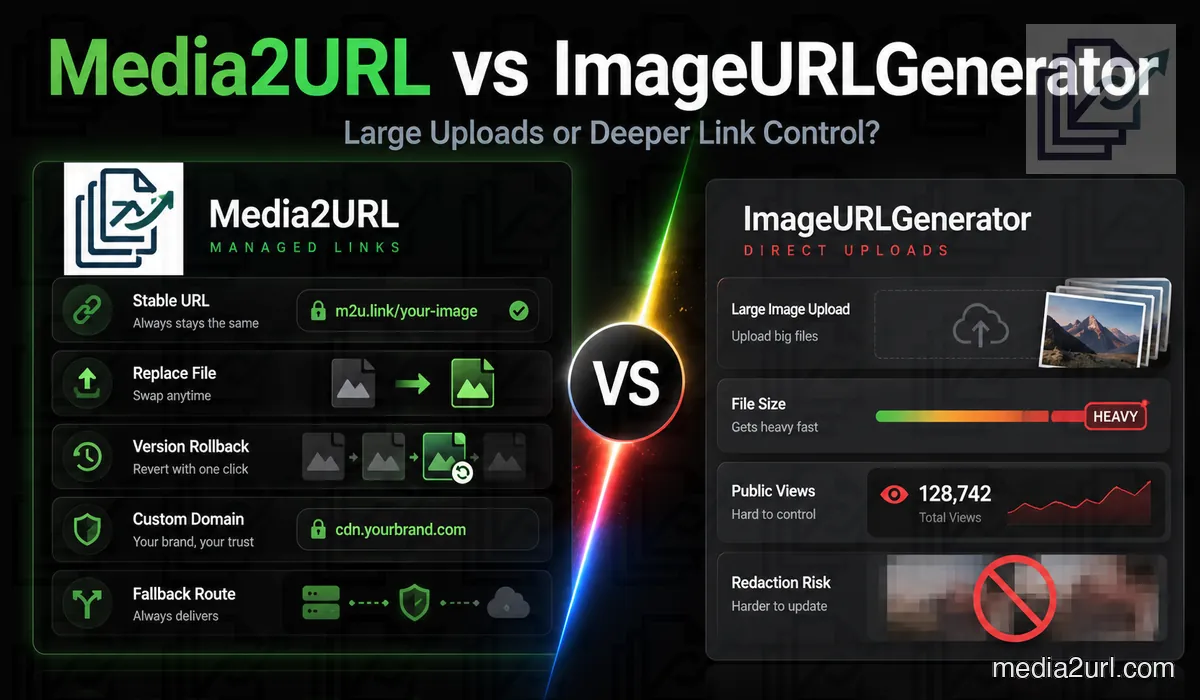
A 70 MB design file immediately rules out many free image hosts.
ImageURLGenerator takes a different approach. Its guest and free-account limits currently allow files up to 100 MB. A Pro account raises the file limit to 500 MB.
This is a major advantage for users with large photographs, PDFs, SVG files, short videos, or design assets.
Media2URL should not try to win this comparison by pretending upload size is unimportant. For some users, it is the first condition that decides whether a service can be used at all.
The reason to choose Media2URL appears elsewhere. It gives the owner more control over how an existing link is tested, revised, limited, migrated, and handled during a failure.
The free offer is unusually generous
ImageURLGenerator currently divides free use into Guest and Free account levels.
Guest use
A guest can upload without creating an account.
The current published allowances are:
| Guest feature | Allowance |
|---|---|
| Daily uploads | 15 |
| Maximum file size | 100 MB |
| Total storage | 1 GB |
| Link retention | Temporary |
| Dashboard | Not included |
| Bulk upload | Not included |
| Delete control | Not included |
Guest links expire automatically. The pricing page does not show one universal retention period in the visible plan table.
Free account
A registered free account receives:
| Free account feature | Allowance |
|---|---|
| Daily uploads | 30 |
| Maximum file size | 100 MB |
| Storage | 1 GB |
| Link retention | Permanent |
| Batch size | 20 files |
| Dashboard | Included |
| Live view tracking | Included |
The Free plan also includes delete controls and a coin system through which users can earn access to Pro.
Pro account
The Pro plan currently costs $0.99 per month for the first three months and $2.99 per month after that.
It provides 60 daily uploads, a 500 MB file limit, 5 GB of storage, batches of 50 files, permanent links, no advertising, and priority download speed.
This is a low entry price for users who mainly care about hosting large files.
ImageURLGenerator is stronger in visual redaction
A fair comparison should recognise a feature that Media2URL does not currently match.
ImageURLGenerator provides a browser-based redaction tool. A user can blur a face or place a black box over an account number, address, or another visible part of an image.
The original image remains in the browser. Only the edited output is uploaded when the user chooses to create a shareable link.
Media2URL’s current Privacy Preflight focuses on EXIF metadata.
These features solve different privacy problems.
| Privacy problem | Suitable tool |
|---|---|
| GPS or camera data hidden inside a JPEG | Media2URL Privacy Preflight or Image2URL metadata cleaner |
| Face visible inside the photograph | ImageURLGenerator redaction |
| Account number shown in a screenshot | ImageURLGenerator black-box tool |
| Need warning during Media2URL upload | Media2URL Privacy Preflight |
Media2URL should not claim that its EXIF scanner provides full image privacy. It does not inspect every visible phone number, face, or account detail.
A product catalogue example
An online seller has 40 large product photographs.
Each image is around 25 MB. The owner wants direct links for a marketplace import spreadsheet.
ImageURLGenerator’s free account can accept the file sizes and process batches of up to 20 files. The owner can copy the resulting URLs and track views from the dashboard.
This is a suitable use case for ImageURLGenerator.
Media2URL may provide additional value later if the owner needs to:
- Replace an image while retaining the URL
- Return to an earlier product photograph
- Limit embedding to approved shop domains
- Set a monthly budget for one high-traffic asset
If none of these controls are required, ImageURLGenerator’s free account may be the practical choice.
Live views and website-level analytics
ImageURLGenerator currently provides a live view tracker for registered users. This lets the file owner see how many times a hosted file has been viewed.
Media2URL already records the information required for file delivery and bandwidth controls. A wider analytics system is still under active development.
The planned Media2URL analytics will go beyond a basic view number. It is being designed to show useful information such as:
- File views and direct-link requests
- Referring websites and embedding domains
- Bandwidth used by each file
- Link status and delivery failures
Website-level monitoring is also being prepared. This is intended to help users check whether a Media2URL file is still loading on a page where it has been embedded.
These advanced analytics are not yet available to every Media2URL user. They should be treated as an upcoming part of Link Guard rather than an active feature.
For users who need a live view counter immediately, ImageURLGenerator currently has an advantage. Media2URL is developing a wider monitoring system that combines traffic information with link health, bandwidth rules, and delivery status.
Media2URL’s Link Guard currently focuses on the condition of the hosted link and its configured delivery rules.
The wider analytics system is still being developed. Once released, it is intended to combine file views, referring websites, bandwidth use, and website-level embed checks with the existing link status controls.
Until that release, users should not treat Media2URL as having the same complete live-view dashboard described by ImageURLGenerator.
Media2URL begins before the upload
ImageURLGenerator is useful when the user already has a local file.
Media2URL’s Link Doctor can start with an address hosted somewhere else.
Suppose a developer receives this URL from a client:
https://old-host.example/view/image-2938
The developer does not know whether it returns the image file, a webpage, or an expiring redirect.
Link Doctor checks:
- The response and returned content type
- The redirect path and CORS information
- Signs of expiry or signed parameters
- The final address reached by the request
The result helps the developer decide whether to keep the existing link or re-host an authorised copy.
Version history changes the replacement process
ImageURLGenerator gives registered users a dashboard and delete control. Its current public plan table does not describe replacing a file at the same URL or restoring an earlier binary.
Media2URL is designed around that workflow.
A file owner can upload a replacement without changing the published address. The previous binary is stored in the version table.
This is useful when a file appears inside:
- Product pages and public documentation
- Client presentations and campaign materials
- QR codes and printed brochures
- Old chat messages and email campaigns
A wrong replacement can be reversed without editing every place where the link was published.
The case for view-based expiry
ImageURLGenerator guests receive temporary links. Registered users receive permanent ones.
Media2URL lets the owner choose another condition.
A link can expire after a selected number of actual browser visits.
This is useful for a client draft that should remain available for five reviews or a support screenshot intended for one recipient.
Known social preview crawlers can inspect the link without consuming the human allowance.
This protection is not perfect. A crawler with an unknown user agent may not be recognised. Media2URL should describe the system as filtering known preview bots rather than every automated request.
Share-page control
ImageURLGenerator’s main purpose is generating a hosted file address.
Media2URL allows a separate HTML share page where the owner can set the title, description, preview thumbnail, CTA destination, and visual theme.
For example, a design agency can share a proposal with:
Title:
Homepage Design Proposal

Description:
Review the latest layout and provide your feedback

CTA:
Open Feedback Form
This can create a more useful preview in supported chat or social services.
The direct file URL remains available for embedding.
Per-file delivery rules
ImageURLGenerator gives users storage and upload limits based on the plan.
Media2URL allows the owner to configure additional rules for one file.
These can include:
- Approved embedding domains
- A monthly bandwidth budget
- A fallback destination
- Smart WebP delivery for eligible images
Suppose one banner is copied to an unexpected high-traffic website.
The account owner can restrict normal hotlinking to selected domains. The owner can also prevent the banner from consuming the entire account allowance.
Domain checks depend partly on browser-supplied information and cannot prevent every deliberate copying method.
Bulk upload compared with URL migration
ImageURLGenerator’s batch uploader handles local files. A free account supports 20 files per batch and Pro supports 50.
Media2URL’s Migration Hub is used when the assets already live online.
The user can paste public URLs from supported sources. Media2URL imports the accessible files and produces a result for each address.
This is useful for someone moving away from another host without manually downloading each file.
The user must own the files or have permission to re-host them.
Direct value comparison
| User requirement | ImageURLGenerator position | Media2URL position |
|---|---|---|
| 100 MB upload without payment | ✓ Strong | Depends on Media2URL’s live limit |
| 500 MB low-cost Pro upload | ✓ Strong | Depends on current plan |
| Browser-based visual redaction | ✓ Available | Not currently equivalent |
| Free permanent links with account | ✓ Available | According to Media2URL plan |
| Live file-view tracking | ✓ Available | Basic delivery data exists; wider analytics are in active development |
| Website-level embed monitoring | Not described as a main feature | ⟳ In active development |
| Link health and failure status | Not presented as the main workflow | Link Guard available with further monitoring improvements underway |
| Test an existing external URL | Not the main product | Link Doctor |
| Replace and restore versions | Not described publicly | Supported |
| Expire after human views | ✕ Not described | Supported |
| Social card editor | ✕ Not described | Supported |
| Hotlink allowlist | ✕ Not described | Supported |
| File-level bandwidth budget | ✕ Not described | Supported |
| Delivery fallback | ✕ Not described | Supported |
| Remote URL-list migration | Not the local batch workflow | Supported |
A note about features under development
Media2URL is still being expanded. Some advanced features mentioned on this page are under active development and are not yet available to every user.
We are testing these features carefully before releasing them because file delivery, analytics, custom domains, and access controls need to work reliably after users place the links on websites or share them with customers.
Features marked as “In development” should not be treated as available in the current public version. This page will be updated when those features are released.
Who gains more from ImageURLGenerator?
ImageURLGenerator is attractive when the main requirement involves large uploads at a low price.
It may suit:
- Designers sharing heavy files
- Bloggers who want permanent links without payment
- Developers testing large assets
- Users who need browser-based redaction
Its free account also provides management and live view information.
Who gains more from Media2URL?
Media2URL may be the suitable option when the link is already part of an ongoing project.
It fits:
- Documentation that receives image updates
- Support links with controlled access
- Websites needing approved-domain rules
- Users migrating from several hosts
The advantage is not maximum file size. It is continued link management.
Final assessment
ImageURLGenerator provides large free upload limits, low-cost paid hosting, permanent registered links, bulk upload, live tracking, and a useful visual-redaction tool.
These are meaningful benefits. Media2URL should not describe the competitor as a basic uploader.
Media2URL provides another layer around the hosted address.
It helps users inspect old links, move remote assets, restrict valid views, restore file versions, control share-page presentation, and prepare for delivery failures.
Choose ImageURLGenerator when upload size and low-cost hosting are the main requirements.
Choose Media2URL when the link needs operational controls after publication.
Related comparisons
What Media2URL is still working on
Media2URL already provides Link Doctor, remote migration, version rollback, view-limited links, social preview controls, EXIF preflight, hotlink rules, bandwidth budgets, and fallback URLs.
The following parts are still under development:
- Custom domains with automatic DNS verification and SSL
- Wider live-view and referral analytics
- Website-level checks for embedded files
- More detailed usage and failure notifications
These features are being tested before public release. File links can remain inside websites and customer communications for a long period, so Media2URL is giving priority to reliable behaviour rather than releasing incomplete controls only to increase the feature count.
Until a feature is marked as active inside the Media2URL dashboard, it should be treated as an upcoming feature.
Frequently Asked Questions
How large can a free ImageURLGenerator upload be?
The current pricing page lists a 100 MB file limit for Guest and Free accounts.
Are free-account links permanent?
Yes. Registered Free accounts currently receive permanent links, while Guest links expire automatically.
How much does Pro cost?
The published offer is $0.99 per month for the first three months and $2.99 per month afterwards.
Does ImageURLGenerator support privacy editing?
Yes. Its browser-based redaction tool can blur areas or cover them with a black box before the edited file is uploaded.
Is Media2URL a good choice for a 500 MB image?
That depends on Media2URL’s current published plan limit. ImageURLGenerator Pro currently has a stated 500 MB file allowance.