

Media2URL vs PhotoToURL: Upload Limits, Editing and Asset Management

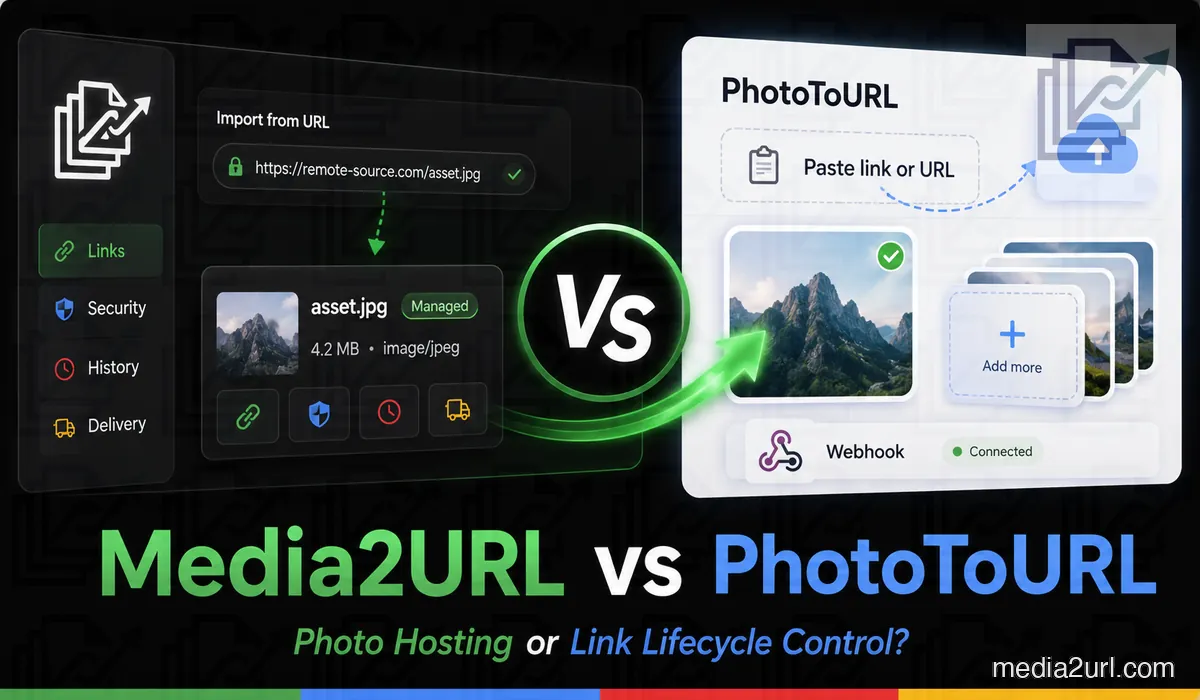
PhotoToURL is not limited to a basic image uploader. Its paid plans include large storage allowances, batch uploads, document hosting, photo editing, webhooks and resource permissions.
Media2URL also creates hosted links for images and other files, but more of the work stays connected with the file after upload. An asset can remain inside its workspace while it is edited, organised, replaced or shared with the controls available for that file. Supported images can also provide different website sizes or formats through URL transformations without creating a new upload for every version.
The practical choice depends on what you need after the link has been created. PhotoToURL may suit someone who wants a clean hosted URL and generous storage. Media2URL may fit a file that needs continued editing, organisation or controlled access.
Quick answer
Choose PhotoToURL when storage capacity, upload volume and a simple hosted-link workflow are the main priorities. Its paid plans publish clear file limits, large storage allowances, batch uploads and webhook support.
Choose Media2URL when the file will still need work after it has been uploaded. It can remain inside a managed workspace with editing, file history, member roles and supported access controls.
Media2URL also handles supported PDFs, videos, GIFs and audio files. That wider workflow matters more when the same project contains several media types or files that change over time.
Start with the free PhotoToURL experience
PhotoToURL allows people to upload images without first choosing a paid plan. Its current homepage supports JPG, PNG, WebP and GIF files up to 2 MB.
A free user can upload up to 10 files each day. The uploader also accepts pasted screenshots from the clipboard, which is useful when someone needs to share a small screenshot without saving it manually.
| Free feature | Current PhotoToURL allowance |
|---|---|
| Maximum image size | 2 MB |
| Daily uploads | 10 |
| Supported formats | JPG, PNG, WebP and GIF |
| Clipboard upload | Available |
| Free storage | 200 MB |
| CDN | Basic acceleration |
| Batch upload | Not included |
| Document hosting | Not included |
The free level works well for lightweight images and occasional sharing. A compressed screenshot may fit without any change, while a full-resolution phone photograph may cross the 2 MB limit.
Media2URL limits depend on the active plan, so the current pricing page should be checked when file size or storage capacity is an important part of the decision. It would be misleading to compare PhotoToURL's published numbers with a vague claim that Media2URL simply supports “large files”.
What happens after a PhotoToURL upload?
A user can drop an image into the uploader, choose a local file or paste a screenshot. PhotoToURL hosts the file and returns a URL that can be shared or placed inside supported web formats.
Its public product pages describe clean URLs for Markdown, HTML and chat applications. This may complete the entire task for someone who needs one image inside a forum post, website test or client message.
PhotoToURL also provides account tools for people who need continued access to uploaded resources. The paid plans increase file size, storage and daily upload capacity.
Media2URL starts in much the same way with a direct image link, but the file can stay inside the library after the URL is created. You can return to the same asset later when it needs editing, another website version, a replacement or a different sharing rule.
PhotoToURL paid plans
PhotoToURL currently publishes two paid plans. Pro is billed monthly, while Premium is presented as a yearly option for users with higher usage.
| Plan feature | Pro | Premium |
|---|---|---|
| Price | $9.90 per month | $94.90 per year |
| Maximum upload | 50 MB | 256 MB |
| Daily uploads | 1,000 | Unlimited |
| Storage | 100 GB | 200 GB |
| Batch size | 20 photos | 50 photos |
| CDN | Standard acceleration | Priority nodes |
| Document hosting | Included | Included |
| Photo editing | Included | Included |
| Webhooks | Included | Included |
| Resource permissions | Partial | Full |
PhotoToURL presents Pro for bloggers, developers and small teams. Premium is positioned for large teams, regular automation and high upload volume.
The yearly Premium price is lower than twelve separate Pro payments at the current listed price. Users should still review the billing conditions and cancellation terms before purchasing.
PhotoToURL has strong storage allowances
PhotoToURL gives users clear numbers before they upload. A Pro user can store up to 100 GB and upload files as large as 50 MB.
Premium increases the maximum file size to 256 MB and the published storage allowance to 200 GB. It also removes the daily upload limit shown on the pricing page.
These figures are useful for bloggers with large image libraries and developers who generate many hosted files. A business can compare the published limits with its normal monthly usage before selecting a plan.
This is a genuine PhotoToURL advantage. Storage capacity and upload size may be the first deciding factors for someone with a large existing library.
Media2URL focuses on the managed asset
Media2URL supports images, videos, audio, GIFs, PDFs and general downloadable files. The platform provides hosted delivery URLs and browser-friendly share pages.
The asset remains inside a library where it can receive a folder, tags and access settings. A user can search the library later instead of depending on a long list of copied URLs.
The difference becomes clearer when the file needs more work later. The same stored asset can move into the available editing or processing tools without starting again with another disconnected upload.
Browser image editing
PhotoToURL includes photo editing in its Pro and Premium plans. The public pricing page confirms the feature but does not list every editing control in the plan table.
Media2URL provides a full canvas-based Image Editor. A user can open an existing library image and make changes without moving it to another service.
The adjustment panel includes brightness, contrast, saturation and sharpness. Blur, opacity, grayscale and colour temperature controls are also available for supported images.
The editor can crop images using free-form or fixed aspect ratios. Straightening controls help correct an uneven horizon or tilted screenshot.
Text, shapes and freehand drawing can be placed on the canvas. Each element appears as a separate layer that can be hidden, locked or moved above another item.
| Editing requirement | PhotoToURL | Media2URL |
|---|---|---|
| Photo editing | Included on paid plans | Included through browser editor |
| Crop controls | Available through editing tools | Free crop and fixed ratios |
| Colour adjustments | Depends on PhotoToURL editor | Brightness, contrast and saturation |
| Drawing tools | Not detailed in pricing table | Freehand brush and vector shapes |
| Text overlays | Not detailed in pricing table | Formatted text layers |
| Layer management | Not presented as a main feature | Visibility, locking and ordering |
| Compare with original | Not presented as a main feature | Interactive before-and-after slider |
| Export formats | Depends on editor output | JPEG, PNG and WebP |
The edited result can replace the active asset or remain as a separate file. This allows a team to preserve the original while preparing a web-ready version.
Editing the image is different from changing how it is delivered
Opening the editor makes sense when the image itself needs changing. A screenshot may need text added, a photograph may need cropping or a client graphic may need another visual layer.
A different situation appears when the image is already correct but a website needs a smaller version. Supported Media2URL images can use URL transformations for width, height, fit, crop position and quality without creating another manual copy.
Eligible outputs can also use WebP or AVIF. This can be useful when one stored image appears as a thumbnail, content image and larger preview across the same website.
Privacy before sharing an image
A photograph may contain visible private information and hidden camera metadata. These are two separate privacy problems.
Visible details may include a face, address or account number. Hidden EXIF data may include the camera model, exposure information or GPS coordinates.
Media2URL can inspect supported image metadata before the final upload workflow. The user can remove unwanted metadata where the available browser process supports it.
The image editor can also cover or pixelate visible areas. A crop may remove information near the edge, while drawing and shape tools can hide selected content.
Neither platform should be treated as an automatic privacy guarantee. The uploader should inspect the exported file before sharing anything sensitive.
Link Doctor checks an existing URL
A link can open normally in your browser and still behave differently when another website or application tries to use it. The address may redirect somewhere else, return an HTML page instead of media or respond in a way that blocks the intended use.
Media2URL Link Doctor checks the HTTP response and follows redirects so you can see where the address actually ends. The returned content type helps show whether the link reaches a real media file or something different.
CORS information matters when the file needs to be used through browser scripts or a canvas-based tool. An image can display normally in a browser but still fail when JavaScript tries to work with it.
For video and audio links, byte-range testing checks whether partial-content requests are supported. This matters when a player needs to jump to another part of the file without downloading everything from the beginning.
Link Doctor does not repair a private URL or bypass another service's permissions. It simply shows what the reachable address is returning so you can understand the problem before using or moving the file.
Local batches and remote migration
PhotoToURL focuses on local batch uploading. Pro accepts batches of up to 20 photos, while Premium raises the published batch size to 50.
This is useful when the full image collection is stored on a computer. The user can select the files together instead of uploading them individually.
Media2URL's Media Migration workflow starts from a different situation. The files may already live online or inside supported cloud storage, and the goal is to bring them into the Media2URL library rather than select them again from a local folder.
Supported migration jobs can work with groups of source URLs or available S3-compatible storage. Duplicate checking helps when the source collection contains the same file more than once.
Where source-to-new-URL mapping is available, the migration result can also keep a record of which new Media2URL address belongs to the original source. This becomes useful when existing pages or internal records still contain the old URLs.
The migration workflow does not bypass private storage permissions, passwords or another owner's restricted files. You still need to own the content or have permission to move and host it.
Organising a growing library
A small uploader history may be enough for occasional sharing. A business with several clients needs more structure.
Media2URL allows nested folders and movement between directories. Assets can also receive tags and bookmarks for quick access.
The command search can filter files by name, tag or media type. Several selected assets can be moved or updated together through bulk operations.
This structure is useful for:
- Product images divided by category
- Client files separated by project
- Support screenshots arranged by case
- Approved media separated from drafts
PhotoToURL provides resource management and permissions on paid plans. Media2URL places more focus on a folder-based asset library that can support several workspaces.
Team workspaces and permissions
Media2URL lets several people use the same asset library without sharing one login. Each workspace keeps its files, folders and settings separate.
An agency may create one workspace for each client. A company may divide workspaces by brand or product line.
| Workspace role | Available responsibility |
|---|---|
| Owner | Full access, billing and workspace deletion |
| Admin | Member management and workspace settings |
| Editor | Uploading, editing and organisation |
| Viewer | Browsing and copying approved links |
A person receives access through a secure invitation. The invitation can be cancelled or sent again before it is accepted.
Workspace audit logs record important actions such as uploads, renaming and member changes. The logs can be exported as CSV for security checks or internal reviews.
PhotoToURL lists partial resource permissions on Pro and full permissions on Premium. Media2URL provides clearly separated roles for ongoing team asset management.
Same URL after file replacement
A link may already be present inside a blog post, help article, client presentation or printed QR code. Replacing the address in every location can take more time than updating the file.
Media2URL can update the active asset while its managed URL remains in use. The previous supported version stays in file history, so the owner can return to it if the replacement was wrong.
This is useful for:
- Updated product photographs
- Revised application screenshots
- Monthly reports and catalogues
- Client proofs that receive corrections
PhotoToURL provides resource controls and upload management. Its current public pricing page does not present same-URL replacement with a visual rollback history as a main feature.
A blogger workflow
A blogger may use PhotoToURL to upload feature images and receive clean hosted addresses. The Pro plan provides 100 GB of storage, batches of 20 and webhook support.
This can work well when the blogger mainly needs reliable hosting and automation. The images are prepared before upload and do not require regular revision.
Media2URL fits a different version of the workflow. The blogger can place images inside folders, create smaller delivery variants and replace an outdated graphic without changing the article URL.
The dashboard can also show basic views, downloads and bandwidth on supported plans. It does not currently provide detailed referrer or country reporting.
Neither workflow is automatically correct for every blog. PhotoToURL may offer better storage value, while Media2URL may reduce future work around frequently updated assets.
A support-team workflow
A support agent may need to share a screenshot that explains one account setting. A normal public image URL may remain accessible after the support case has closed.
Media2URL allows the uploader to choose another access condition under Security & Access Controls. The file can remain unlisted, receive an expiry date or use a one-time-view workflow where supported.
A maximum download count can also stop access after the selected number has been reached. Temporary signed links can also provide direct access for a limited period without turning the underlying private file into a normal public URL.
If access needs to stop sooner, the available file controls can disable the hosted link instead of waiting for a recipient to stop using it.
These controls affect the hosted link. They cannot stop a recipient from saving the visible file after it has been opened.
PhotoToURL may still suit support teams that mainly need quick uploads and webhook automation. Media2URL fits cases where the access lifecycle needs more attention.
PDF hosting and document processing
PhotoToURL includes document hosting on both paid plans. Its website also provides separate PDF-to-URL and file-to-URL tools.
Media2URL also hosts PDFs, but its PDF workspace goes beyond putting the document online. It is meant for common changes that may be needed before the final PDF link is shared.
PDFs can be merged or split, and pages can be moved into another order through the visual organiser. Watermarks and page numbers can be added where needed.
Supported controls also cover compression, password handling and metadata. PDF pages can be exported as images, while a set of images can be combined into another PDF.
| PDF requirement | PhotoToURL | Media2URL |
|---|---|---|
| PDF hosting | Available on paid plans | Available |
| Shareable PDF URL | ✓ Available | Direct and share-page links |
| Merge and split | Not presented as a document-editing feature | Available |
| Page organisation | Not presented as a document-editing feature | Visual organisation available |
| Watermarks and numbering | Not presented as a document-editing feature | Available |
| Compression and passwords | Not presented as a document-editing feature | Supported controls available |
| Version replacement | Not highlighted as a main workflow | Connected with supported file history |
A business can keep one catalogue URL and replace its active PDF after every revision. Earlier versions remain available for restoration.
Video, GIF and audio tools
Media2URL covers several common media-processing tasks around hosted assets.
Videos can be compressed for web streaming or trimmed to a selected section. A clip can be converted into an animated GIF, while the audio track can be extracted into an MP3 file.
GIF files can have their speed changed or frame order reversed. Colour optimisation can reduce the output size for easier sharing.
Audio files can be trimmed using start and end timestamps. Format conversion is available for supported types such as MP3, WAV, M4A and OGG.
These tools are useful for practical file preparation. They do not replace professional desktop software for complex production work.
PhotoToURL provides photo and document hosting with paid account capacity. Media2URL covers a wider collection of processing tools inside the hosted asset library.
Image variations through the URL
A single website image may be used in several places. A small card does not need the same output as a full-width article image, and creating another stored copy for every layout can quickly make the library messy.
Media2URL can request supported variations from the stored image through its delivery URL. Width, height and fit controls decide the basic dimensions, while crop position and quality can adjust how that version is returned.
WebP or AVIF output can also be requested where supported. The original asset stays in the library while the website asks for the version it needs.
PhotoToURL provides CDN acceleration according to its plan. Media2URL adds more control over the requested image output, although it should not be presented as a full replacement for a specialised image-transformation platform.
Analytics and audit information
PhotoToURL lists resource permissions and webhooks on its paid plans. These features can support automated account workflows.
Media2URL's Insights workflow can show supported share-page views, recent download and bandwidth totals, workspace quota use and the shared links receiving the highest recorded view counts.
These metrics help answer whether an asset is receiving delivery activity, but they are not a detailed visitor-analytics system.
Workspace audit logs serve another purpose. They show actions made by team members, such as uploads, renaming and permission changes.
| Information | PhotoToURL | Media2URL |
|---|---|---|
| View analytics | Not highlighted in the pricing table | Asset view events |
| Referring website | Not listed as a main pricing feature | Not currently offered |
| Visitor country | Not listed as a main pricing feature | Not currently offered |
| Webhooks | Included on Pro and Premium | Not currently offered as a public Media2URL workflow |
| Member action history | Not presented as a core pricing feature | Workspace audit log |
| CSV audit export | Not presented as a main feature | Available |
Analytics may include automated traffic and repeated requests. The numbers should be used as delivery information rather than an exact count of individual people.
Direct feature comparison
| Requirement | PhotoToURL | Media2URL |
|---|---|---|
| Free image upload limit | 2 MB | Check the current Media2URL plan |
| Free daily uploads | 10 | Check the current Media2URL plan |
| Free storage | 200 MB | Depends on the current plan |
| Pro file size | 50 MB | Depends on the current plan |
| Premium file size | 256 MB | Depends on the current plan |
| Pro storage | 100 GB | Depends on the current plan |
| Premium storage | 200 GB | Depends on the current plan |
| Clipboard screenshot upload | ✓ Available | Depends on active uploader |
| Local batch upload | 20 Pro or 50 Premium | Supported |
| Direct image links | ✓ Available | Available |
| HTML and Markdown output | ✓ Available | Available through copy options |
| Document hosting | Paid plans | Available |
| Photo editing | Included on paid plans | Layer-based browser editor |
| On-demand image variants | No equivalent dynamic transformation workflow documented | Width, height, fit, crop position, quality and supported WebP/AVIF output |
| PDF processing | Document hosting; no comparable visual PDF workspace documented | Merge, split, organise, watermark, number, compress and manage supported passwords |
| Video processing | Not presented as a main feature | Compress, trim and convert |
| Audio processing | Not presented as a main feature | Trim and convert |
| GIF processing | Not presented as a main feature | Speed, reverse and compress |
| Existing URL diagnosis | No dedicated diagnostic workflow documented | Link Doctor for HTTP status, redirects, content type, CORS and byte-range behaviour |
| Remote URL Import | Local batch workflow rather than remote media migration | Media Migration from supported bulk URLs or cloud sources |
| Same-URL replacement | Not highlighted as a main workflow | Supported replacement connected with file history |
| Version rollback | Not highlighted as a main workflow | Earlier supported versions can be restored |
| Nested folders | Not highlighted as a main workflow | Available |
| Multiple workspaces | Not highlighted as a main workflow | Available |
| Team roles | Partial or full resource permissions | Owner, Admin, Editor and Viewer |
| Audit logs | Not presented as a main feature | Available with CSV export |
| Link expiry | Not presented as a core hosted-link control | Selected expiry where supported |
| Maximum download count | Not presented as a core hosted-link control | Download limits where supported |
| One-time view | Not presented as a core hosted-link control | One-time access where supported |
| Signed temporary link | Not presented as a core hosted-link control | Temporary signed delivery where supported |
| Image URL transformations | No comparable dynamic workflow documented | Resize, crop position, quality and supported format controls |
| Webhooks | Available on paid plans | Not currently offered as a public workflow |
Where PhotoToURL has the advantage
PhotoToURL may be the better fit when:
- Large published storage allowances are more important than deeper file-management tools.
- Your workflow needs high daily upload limits or larger individual files.
- Local batch uploads of 20 or 50 images fit the way your library is prepared.
- Webhooks are important for connecting uploads with an existing automated workflow.
PhotoToURL also includes document hosting, photo editing and resource permissions on its paid plans. It should not be treated as a simple one-page image uploader.
A blogger with a large but mostly stable library may get more value from PhotoToURL's storage allowances than from a larger asset-management workflow.
Where Media2URL has the advantage
Media2URL becomes more useful when the file continues to change after upload.
- Client or internal files need to stay inside separate workspaces with clear member roles.
- Images still need editing, URL variants, file history or rollback after the first link has been created.
- Existing media needs to be moved into a managed library from supported URLs or cloud sources.
- Hosted files need expiry, signed access, link diagnosis or supported view and download limits.
Media2URL also keeps PDF, video, GIF and audio processing closer to the same library.
That wider workflow is useful when the link is only one part of the job rather than the final result.
Which service fits your work?
The easiest way to decide is to look at what causes the most work after upload.
If storage size, upload volume and webhook automation matter most, PhotoToURL has clear published advantages. A stable image library may not need the extra structure of a larger media workspace.
If the same assets are regularly edited, replaced, reorganised or shared with different access rules, Media2URL is closer to that workflow.
The better choice therefore depends less on which service has more features and more on what happens to the file after its URL has been created.
Final verdict
PhotoToURL and Media2URL overlap at the point where a file is uploaded and a hosted link is created. Their differences become clearer after that.
PhotoToURL puts strong emphasis on straightforward hosting capacity. Its paid plans offer large published storage allowances, high upload limits, batch uploading, document hosting, photo editing, permissions and webhook support.
Media2URL puts more emphasis on managing the asset after upload. The same file can remain inside a workspace where it is edited, organised, replaced, transformed for another layout or shared with supported access controls.
Choose PhotoToURL when storage, upload capacity and webhook automation are the main priorities. Choose Media2URL when the file needs continued editing, migration, version history, team management or controlled sharing after its first link has already been created.
Neither is the better option for every library. A stable collection of hosted images and an actively managed client-media workspace are simply different problems.
Related comparisons
- Media2URL vs Imgur
- Media2URL vs ImgBB
- Media2URL vs Image2URL
- Media2URL vs Cloudinary
- Media2URL vs ImageKit
Comparison Review Note
This page was reviewed on August 18, 2026 using PhotoToURL's current public uploader, pricing information and published product features together with capabilities available in the current Media2URL platform.
Pricing, storage limits, upload allowances and feature availability can change. Check the current plan information before moving a large or production-facing library.
Frequently Asked Questions
What is the PhotoToURL free upload limit?
PhotoToURL currently supports JPG, PNG, WebP and GIF files up to 2 MB on the free uploader. The published free allowance is 10 uploads each day.
How much storage does PhotoToURL provide?
The current pricing page lists 200 MB on Free, 100 GB on Pro and 200 GB on Premium.
How much does PhotoToURL Pro cost?
PhotoToURL currently lists Pro at $9.90 per month.
How much does PhotoToURL Premium cost?
Premium is currently listed at $94.90 per year.
Does PhotoToURL support document hosting?
Yes. Document hosting is included in both the Pro and Premium plans.
Does PhotoToURL provide webhooks?
Yes. The current pricing page includes webhook access on both paid plans.
Does PhotoToURL provide photo editing?
Yes. Photo editing is included in its Pro and Premium plans.
Can Media2URL replace a file without changing its link?
Yes. A supported file can replace the active asset while its managed URL remains in use. Earlier supported versions stay in file history and can be restored if a replacement needs to be reversed.
Does Media2URL support team accounts?
Yes. Media2URL workspaces support Owner, Admin, Editor and Viewer roles. Each workspace keeps its own files and settings separate.
Can Media2URL edit PDF documents?
Yes. Media2URL has a visual PDF workspace for common document changes before sharing. Supported workflows include merging, splitting, page organisation, watermarks, page numbering, compression, password handling, metadata and conversion between PDF pages and images.
Which service is suitable for a large image library?
PhotoToURL may suit a large but mostly stable image library because its paid plans publish generous storage and upload allowances. Media2URL may fit better when the library needs regular editing, file replacement, team roles, migration or continued access management. The better option depends on whether storage capacity or ongoing asset work is the bigger requirement.
Does Media2URL support URL-based image transformations?
Yes. Supported Media2URL images can request another width, height, fit, crop position or quality through URL-based transformation controls. WebP or AVIF output is also available for eligible files, which can reduce the need to save a separate copy for every website layout.