

Media2URL vs PDFToURL: Document Hosting, PDF Tools and Link Management

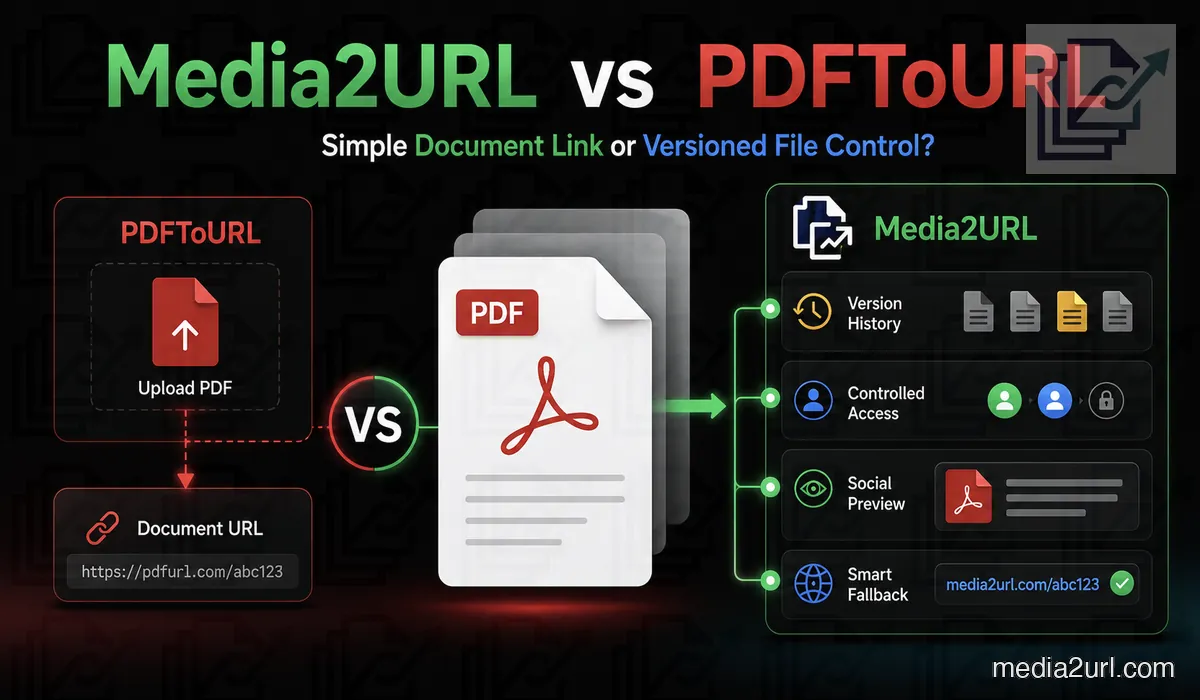
A business may need a public link for a brochure, price list or restaurant menu. The document may appear inside an email, QR code, website or client message.
PDFToURL focuses on turning documents into shareable online links. Its current homepage supports PDF, TXT, Word, Excel, CSV and PowerPoint files through a simple browser workflow.
Media2URL also turns PDFs and other supported files into hosted links, but the document can remain useful inside the account after upload. A PDF can stay in its workspace while pages are reorganised, documents are combined or split, file size is reduced, and later versions are managed without treating every change as a completely separate job.
The right choice depends on whether you only need a document URL or an ongoing workflow around the file.
Quick answer
Choose PDFToURL when the document is already finished and you mainly need a public link. Its current uploader accepts several common document formats up to 10 MB and does not require registration for the normal upload workflow.
Choose Media2URL when the PDF will still need work after that link is created. It can remain inside a PDF workspace where pages are combined, separated, reordered or marked before the updated document is published.
Media2URL also becomes more useful when the same PDF changes over time. A menu, catalogue or guide can stay connected with file history, team organisation and supported access controls instead of becoming another isolated upload every time it changes.
What PDFToURL currently provides
PDFToURL is broader than its name suggests. Its current main uploader accepts PDF, TXT, Word, Excel, CSV and PowerPoint documents. The listed maximum is 10 MB, and basic uploading does not require an account.
The site describes the resulting document URLs as stable links intended for long-term sharing. It even uses “links never expire” in its current comparison copy. That should be understood as PDFToURL's own published retention claim rather than a guarantee made by this comparison.
For someone with a finished document, that is a useful workflow. Upload the file, copy the address and move on.
| PDFToURL feature | Current published position |
|---|---|
| Registration | Not required for basic use |
| Main document limit | 10 MB |
| PDF upload | Promoted on the main uploader |
| TXT support | Available |
| Word support | Available |
| Excel and CSV support | Available |
| PowerPoint support | Available |
| Shareable URL | Available |
| Long-term link claim | PDFToURL says generated links do not expire |
| Direct embed formats | Available across supported tools |
This makes PDFToURL useful for someone who has a finished document and needs a link without setting up a larger asset-management account.
The dedicated PDF tool still has a different status
PDFToURL's main uploader already accepts PDFs as part of its general document workflow. Its separate PDF-to-URL tool page currently shows “Tool Coming Soon” and labels the dedicated tool “In Development.”
The two pages therefore describe different parts of the product. The general uploader is active, while the specialised PDF-tool route is not yet presented as finished.
A user who only needs to upload a PDF can use the main document workflow. Anyone depending on a feature shown on the dedicated tool page should check its current status first.
A simple brochure workflow
A small business has a final product brochure under 10 MB.
The owner only needs a public URL that can be placed inside an email or message. The PDF is not expected to change regularly.
PDFToURL may be all that is needed here. Creating a workspace, maintaining versions and using document-processing tools would add unnecessary work when the brochure is already final.
A menu or catalogue creates a different problem
A restaurant may print one QR code and place it on hundreds of tables. A product catalogue may already be linked from old emails, sales pages and printed material.
The PDF can change even when those links cannot.
With Media2URL, a supported replacement can become the active version of the same managed asset while its published URL remains in use. Earlier supported versions remain in file history, giving the owner a way back if the new menu or catalogue contains a mistake.
That removes the need to change every QR code simply because prices, products or pages changed.
Media2URL PDF hosting
Media2URL keeps PDFs inside the same asset library used for images, video, audio and other files.
A hosted PDF can provide a direct file URL and a browser-friendly share page.
The document can also be placed inside a folder, tagged and found later through search.
This is useful for businesses that manage several document types rather than uploading one isolated PDF.
Combine or separate PDF documents
A finished document is not always uploaded in one piece. A company may have a cover page, product catalogue and terms saved as separate PDFs but need one file before sharing it.
Media2URL can combine supported PDFs and selected page ranges into another document. The owner chooses the order before saving the result back to the library.
The opposite workflow is also available. A long PDF can be split into individual pages or selected ranges when only part of the document needs to be sent.
For example, a customer may only need pages 8–10 of a larger manual. Creating that smaller file does not require changing the original document.
PDFToURL is more straightforward. Its current public uploader is designed around hosting a document that has already been prepared rather than presenting merge and split controls as part of the upload workflow.
Fix the page order before publishing
Sometimes the PDF itself is correct but the pages are not.
Media2URL's visual organiser inside the PDF workspace can move pages into another order, rotate pages that were scanned incorrectly, remove unwanted pages or duplicate a page when it needs to appear more than once.
This is particularly useful with scanned reports, brochures assembled from several sources or documents that have gone through several rounds of revision.
Prepare the final document
A document may need small finishing changes before its public link is ready.
Page numbers can be placed in the header or footer, including formats such as Page X of Y. Supported text or image marks can also be applied when a draft label, company mark or other document notice is required.
Metadata such as the document title, author, subject or keywords can be reviewed and changed where supported.
Compression is useful when the PDF is unnecessarily large for a customer download or mobile connection. The smaller result should still be checked before publication because aggressive compression can affect small text, scans and diagrams.
Move between PDF pages and images
A PDF page sometimes needs to appear directly inside a website rather than as a downloadable document.
Media2URL can turn supported PDF pages into PNG or JPEG images. The reverse workflow can combine image files into another PDF.
This can help with scanned forms, menu pages, presentation handouts or older documents that started as photographs.
PDFToURL's current workflow is mainly about putting an existing document online. These conversion steps belong to Media2URL's document-preparation side of the comparison.
Same-URL replacement
PDFToURL's current public pages describe uploading documents and generating stable links, but they do not document same-URL file replacement with a visible version history as part of the normal workflow.
Media2URL lets the owner upload a replacement under the same managed asset.
Where the selected account and asset support replacement, the public link can continue to serve the active version. Earlier versions remain available through the supported file history.
This is useful for:
- Menus with price changes
- Product catalogues
- Monthly reports
- Public manuals and guides
Check an existing PDF URL before depending on it
A document link can open normally when you click it and still fail inside a website viewer or another application.
Media2URL Link Doctor follows the HTTP response so you can see where the address actually ends. The returned content type can show whether the URL reaches a real PDF file or an HTML page.
CORS information becomes useful when a browser-based viewer or script needs to access the document directly. Byte-range testing can also show how the server responds to partial requests rather than assuming every document host behaves the same way.
| Check | What it helps explain |
|---|---|
| HTTP status and redirects | Whether the URL works and where the request ends |
| Content type | Whether the response is a PDF or a webpage |
| CORS headers | Why browser-based viewers or scripts may be blocked |
| Byte-range behaviour | How the server handles partial file requests |
Link Doctor does not bypass a password or another service's private access controls. It gives you the response details before you depend on that URL somewhere else.
Move an existing document library
PDFToURL's normal workflow begins with a document on your device. Media Migration is more useful when the files already live somewhere else.
Supported Media2URL migration jobs can work with groups of accessible source URLs or available S3-compatible storage. This can save manual work when an organisation has many old brochures, guides or reports that need to become part of one managed library.
Duplicate checking helps when the old collection contains repeated files. Where source mapping is available, the migration result can also keep the old URL beside its new Media2URL address so CMS records or spreadsheets can be updated afterwards.
Migration does not bypass passwords, private storage or ownership rules. The source still needs to be accessible, and you need the right to create another hosted copy.
Folders and document organisation
One brochure may not need an asset-management system. A company with many documents usually needs more structure.
Media2URL supports nested folders for catalogues, manuals, proposals and reports.
Tags can organise files by client, department, year or document type.
Bookmarks provide quick access to documents used often. Search can filter the library by filename, tag or file format.
Several selected PDFs can also receive the same folder, visibility or expiry update.
Team workspaces
Media2URL lets several people manage documents without sharing one password.
Each workspace keeps its files, folders and settings separate. An agency can create one workspace for each client.
| Role | Main responsibility |
|---|---|
| Owner | Full workspace and billing control |
| Admin | Member and workspace management |
| Editor | Uploading, editing and organisation |
| Viewer | Browsing and copying approved links |
An editor may upload the latest report. A viewer can copy the approved PDF URL without receiving permission to replace the file.
Workspace audit logs record actions such as uploads, renaming and permission changes. The records can be downloaded as CSV.
PDFToURL’s simple no-registration workflow may be more convenient when team access is not required.
Public sharing and controlled access
PDFToURL's current public pages focus on fast document links and do not present password, view-limit or expiry controls as central features of the standard document uploader.
Media2URL supports several access models for suitable files under Security & Access Controls. A document can be Public, Unlisted, Private or Password Protected depending on the available plan and workflow.
Expiry can close normal access later, while supported view or download limits can stop access after the intended condition is reached. Temporary signed delivery provides another option when someone needs direct access for a limited period.
Access controls do not remove a PDF from somebody's device after they have already downloaded it.
Document activity and workspace usage
PDFToURL's current public document uploader does not present detailed document analytics as a central part of the standard workflow.
Media2URL's Insights workflow can show supported share-page views, recent download and bandwidth totals, workspace quota use and the links receiving the highest recorded view counts.
Workspace audit logs answer a different question. They show actions inside the shared library, such as uploads, file changes and member updates.
These figures are useful for understanding file activity and account usage. They should not be treated as a complete website analytics system or as an exact count of unique readers.
Direct comparison
| Requirement | PDFToURL | Media2URL |
|---|---|---|
| No-registration upload | Promoted on main website | Depends on current Media2URL workflow |
| Main published limit | 10 MB | Check the current Media2URL plan |
| PDF upload | Promoted on main uploader | Available |
| Dedicated PDF tool status | Currently marked in development | Available |
| TXT hosting | ✓ Available | General file hosting available |
| Word documents | ✓ Available | General file hosting available |
| Excel and CSV | ✓ Available | General file hosting available |
| PowerPoint | ✓ Available | General file hosting available |
| Long-term link claim | Advertised on website | Retention depends on active plan |
| Direct PDF URL | Main document workflow | Available |
| Browser share page | Available through document links | Available |
| PDF merging | Not presented in current public workflow | Available |
| PDF splitting | Not presented in current public workflow | Available |
| Page reordering | Not presented in current public workflow | Available |
| Page rotation | Not presented in current public workflow | Available |
| Page numbers | Not presented in current public workflow | Available |
| Text or image marks | Not presented in current public workflow | Available |
| PDF pages to images | Not presented in current public workflow | Available |
| Images to PDF | Not presented in current public workflow | Available |
| PDF metadata editing | Not presented in current public workflow | Available |
| PDF compression | Not presented in current public workflow | Available |
| Same-URL replacement | Not documented as a current workflow | Supported with file history |
| Version rollback | Not documented as a current workflow | Earlier supported versions can be restored |
| Nested folders | Not presented in current public workflow | Available |
| Multiple workspaces | Not presented in current public workflow | Available |
| Team roles | Not presented in current public workflow | Owner, Admin, Editor and Viewer |
| Audit logs | Not presented in current public workflow | Available with CSV export |
| Link diagnosis | Not provided as a dedicated tool | Link Doctor |
| Remote migration | Standard workflow starts with a local document | Media Migration from supported bulk URLs or cloud sources with source mapping where available |
| Password protection | Not documented as a main public-uploader feature | Available where supported |
| Selected expiry | Not presented in current public workflow | Available where supported |
| Maximum downloads | Not presented in current public workflow | Available where supported |
| One-time view | Not presented in current public workflow | Available where supported |
| Signed temporary URL | Not presented in current public workflow | Available where supported |
| Asset analytics | Not highlighted in standard document workflow | Views, recent downloads, bandwidth, quota use and top-link insights where supported |
Where PDFToURL has the advantage
PDFToURL may be the easier choice when:
- The document is already finished and only needs a shareable web address.
- You do not want to create an account for a one-off upload.
- The file fits within the current 10 MB document limit.
- You need to upload common office formats as well as PDFs.
Its main attraction is the lack of setup. PDFToURL's standard uploader is currently free to use within its published limits, supports several common document formats and describes the resulting links as suitable for long-term sharing.
If that solves the whole problem, a larger workspace may not add much value.
Where Media2URL has the advantage
Media2URL becomes more useful when the document is not really finished after its first upload.
- PDF pages still need to be combined, separated or reorganised.
- A menu, catalogue or guide needs future replacement while its managed link remains in use.
- Existing documents need to move into a structured library rather than stay as unrelated URLs.
- Several people need controlled access to the same document collection.
Its advantage is therefore not simply having more PDF buttons. The value appears when the document changes, needs preparation or remains part of an ongoing project.
Which service should you choose?
Choose PDFToURL when uploading the finished document and receiving its URL completes the job.
Choose Media2URL when the link is only the beginning. If the document will be edited, replaced, organised with other files or managed by several people, the workspace becomes more useful.
A final brochure and a restaurant menu that changes every month are different problems even though both start as PDFs.
Final verdict
PDFToURL provides a very simple way to put a document online. Its current general uploader accepts common document formats up to 10 MB, requires no registration for basic use and describes the generated links as permanent.
Its separate PDF-to-URL tool route is still labelled Coming Soon / In Development, so that dedicated page should not be confused with the already active general document uploader.
Media2URL takes the document further after upload. A PDF can remain inside a workspace where it is prepared, organised, replaced later and shared with the controls available for that asset.
Choose PDFToURL when the finished document only needs a link.
Choose Media2URL when the document will continue changing or needs to remain part of a managed library.
Neither workflow needs to be better for every PDF.
Related comparisons
- Media2URL vs Imgur
- Media2URL vs ImgBB
- Media2URL vs Image2URL
- Media2URL vs Cloudinary
- Media2URL vs ImageKit
Comparison review note: This page was reviewed on August 18, 2026 using PDFToURL's current public document uploader and its dedicated PDF-to-URL tool page together with features available in the current Media2URL platform.
PDFToURL's main uploader currently supports several document formats up to 10 MB and promotes stable long-term links, while its separate PDF-tool route remains marked as in development. Product limits and tool status can change, so important workflows should be checked against the current first-party pages.
Frequently Asked Questions
What does PDFToURL currently support?
Its main uploader currently accepts PDF, TXT, DOC, DOCX, XLS, XLSX, CSV, PPT and PPTX files.
What is the PDFToURL file-size limit?
The current main uploader lists a 10 MB maximum file size.
Does PDFToURL require registration?
No account is required for the standard document-upload workflow within the current published limits.
Are PDFToURL links permanent?
PDFToURL currently describes its generated document URLs as permanent and intended for long-term sharing. That is the service's published retention claim, so check its current policy when the link will be important for a long-running production workflow.
Is the dedicated PDF-to-URL tool active?
The general document uploader accepts PDFs today, but the separate PDF-to-URL tool route is still labelled Tool Coming Soon and In Development.
Is PDFToURL only for PDF files?
No. Its current main page also lists TXT, Word, Excel, CSV and PowerPoint documents. The platform has separate image, audio and video URL tools as well.
Can Media2URL merge PDF files?
Yes. Several PDFs or selected page ranges can be combined into one new document.
Can Media2URL split a PDF?
Yes. A PDF can be separated into individual pages or selected page ranges.
Can Media2URL replace a PDF without changing its URL?
Yes. A new document can become the active version while the managed public URL remains unchanged. Earlier supported versions remain in file history and can be restored.
Can Media2URL restore an older PDF?
Yes. Previous document versions remain available through the asset’s version history.
Does Media2URL support password-protected links?
Yes. Password protection, custom expiry dates, view/download limits and temporary signed links can be applied to supported sharing workflows.
Which service is suitable for a restaurant menu?
PDFToURL may be enough when the menu is final and only needs a public link. Media2URL is more useful when prices or items change regularly and the same managed URL is already printed inside QR codes or other material.