

Media2URL vs MP3ToURL: Audio Hosting, Editing and Asset Management

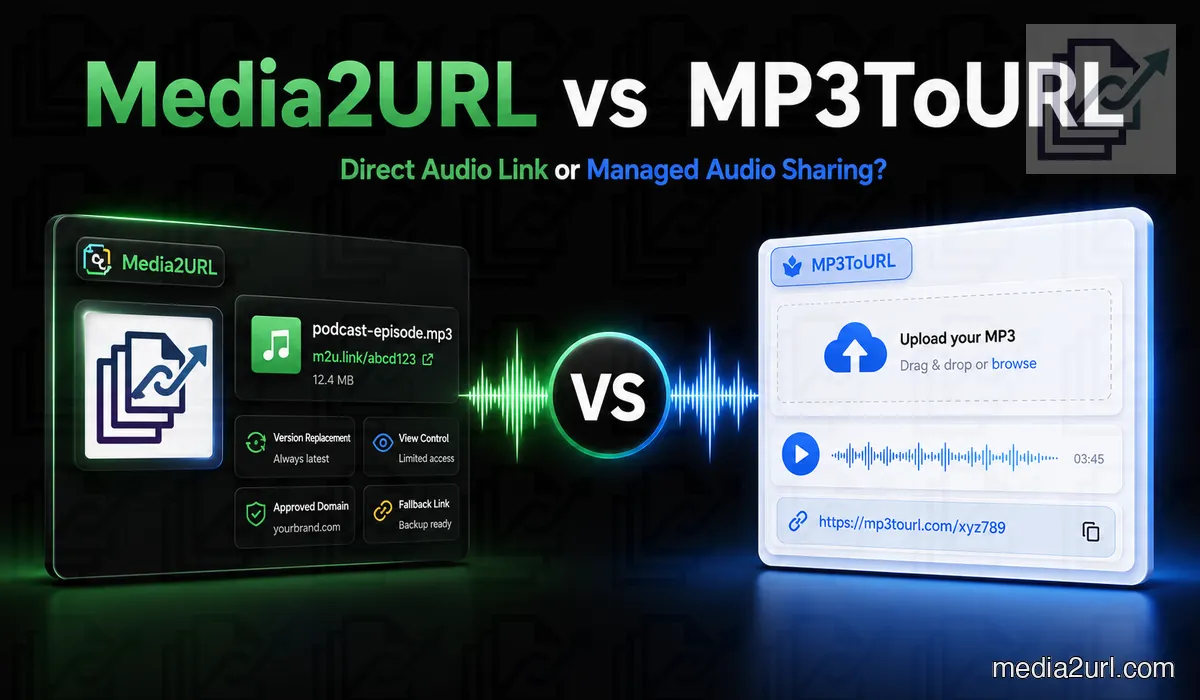
A musician may need a quick URL for a demo track. A podcaster may need a direct audio file for a website player, show note or client review.
MP3ToURL handles this first task directly. You upload an audio file without creating an account and receive a direct URL that the service describes as suitable for long-term sharing.
Media2URL also hosts audio files, but the file can stay useful inside the account after its first URL is created. A recording can remain in the workspace while it is trimmed, converted, organised or replaced later alongside the other files from the same project.
The right service depends on whether you only need an audio URL or a continuing workflow around the hosted file.
Quick answer
Choose MP3ToURL when the audio is already prepared and you mainly need a direct link without creating an account. Its current platform supports several common audio formats and provides links intended for long-term sharing. Copy-ready embed formats are also part of its wider tools workflow.
Choose Media2URL when the recording still needs work after upload. The file can remain inside a workspace where it is trimmed, converted, replaced later or managed with other media from the same project.
Media2URL becomes more useful for changing podcast files, course recordings, support audio or production assets. MP3ToURL is simpler when uploading the finished file and copying its URL completes the job.
What MP3ToURL currently provides
MP3ToURL is broader than its name suggests. Its main homepage currently accepts MP3, WAV, OGG, AAC and M4A files without requiring registration for standard use.
There is one important difference between its current pages. The main MP3ToURL homepage advertises a 100 MB audio limit, while the dedicated Audio to URL tool currently shows 10 MB. The dedicated tool also lists FLAC support in addition to MP3, WAV, M4A, OGG and AAC.
MP3ToURL's changelog says its audio limit was increased to 100 MB in February 2025, so the 10 MB value on the newer dedicated tool page may reflect a different uploader or a later change. The public pages do not currently make that distinction clear.
For that reason, someone with a file above 10 MB should check the actual uploader they plan to use before depending on the larger limit.
The service describes generated audio URLs as permanent or long-term links. That is MP3ToURL's published retention claim rather than a guarantee made by this comparison.
| MP3ToURL feature | Current published position |
|---|---|
| Registration | Not required for standard audio upload |
| Audio limit | Homepage says 100 MB; dedicated Audio to URL page says 10 MB |
| Formats | MP3, WAV, OGG, AAC, M4A; dedicated tool also lists FLAC |
| Direct audio URL | Available |
| Link retention | Described by MP3ToURL as permanent / long-term |
| Embed output | Copy-ready sharing snippets documented in the tools workflow |
MP3ToURL's tools hub says generated outputs include direct URLs plus Markdown, HTML and BBCode snippets, while its changelog also records adding those formats.
MP3ToURL is not only an audio website
The name suggests a single MP3 tool, but the current platform now includes several media converters.
Its tools directory includes audio-to-URL, voice-to-link, photo-to-URL, PDF-to-URL and video-to-URL workflows. It also provides text-to-speech and lyrics tools.
This comparison focuses on its audio-hosting workflow. The wider MP3ToURL platform has other media tools, so it would be misleading to treat the entire service as one basic MP3 uploader.
The wider tool selection matters for users who occasionally need links for other media types but do not require one organised asset dashboard.
A simple music-demo workflow
An independent musician records a draft song and wants feedback from a vocalist.
The file fits within the limit shown by the uploader being used. The musician uploads it to MP3ToURL, copies the generated address and sends it through a message.
The vocalist opens the URL and listens to the track. No account setup, project folder or team invitation is required.
MP3ToURL may be the practical choice here. The file is finished enough for review and does not need continued editing inside the hosting platform.
A podcast workflow
A podcaster may need a direct audio URL for an HTML audio player, article or show-note page.
MP3ToURL provides a direct file address and copy-ready snippets. This removes the need to write the embed code manually.
For example, the generated URL may be placed inside an HTML audio element:
<audio controls>
  <source src="https://example.com/audio/episode.mp3" type="audio/mpeg">
</audio>
Before using any general file host for a podcast feed, check the requirements of the podcast platform itself. Correct audio MIME types, stable file availability, suitable bandwidth and byte-range behaviour may all matter depending on the player or directory.
A URL that plays in a browser is not automatically a complete podcast-distribution service.
What Media2URL adds around the audio file
Media2URL can turn supported recordings into direct audio links inside the same library used for other project files.
A course creator, for example, may keep lesson recordings beside worksheets and preview images. A production team may keep the source video and final audio delivery file inside the same workspace.
The difference appears when the recording itself is not finished. Media2URL includes tools for preparing another audio version before it is shared.
Audio trimming
A full recording may contain silence, mistakes or a section that should not be shared.
Under Media Processing, Media2URL allows the user to enter start and end timestamps and create a shorter audio asset.
For example, a one-minute voice recording may only need the section from 00:08 to 00:42. The trimmed output can remain as a separate file while the original stays in the library.
This is useful for:
- Voice samples
- Podcast previews
- Music-demo sections
- Support recordings
MP3ToURL focuses on hosting the uploaded audio. Its main audio-to-URL workflow does not present timestamp trimming as the central task.
Convert the audio when the next tool needs another format
One application may accept MP3 while another workflow needs WAV, M4A or OGG.
Media2URL can create supported audio versions in those formats without removing the original file from the library. Bitrate can also be selected for supported conversions, including 128, 192, 256 and 320 kbps.
That choice can matter when the delivery file does not need the same size or quality as the source recording. A spoken lesson may use a smaller output than a music file prepared for higher-quality listening.
MP3ToURL already accepts several audio formats for hosting. Its standard audio-to-URL workflow is more useful when the file is already in the format you want to publish.
Replace the recording without changing its managed link
An audio URL may already sit inside a course page, QR code, support article or training document.
If every correction creates another public address, the owner also has to find every place where the earlier URL was used.
Media2URL can make a supported replacement the active version while its managed URL remains in use. Earlier versions remain in file history, so the owner can return to one if the replacement contains the wrong edit or mix.
This can help with corrected podcast files, updated instructions, revised music demos or training recordings.
MP3ToURL describes its generated links as long-term URLs, but its current public audio workflow does not document same-URL replacement with a visible rollback history as a main feature.
Organising an audio library
A person sharing one track may not need a dashboard.
A creator with several projects may need folders, tags and search.
Media2URL allows audio files to be placed inside nested folders. A podcaster can separate episodes, trailers and sponsor clips.
Tags can group files by speaker, language, client or project. Bookmarks provide quick access to frequently used assets.
The search bar can filter the library by filename, tag or media type.
Several selected files can also be moved or updated together through bulk operations.
MP3ToURL is suitable for direct upload and link generation. Media2URL provides more structure when the number of hosted assets continues to grow.
Team workspaces
Media2URL lets several people work inside one asset library without sharing an account password.
Each workspace keeps its own files, folders and settings separate. A production agency may create one workspace for every client.
| Role | Main access |
|---|---|
| Owner | Full workspace and billing control |
| Admin | Member and workspace management |
| Editor | Uploading, editing and organisation |
| Viewer | Browsing and copying approved links |
An editor may upload the final audio mix. A viewer can copy the approved link without receiving permission to replace or delete the file.
Workspace audit logs record actions such as uploads, file renaming and role changes. The records can be exported as CSV for an internal review.
MP3ToURL's basic audio-upload workflow does not require this level of account management. That simplicity may be an advantage for casual use.
Check an audio URL before depending on it
An audio link can play when you open it manually and still behave differently inside a website player or another application.
Media2URL Link Doctor follows the request so you can see the HTTP status and where any redirects end. The content type helps confirm whether the final response is really an MP3, WAV or another media file rather than an HTML page.
CORS information matters when browser scripts need direct access to the audio. Byte-range testing is especially useful for players because it shows whether the server accepts partial requests used when someone jumps forward or backward in a recording.
| Check | What it helps explain |
|---|---|
| HTTP status and redirects | Whether the URL works and where the request ends |
| Content type | Whether the response is actual audio or a webpage |
| CORS headers | Why a browser script may not be able to use the file |
| Byte-range behaviour | How the server handles partial audio requests and seeking |
Link Doctor does not turn a restricted file into a public one. It only reports how the reachable URL behaves.
Move an existing audio library
MP3ToURL's normal audio workflow starts with a file from the user's device. Media Migration becomes more useful when the recordings already live somewhere else.
Supported Media2URL migration jobs can work with groups of accessible source URLs or available S3-compatible storage. This can reduce manual work when a creator or business already has a larger collection of hosted recordings.
Duplicate checking helps when the source library contains the same audio more than once. Where source mapping is available, the migration result can also keep the old address beside its new Media2URL URL so existing records can be updated later.
Migration does not bypass passwords, private storage or ownership rules. The source still needs to be accessible, and the person moving it needs permission to create another hosted copy.
Public links and controlled audio sharing
MP3ToURL's standard audio workflow is centred on direct links. Its public audio pages do not document passwords, view limits or expiry controls as part of that normal upload experience.
Media2URL separates ordinary link sharing from more restricted access under Security & Access Controls. A supported asset can be Public, Unlisted, Private or Password Protected depending on the current plan and file type.
Expiry, view limits and download limits can be applied where those controls are available. Temporary signed delivery provides another option when someone needs direct access for a limited period.
If the link needs to stop working sooner, the available file controls can disable the hosted asset rather than waiting for the original condition to be reached.
None of these controls can stop someone from recording or saving audio after they have already been allowed to play it.
Audio and video workflows together
Media2URL can extract an audio track from a supported video and save it as an MP3 asset.
This is useful when a creator has a recorded interview, lesson or presentation but only needs the audio.
The resulting MP3 can be trimmed or converted before it is shared.
MP3ToURL also has a separate Video to URL tool for hosting video files. That is different from extracting the audio track and keeping the new MP3 beside the source video.
Direct comparison
| Requirement | MP3ToURL | Media2URL |
|---|---|---|
| No-registration upload | ✓ Available | Depends on current Media2URL workflow |
| Published audio limit | Homepage says 100 MB; dedicated Audio to URL tool says 10 MB | Check the current Media2URL plan |
| Published link-retention claim | Described as permanent / long-term by MP3ToURL | Depends on plan, retention and access settings |
| Supported audio formats | Main page: MP3, WAV, OGG, AAC, M4A; dedicated page also lists FLAC | Supported formats depend on current upload/processing workflow |
| Direct audio URL | ✓ Available | Available |
| Embed formats | Direct URL plus copy-ready embed formats documented in tools workflow | Direct URL and supported copy formats |
| Audio trimming | Not presented in standard audio-hosting workflow | Start/end timestamp trimming |
| Format conversion & bitrate | Hosts supported formats; no conversion controls documented in standard uploader | MP3, WAV, M4A and OGG conversion with supported bitrate choices |
| Video audio extraction | Separate video-hosting tool; audio extraction not documented as standard workflow | Extract MP3 audio from supported video files |
| Same-URL replacement | Not documented as a main audio workflow | Supported replacement connected with file history |
| Version rollback | Not documented as a main audio workflow | Earlier supported versions can be restored |
| Nested folders | Not presented as a core workflow | Available |
| Multiple workspaces | Not presented as a core workflow | Available |
| Team roles | Not presented as a core workflow | Owner, Admin, Editor and Viewer |
| Audit logs | Not presented as a core workflow | Available with CSV export |
| Existing-link diagnosis | No dedicated media-link diagnostic workflow documented | Link Doctor for status, redirects, content type, CORS and byte ranges |
| Remote URL migration | Standard audio workflow begins with a local upload | Media Migration from supported bulk URLs or cloud sources with source mapping |
| Access controls | Standard audio workflow focuses on direct links; advanced controls not documented | Passwords, expiry, temporary signed delivery and supported view/download limits |
| Asset analytics | Not highlighted as part of standard audio-link workflow | Share-page views, recent downloads, bandwidth, quota use and top-link insights where supported |
Where MP3ToURL has the advantage
MP3ToURL may be the easier choice when:
- The audio is already finished and only needs a direct web link.
- You do not want to create an account for the standard upload workflow.
- Copy-ready embed output is useful for a website, forum or document.
- You want a focused audio uploader without setting up folders or a larger media workspace.
Its public pages also describe the generated links as intended for long-term use. The main homepage advertises a 100 MB limit, although the dedicated Audio to URL page currently shows 10 MB, so larger uploads should be tested before the service is chosen around that allowance.
If the recording is already prepared, MP3ToURL's simplicity is a real advantage.
Where Media2URL has the advantage
Media2URL becomes more useful when the recording still needs work after upload.
- The audio needs trimming, format conversion or another bitrate before it is published.
- A hosted episode or training file may need correction later while its managed link remains in use.
- Existing recordings need to move into an organised library instead of staying as unrelated URLs.
- Several people need to manage audio alongside PDFs, images and video from the same project.
Its advantage is not simply having more controls. The value appears when the audio remains part of an ongoing workflow after the first link has already been copied.
Which service should you choose?
Choose MP3ToURL when uploading the finished recording and copying its direct URL completes the job.
Choose Media2URL when the file will still be trimmed, converted, replaced or organised later.
A one-off music demo and a training library containing fifty changing lessons may both use MP3 files, but they create very different hosting requirements.
Final verdict
MP3ToURL provides a straightforward audio-to-link workflow without requiring registration for standard use. Its current pages support common audio formats and describe generated links as suitable for long-term sharing. The main homepage currently advertises a 100 MB upload limit, while the newer dedicated Audio to URL page shows 10 MB, so that allowance should be checked in the uploader being used.
Media2URL takes the audio further after upload. A recording can remain inside a workspace where it is trimmed, converted, organised, replaced later or managed with other project files.
Choose MP3ToURL when the finished audio mainly needs a direct URL.
Choose Media2URL when the recording will continue changing or needs to remain part of a managed library.
Neither workflow needs to be better for every audio file.
Related comparisons
- Media2URL vs Imgur
- Media2URL vs ImgBB
- Media2URL vs Image2URL
- Media2URL vs Cloudinary
- Media2URL vs ImageKit
Comparison review note: This page was reviewed on August 18, 2026 using MP3ToURL's current homepage, dedicated Audio to URL tool, tools directory and changelog together with features available in the current Media2URL platform.
MP3ToURL currently publishes different audio limits on different first-party pages. Its main homepage shows 100 MB, while the dedicated Audio to URL tool shows 10 MB. Supported formats also differ slightly between those pages, so users with larger files or FLAC audio should check the active uploader before relying on one specific limit.
Frequently Asked Questions
Is MP3ToURL free?
Its standard audio-to-URL workflow is currently presented as free to use without registration, subject to the limits shown by the active uploader.
Does MP3ToURL require an account?
No account is required for its standard audio-upload workflow.
What is the MP3ToURL file-size limit?
MP3ToURL's current pages are inconsistent. The main homepage advertises audio uploads up to 100 MB, while the dedicated Audio to URL page currently lists a 10 MB limit. Check the actual uploader before relying on the larger allowance.
Which audio formats does MP3ToURL support?
Its main page lists MP3, WAV, OGG, AAC and M4A. The dedicated Audio to URL page also currently lists FLAC.
Are MP3ToURL links permanent?
MP3ToURL currently describes its audio URLs as permanent or intended for long-term sharing. Treat this as the service's published retention claim rather than an independent guarantee.
Does MP3ToURL provide embed snippets?
Yes. MP3ToURL's tools documentation and changelog describe copy-ready output for formats such as Markdown, HTML and BBCode in addition to direct links.
Can MP3ToURL be used for a podcast RSS feed?
A direct audio URL may work as an episode file in some podcast workflows, but check the requirements of the podcast platform first. Correct content type, byte-range behaviour, long-term availability and bandwidth can matter beyond whether the file simply plays in a browser.
Can Media2URL trim audio?
Yes. You can choose start and end timestamps and save the selected section as an audio asset.
Can Media2URL convert audio?
Yes. Supported files can be converted between formats such as MP3, WAV, M4A and OGG, with available bitrate choices for suitable conversions.
Can Media2URL replace audio without changing its URL?
Yes. A supported replacement can become the active version while the managed URL remains in use. Earlier supported versions remain in file history and can be restored when needed.
Can Media2URL extract audio from video?
Yes. A supported video file can be processed to create an MP3 audio asset inside the unified media workspace.
Which service fits a finished music demo?
MP3ToURL may be suitable when the track only needs a permanent shareable address. Media2URL may fit better when the track needs controlled access, future replacement or team organisation.