


A website builder asks for an image URL, but the picture you want to use is sitting on your computer or already hosted somewhere else. The phrase sounds technical at first, but it simply means the online address another browser or application uses to retrieve that image.
Once the picture is stored somewhere reachable on the web, its URL can be used in HTML, Markdown, a product catalogue or another application that accepts external images. The file stays where it is hosted, while the URL tells the next website where to find it.
That address does not need to look like a normal filename. What counts is whether it leads to an image the receiving website is able to retrieve.
What an image URL looks like
Suppose there's a photograph named photo.jpg in your Downloads folder. You can open it on your laptop and use it in any application that has permission to access the file. But somebody visiting your website cannot reach into your computer and retrieve that photograph.
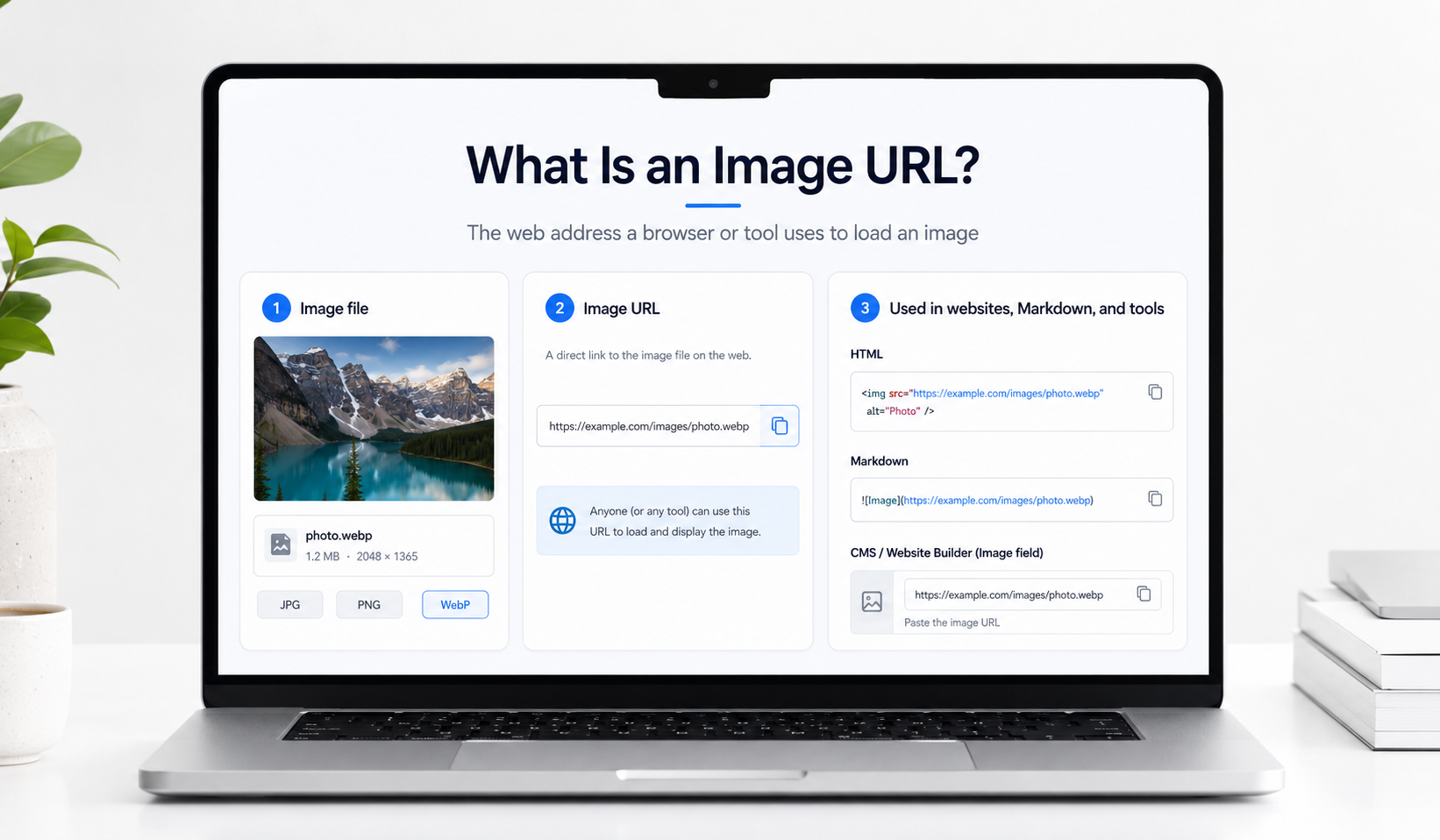
Now imagine uploading it to a website that stores images. After the upload, the file might have an address like this:
https://example.com/images/photo.jpg
That's an image URL. When your website needs to display the photograph, the visitor's browser requests it from that address. The server responds with the image, assuming the file is still available and the visitor has permission to access it.
Looking at the address itself, https:// identifies the scheme used for the request. example.com is the host, and /images/photo.jpg is the path leading to the resource.
Not all image addresses look this tidy, though. A photograph delivered through a content delivery network might have a URL like this:
https://cdn.example.com/a8f2/image?w=900&format=webp
The extra information after the question mark can tell the server to return a particular version of the image. In this example, the parameters request a width of 900 pixels and WebP output, assuming the service understands those instructions.
That's also why you shouldn't judge an image URL entirely by its ending. An address doesn't have to finish with .jpg or .png to return an image. Some services use long identifiers instead of recognisable filenames, while others generate different versions of an image according to the parameters in the URL.
What you need is an address that returns an image your website or application can actually use.
Where image URLs come in handy
There are plenty of situations where you'll never need to look for an image URL. Open WordPress, add a photograph to a post and its media library usually takes care of the address. The same thing happens with many website builders. You select a picture from your computer, and the platform handles the rest.
Things become a little different when the image is already hosted somewhere else.
Say you're creating a product page and the photograph is available through another service. Your website builder offers a field for an external image URL. Instead of uploading another copy, you paste the address of the hosted image, provided the service permits it to be displayed on your website.
If you were writing the page in HTML, the equivalent would look like this:
<img src="https://example.com/images/photo.jpg" alt="Product photograph">
The src attribute contains the address the browser should request. Your website builder may produce similar HTML behind the scenes, which is why entering a valid image source is enough to make the picture appear.
The same idea works with Markdown
GitHub README files are a familiar example. You may want to add screenshots to explain how a project works, but the document itself uses Markdown rather than normal HTML.
To display a hosted screenshot, you can write:

The description goes inside the square brackets, and the image address goes inside the parentheses. When the Markdown is displayed, the application attempts to load the image from that URL.
Of course, the picture still needs to be accessible. Pasting the address of a private gallery page into Markdown won't magically make the photograph available.
You'll run into a similar arrangement with product catalogues. A spreadsheet might contain hundreds of products, each with its own photograph. Instead of putting the image files inside the spreadsheet, you can store their addresses in a column.
A compatible ecommerce platform can then retrieve the photographs when it imports the product data. Automation tools sometimes work the same way, taking an image URL from one application and passing it to another.
This doesn't mean every platform accepts external image addresses. Some insist on having photographs uploaded into their own media libraries. You'll need to use whichever method the application actually supports.
An image URL and a page showing an image are not the same thing
A gallery page can display a photograph perfectly while still returning a normal webpage rather than the image file itself. When another website asks for an image source, it generally needs the address that returns the picture.
A share page is still useful when a person needs to open the image in a browser. The Direct URL vs Share Page URL article explains that choice in detail, so the important point here is simpler: an image URL is the address used to retrieve the image itself.
Getting an image URL for a photograph on your computer
Perhaps the photograph isn't hosted anywhere yet. It's sitting on your laptop or phone, and the application you're using won't accept an ordinary file upload.
In that case, you'll need somewhere online to store it.
If you already have a website with a media library, you may be able to upload the image there and copy its file URL. WordPress, for example, normally generates an address for photographs uploaded through its media library.
Otherwise, an image hosting service can provide the address.
Media2URL has an Image to Link tool that lets you upload supported image formats from your device. After the upload is complete, the available links are displayed, including the direct address of the hosted file.
That direct URL is the one you'll normally want when another website asks for an image source. If you're simply sharing the photograph with another person, you can use the share page instead.
There's one thing I'd check before choosing where to upload the file: how long the image needs to remain available.
A photograph you're sharing for a short discussion doesn't necessarily need the same hosting arrangement as an image used on a public website for several years. If the address expires or the file is deleted, any webpage relying on it may stop showing the picture.
Your hosting service's storage rules and link settings determine what happens to the file later.
One photograph, several websites
There's a practical advantage to having a reusable image URL, particularly when the same picture is needed in several places.
Suppose you're preparing a promotional graphic. You've added it to your landing page, and now you want to use it in a blog post. Another application also needs the graphic for a separate part of the campaign.
You could upload the image to all of them individually, assuming each application allows it. That works until you decide to update the design.
Now you have several separate copies to track down and replace.
With a suitable hosting service, those pages can refer to the same image URL instead. You're keeping the file in one location and using its address wherever the receiving application permits it.
But here's where you need to think about what should happen when the graphic changes.
If every page is supposed to show the new design, replacing the active image while keeping its URL can save you from editing several pages. On the other hand, you might want an older blog post to retain the original graphic. In that case, uploading the revised design as a separate image is more appropriate.
Media2URL supports managed file replacement and version history for eligible assets. You can replace an active file without changing its existing managed URL and restore an earlier version through the available history controls.
Other hosting services may issue a new address for every replacement. If that's how yours works, you'll need to update the references wherever the old URL appears.
There's also the question of caching. Even after you've replaced an image, a browser or content delivery network may continue showing an older copy for a while. Keeping the same address is convenient, but it doesn't necessarily mean every visitor sees your new design immediately.
What if each website needs a different image size?
A product photograph might be displayed as a small thumbnail on a catalogue page and as a large image when someone opens the product details. Serving exactly the same large file for both uses can mean transferring more data than the smaller layout needs.
You could make separate copies with different dimensions. For a handful of images, that may be perfectly manageable.
With a large collection of photographs, though, manually preparing every size becomes a tedious job. Image hosting services that support transformations can handle some of that work.
Media2URL offers image transformations controlled through the URL for eligible images. These include supported changes to dimensions and delivery settings, with output options such as WebP and AVIF.
This lets a compatible website request a particular version of a stored image rather than requiring you to prepare and upload every variation manually.
Actual editing is a separate job. If the photograph needs a watermark or you want to draw an arrow pointing towards something in the picture, you'd use an image editor instead. The Media2URL Image Editor includes tools for such changes, along with adjustments and cropping.
The distinction is fairly straightforward. You may want the same photograph delivered at several sizes, or you may need to change something inside the picture. Those are different tasks, even if you end up using both tools.
If the image URL works in a tab but not on the website
At that point, the question is no longer what an image URL is. The address may require access the visitor does not have, the host may restrict requests from another website, the link may have expired or the website itself may be refusing the image.
Do not keep changing the address at random. Test the exact URL where it is failing, then use the image link troubleshooting article if you need to work through the cause in more detail.
Do you really need to manage image URLs yourself?
Not always.
Most of the time, a website editor that accepts direct uploads will handle the image address for you. WordPress is a good example. You upload a photograph, insert it into your post and carry on writing. Unless you need to reuse the image elsewhere, there may be no reason to look at its URL.
The picture still has an address, of course. Your browser needs that address to retrieve it when somebody opens the page. You just don't have to deal with that part yourself.
Knowing how image URLs work becomes more useful when another service specifically asks for one, when you're working directly with HTML or Markdown, or when several applications need access to the same hosted photograph.
Longer term use deserves a little more thought. A product catalogue containing hundreds of image URLs depends on those photographs remaining accessible. Move the files, delete an old hosting account or change the URLs without updating the catalogue, and the pictures could disappear from your listings.
That doesn't mean you need a complicated hosting arrangement for every photograph. It just means the address should remain usable for as long as the places relying on it need the image.
If you're only trying to add a picture to a blog post, your existing media library may be enough. If you're passing images between different applications, you'll probably find yourself working with their URLs more often.
Frequently Asked Questions
What is an image URL?
It's the web address that a browser or another application uses to retrieve an image. Unlike a file location on your computer, an accessible image URL lets other devices request the photograph from the server where it's hosted.
Does an image URL have to end in .jpg or .png?
No. Some image addresses contain familiar file extensions, while others use identifiers or additional parameters. What counts is whether the server returns image data in a format the receiving application can use.
Where can I use an image URL?
You'll encounter them in HTML and Markdown, as well as website builders that accept photographs from external sources. Product catalogues and compatible automation tools also use image URLs to retrieve hosted pictures.
What's the difference between an image URL and a share link?
A direct image URL retrieves the image resource itself. A share link generally opens a webpage where someone can view the photograph, sometimes with extra controls. When a website asks for an image source, it usually needs the direct image URL.
How do I get an image URL for a photograph on my computer?
Upload the photograph to a website, CMS media library or suitable image hosting service. Once it's hosted, copy the direct image address if another application needs to retrieve the image itself.
Why does my image URL open in a browser but not on my website?
You may have copied a preview page instead of the direct image address, or the hosting service may restrict access from other websites. Test the URL outside your signed in account and check what the server returns if the image still doesn't appear.