

Direct File Links: What They Are and Where You Can Use Them

Quick answer
A direct file link returns the file itself, sometimes after a redirect. It can load an image, feed a media player or trigger a download, depending on the response and the receiving application. Check the final content type, access permissions and link lifetime; a familiar filename alone does not prove the URL will work.
In this article12 sections · Jump to what you need
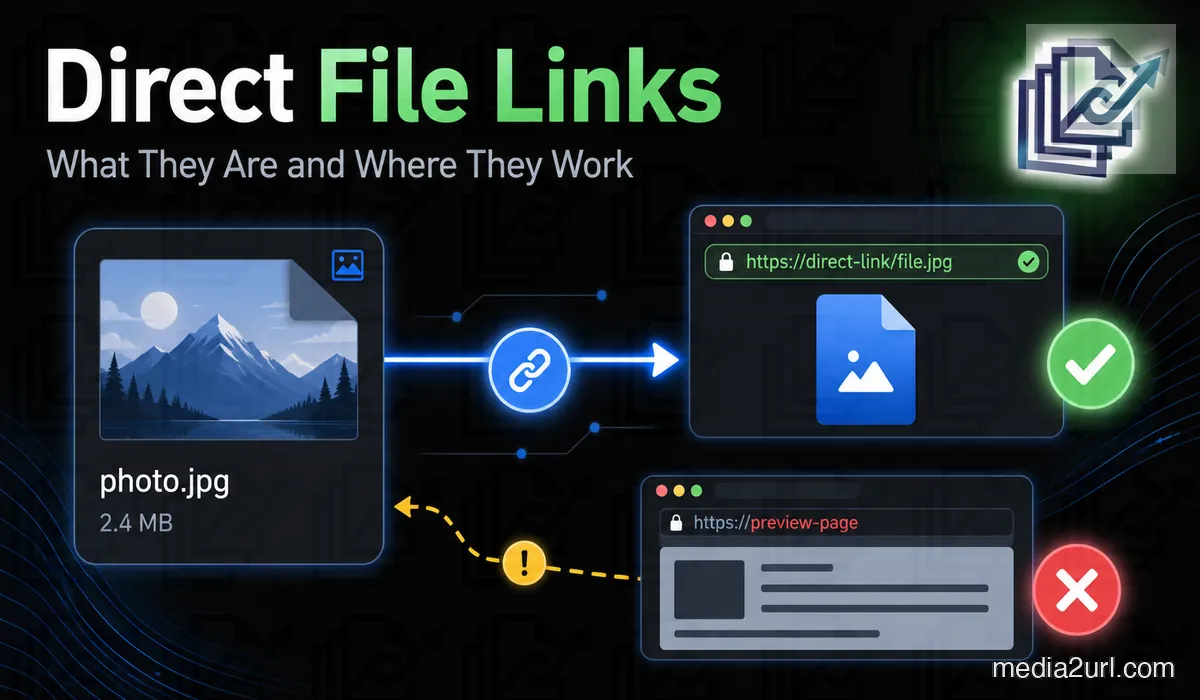
A file is already online, but the next place you want to use it needs the file itself rather than a page built around it. That comes up with an image inside HTML, a PDF download button, an audio player or a video player. In each case, the address has to behave in a way the next website or application understands.
A direct file link is the address that returns the file itself, either immediately or after a redirect. This guide explains how that works across different file types, what the server sends back, and what to check when the link behaves differently from what you expected.
If you only need to choose between Media2URL's Direct URL and Share Page after an upload, the Direct URL vs Share Page URL article covers that decision separately.
What is a direct file link?
A direct file link is a URL that returns the file itself, either immediately or after following a redirect. It doesn't leave the request on an ordinary webpage that happens to display the file.
For example, this address could return a WebP photograph:
https://files.example.com/product-photo.webp
You could place it inside an HTML image element, provided the image is publicly accessible and the receiving website supports its format.
Now consider another address:
https://example.com/share/product-photo
This might open a page containing exactly the same picture, along with its filename and a download button. It would be convenient to send to a customer who wants to see the photograph, but the address wouldn't necessarily work inside an HTML image field.
Both links can serve a purpose. The difference is what the server sends back when somebody requests them.
A direct URL doesn't even have to end with a familiar file extension. Some hosting services deliver images through addresses containing generated identifiers or other URL structures. As long as the final response contains the expected image and the receiving application can access it, the lack of .jpg or .png isn't a problem.
The reverse is possible too. An address ending in .jpg might return a webpage containing an error message.
That's why I wouldn't decide whether a link is direct simply by looking at its filename.
What does the server actually return?
When a browser opens a URL, it sends a request to the server. The response contains the requested content and headers that describe how the browser should handle it.
One of those headers is Content-Type.
A JPEG photograph would normally be returned with:
Content-Type: image/jpeg
A PDF commonly uses application/pdf, while a normal webpage is generally served as text/html.
Suppose your website expects a photograph, but the URL returns HTML. The server might have sent a gallery page or a login form rather than the image. That would explain why the address works when you visit it manually but fails in a field intended for pictures.
The content type is a useful clue, although it isn't proof that the file is valid. A server can return an incorrect header, and an application may have additional restrictions of its own.
A direct link can download the file instead of displaying it
People sometimes assume that a URL isn't direct if clicking it starts a download. That's not necessarily true.
Two links can return the same PDF while producing different results in your browser. One opens the document in the built-in PDF viewer, while the other prompts you to save it.
The difference may come from another response header called Content-Disposition.
A server can suggest normal browser display:
Content-Disposition: inline
It can also ask the browser to treat the file as a downloadable attachment:
Content-Disposition: attachment; filename="catalogue.pdf"
The file is still being delivered directly in both cases. Your browser's settings and its support for the particular format can influence the final result.
This distinction is useful when you're creating a download button. You may want customers to save a PDF rather than opening another page containing a preview.
Where direct links are useful
The type of link you need becomes clearer when you look at where the file is going. A photograph inside a website has different requirements from a brochure sent to a customer, even if both were uploaded through the same hosting service.
Adding photographs to HTML
An ordinary HTML image element uses the src attribute to identify the picture it should load.
Here's an example:
<img
  src="https://files.example.com/product-photo.webp"
  alt="Blue ceramic coffee mug"
>
When somebody visits the page, their browser requests the image from the address inside src.
If you accidentally paste a cloud storage preview link there, the browser might receive an entire HTML page. It can't display that page as the photograph you intended to show.
An address that requires your account login can cause a similar problem. The picture may appear when you test it yourself, while other visitors see a broken image because they don't have permission to retrieve the file.
For this kind of use, start with the direct image URL supplied by your hosting service. Then test the result on the actual webpage.
Images in Markdown and forums
Markdown has its own way of inserting images. Here's what the same photograph would look like:

The text inside the square brackets describes the photograph, and the URL tells the platform where to retrieve it.
Some forums use BBCode instead:
[img]https://files.example.com/product-photo.webp[/img]
Although the syntax is different, the hosting requirement is much the same. The platform needs to receive image content rather than an ordinary webpage containing the picture.
If the address works when clicked but refuses to display inside your post, check whether you've copied the sharing page instead of the image URL.
Audio and video players
A direct file URL is also useful when you want visitors to play a recording without leaving your webpage.
For example, HTML can load an MP3 into an audio player:
<audio controls>
  <source
    src="https://files.example.com/lesson.mp3"
    type="audio/mpeg"
  >
</audio>
Videos use a similar arrangement:
<video controls>
  <source
    src="https://files.example.com/tutorial.mp4"
    type="video/mp4"
  >
</video>
These examples assume the browser supports the format and the server permits access to the recording.
Larger media files introduce another concern. If somebody skips to the middle of an hour-long interview, their player may request only the section it needs rather than downloading the recording again from the beginning.
A server that successfully handles such a request can respond with HTTP status 206 Partial Content.
Not every player works in exactly the same way. Still, if your recording loads but people have trouble skipping forward, the server's support for partial file requests is worth checking.
Dropbox shows why redirects can be confusing
A direct file link doesn't always return the file on its first request. Sometimes the hosting service redirects the browser to another address, which then delivers the content.
Dropbox provides a familiar example.
Its ordinary sharing links can open a preview page. Dropbox also documents two other ways to request supported content: dl=1 asks the browser to download the file, while raw=1 asks it to render the file directly.
There's a catch with raw=1. Dropbox documents that changing a shared link to use this parameter causes an HTTP redirect. A normal browser generally follows the redirect without making it obvious, but an application using that URL needs to handle it correctly.
[!NOTE] Dropbox Redirect Behavior: Dropbox officially documents that appending
raw=1to a shared link causes an HTTP 3xx redirect to the final storage server. Applications that do not follow HTTP redirects will fail to load the media.
Someone might successfully open the photograph in a browser and then discover that an importer refuses the same address. The redirect is one possible explanation.
This doesn't mean every redirected URL is unsuitable for direct file delivery. The important part is where the request eventually ends.
Our Dropbox direct link guide explains the differences between dl=0, dl=1 and raw=1 in more detail.
Before blaming the URL, check who can access it
One of the simplest tests requires nothing more than another browser window.
Copy the address and open it in a private browsing window. If the file now asks you to sign in, your normal account session may have been hiding an access restriction.
This happens with cloud storage links. The owner can see the photograph because they're already signed in, but somebody visiting the website doesn't have the same permissions.
A private window helps reveal that problem. However, it won't tell you whether an external application can handle the file's format or any redirects along the way.
If the link remains accessible but still fails in its intended destination, look more closely at the response.
Checking the response yourself
For somebody comfortable using Terminal, curl can show the HTTP response headers:
curl -I -L "https://example.com/file"
The -I option requests headers, while -L tells curl to follow redirects.
Look at the final status code and content type. If the original address redirects, you can also see the responses along the way.
There is one limitation to this command. It uses an HTTP HEAD request, and some servers handle HEAD differently from an ordinary GET request. If the results seem unusual, test the actual file request before deciding the URL is broken.
For reference, these are some of the response details worth inspecting:
| Check | What it can reveal |
|---|---|
| HTTP status | Whether the request succeeds, redirects or fails |
| Final content type | Whether the server reports the expected file format |
| Redirects | Where the original address eventually leads |
| Content disposition | Whether the browser is asked to display or download the file |
| CORS headers | Whether the server permits the browser access required by a script |
| Byte range response | How the server handles requests for part of an audio or video file |
You don't need to inspect every header whenever you upload a picture. I'd begin with the actual problem and check the details relevant to it.
Checking a URL with Media2URL
We provide Link Doctor for situations where you want to inspect a supported public URL without doing all of this manually.
The tool follows redirects and reports the HTTP response details, including the final content type. It can also inspect relevant CORS information and byte range behaviour for supported media.
Suppose you've copied an audio address that works in your browser but doesn't play inside your website. Link Doctor can help you see whether the final URL returns audio content or leads somewhere else.
It won't repair a missing external file or bypass another service's access restrictions. The purpose is to show how the reachable address behaves so you have something concrete to investigate.
Avoid entering private signed URLs or credentials into public URL checking services. Such addresses can provide access to files that were never intended for general sharing.
The image displays, but JavaScript can't use it
There's another situation that can be puzzling. A photograph hosted on another domain appears normally on your webpage, yet a browser editor refuses to crop or process it.
The problem may involve Cross Origin Resource Sharing, usually called CORS.
Browsers don't treat every use of an external image in the same way. An ordinary HTML image element can often display a picture from another domain without needing the permissions that JavaScript requires to read its image data.
An editor using HTML canvas works differently. It may need the hosting server to permit access through the appropriate CORS headers. The application must also request the image in the appropriate way.
Without that permission, JavaScript may be unable to read the pixels even though the photograph is visible.
If the image element itself shows a broken picture, I wouldn't start by assuming CORS is responsible. The URL may return the wrong content or require a login. Those problems need to be checked separately.
For other reasons an image can fail to display on a website, see our image link troubleshooting guide.
A direct link might be temporary
Getting the actual file response doesn't tell you how long the URL will remain valid.
Some hosting services generate addresses that grant access for a limited period. During that time, the link can deliver the real file without opening a preview page. Once the permitted period ends, the server may refuse further requests.
Amazon S3 presigned URLs work this way.
According to AWS documentation, presigned URLs created through its console can be configured for periods ranging from one minute to twelve hours. Those generated through supported CLI or SDK methods can have expiry periods of up to seven days. A link can stop working earlier if the credentials used to create it expire or are revoked.
Google Photos API media URLs offer another example. Google's current documentation describes its API base URLs as remaining active for 60 minutes. The specific API also determines which extra parameters or authentication are required to access the media.
A temporary address might resemble this:
https://files.example.com/photo.jpg?expires=...&signature=...
This is only an illustration. The presence of query parameters doesn't prove that a URL expires, since plenty of ordinary links use parameters too.
The practical concern is what happens after you publish the address.
Imagine putting a temporary image URL in an article that people will continue visiting for months. The photograph may appear correctly when you publish the page, only to disappear once the address expires.
If the file needs to remain available, check the hosting service's retention rules and make sure the address is intended for that kind of use.
When an image only needs to be shared for a defined period, the temporary image upload workflow lets you choose an available expiry option as you create the link.
Direct doesn't necessarily mean public
A direct URL can return a private file to somebody who has temporary permission. It can also require authentication before the server delivers anything.
That distinction is particularly useful when a document should only be available to certain people. The file doesn't need to become publicly accessible just because a permitted recipient can retrieve it through a direct address.
There is another restriction that website owners sometimes encounter: hotlink protection.
A hosting service might let somebody open a photograph directly while refusing to serve the same picture when it's embedded on an unrelated website. The URL may still be direct, but the server is restricting the way it can be used.
The ability to retrieve a file also doesn't establish permission to republish it. Finding somebody else's photograph through a publicly accessible address doesn't automatically give you the right to upload it elsewhere or display it on a commercial website.
Check the owner's permissions before using content that doesn't belong to you.
When Media2URL gives you more than one link
This guide is mainly concerned with direct file delivery, so the different Media2URL outputs only need a short distinction here. The direct file URL is the relevant choice when another website or application needs to retrieve the hosted file itself.
A share page has a different job because it opens a normal webpage around the file. A download output fits situations where saving the file is the intended action. If you are deciding which one to copy after an upload, the Direct URL vs Share Page URL article goes through that choice in detail.
Before publishing the link
When a URL looks correct but doesn't work, begin with the simplest explanation. Have you copied the actual file address, or a webpage containing the file? If the address requires your account login, a visitor may not be able to use it at all.
For a website image, test the URL inside the webpage itself. For audio or video, try it in the player where it will actually be used. A browser tab showing the file is encouraging, but it doesn't settle every question about compatibility. When you need a hosted address for a new recording, the Audio to Link tool creates the available audio URLs after upload.
If the problem persists, inspect the final response. The HTTP status and content type often explain more than the appearance of the address. Redirects or access restrictions may account for the rest.
Frequently Asked Questions
Does a direct file link need to end in a file extension?
No. An address without .jpg, .png or .pdf can return a valid file. The final server response tells you more than the filename.
Can a direct link pass through a redirect?
Yes. A hosting service can redirect the request before returning the file. Dropbox's documented raw=1 behaviour is one example. The application receiving the URL needs to handle those redirects correctly.
Is a direct download link still a direct file link?
It can be. A server may return the actual file while asking the browser to treat it as an attachment. That can trigger a download instead of displaying the file.
Why does an image open in my browser but not on my website?
Your browser might already be signed in to the account hosting the picture. The link could also return a preview page or be blocked from use on external websites. Check its final response and test it without your normal account session.
Can I use a temporary direct URL on my website?
You can, but the file may disappear when the address expires. If visitors need continued access, use a URL intended to remain available for the necessary period.
Is a direct link always publicly accessible?
No. Direct file delivery and public access are different things. A protected file can be delivered through a temporary signed URL to somebody who has permission.
Related guides
Our Dropbox Direct Link guide explains how Dropbox's sharing parameters affect the response. If you're deciding which Media2URL address to use, Direct URL vs Share Page URL covers that choice in more detail.
You can also read What Is an Image URL? or follow the image link troubleshooting guide when a photograph refuses to display on your website.