

Google Photos Direct Link vs Media2URL

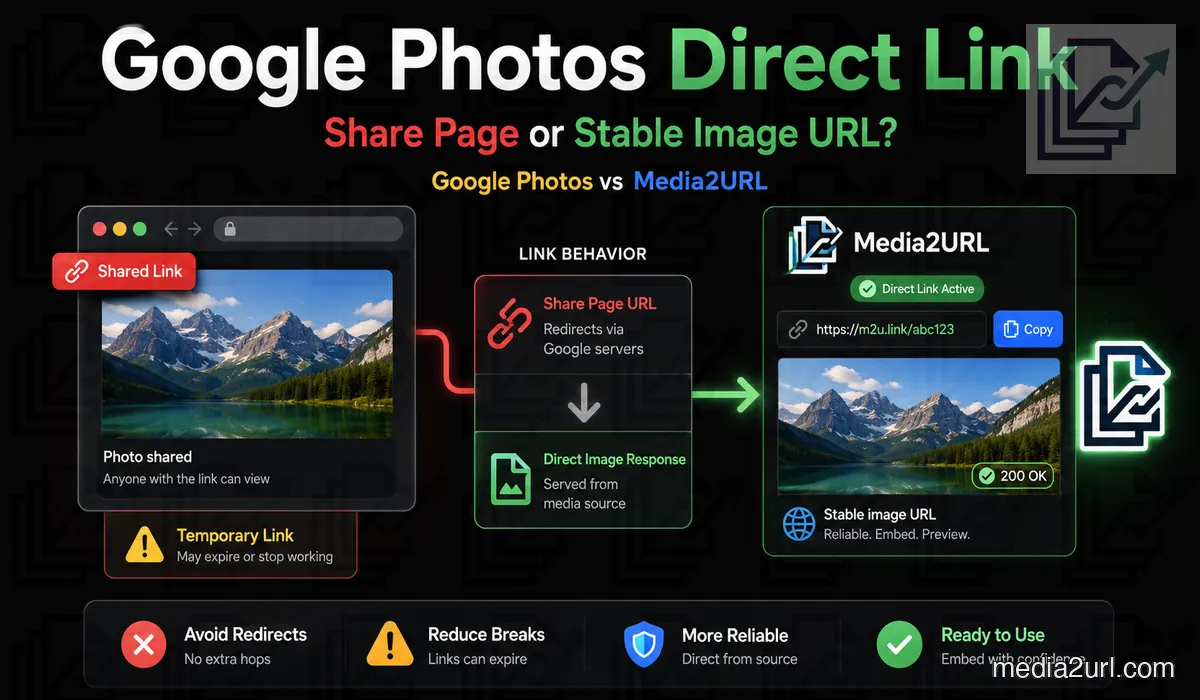
A normal Google Photos sharing link is not the same thing as a direct image URL that you can reliably place inside a website.
It is designed to open a photograph or album through Google Photos. The same address may work inside a chat but fail inside HTML, Markdown, a forum image tag or an application field.
Google Photos remains very useful for keeping a personal photo library and sharing photos or albums with other people. Its normal sharing workflow is not designed to provide raw image URLs for websites, Markdown files or application embeds. Google's own developer policy also tells API developers not to use Google Photos APIs for hosting website media or as a replacement for a large-scale CDN.
Media2URL is built for the next part of the workflow. You can upload or import a public copy you are allowed to use, create a direct image URL and continue managing the hosted copy after the link is shared.
Why a Google Photos link does not work inside an image field
A Google Photos sharing link may look like this:
https://photos.app.goo.gl/example
Opening it takes the visitor to a Google Photos page.
An HTML image element expects an address that returns image data:
<img src="DIRECT_IMAGE_URL" alt="Photo">
When the supplied address returns an HTML page instead, the browser cannot use that page as the image source.
The same issue can appear inside:
- Markdown
- BBCode
- Website builders
- Mobile application fields
The link works for viewing. It does not work as the required raw image response.
What Google Photos sharing links are meant for
Google Photos lets users share photos, videos, and albums through links or directly with contacts.
A shared link is useful for:
- Sending family photographs
- Sharing an event album
- Letting others view selected media
- Collaborating inside a shared album
Google explains that a shared link can be passed to other people after it has been created. Turning link sharing off and on again creates a new address and stops the old album link from working.
This is a sharing workflow rather than direct website hosting.
Why copied Google Photos image addresses may expire
Opening a photograph inside Google Photos and copying an image address can sometimes produce a URL that appears to point directly to the image. It may even work when you open it in another browser tab.
That does not make every copied Google delivery URL a documented long-term hosting address. URLs taken from Google's internal photo delivery system can include parameters or behaviour that Google does not provide as a public website-hosting contract.
There is one case where Google gives a very clear expiry rule. Media baseUrl values returned through the Google Photos APIs remain active for 60 minutes. Picker API URLs can also expire earlier if the user removes the application's permission, and current Picker API media requests require valid OAuth access.
This 60-minute rule should be applied specifically to Google Photos API base URLs. A browser-copied googleusercontent.com address should not automatically be described as the same API URL unless that is actually where it came from. The safer point is that an internal copied address is not a documented permanent image-hosting endpoint.
If an image will remain embedded on a website for weeks or months, depending on an undocumented Google Photos delivery address creates unnecessary risk. A direct hosting service gives you a link that is intentionally produced for that job.
Important: Google documents its Photos API baseUrl values as temporary URLs that remain active for 60 minutes. A URL copied from Google's internal image delivery system is a different case and should not automatically be treated as an API baseUrl, but neither should it be assumed to be a supported permanent website-hosting URL.
Google Photos link types
| Link type | What it does |
|---|---|
| Sharing link | Opens a photo or album through Google Photos |
| Album link | Lets people view shared album content |
| Copied internal image address | May depend on internal Google delivery behaviour and should not be treated as a documented permanent embed URL |
| API base URL | Temporary media URL documented by Google with a 60-minute lifetime |
| Direct hosted image URL | Returns image data for website use while the hosted file remains available |
The first four are part of Google Photos sharing or application access.
The last type requires a service intended for direct file delivery.
A real failure example
Suppose you add a Google Photos image address to your website.
The image appears while you are logged in. You test it again after one hour and it still appears because the browser has cached it.
A visitor opens the page on another device and sees an empty image area.
Possible reasons include:
- The address was temporary
- The request required a valid session
- The URL returned a Google Photos page
- Public access was not available
This is why testing only through your logged-in browser can give a false impression.
Test the Address in a Private Browser Window
Open the copied address in a private browser window where you are not signed in to Google. This shows whether the URL works for another visitor rather than only inside your active Google session.
Check which result appears:
- Only the image appears: The address is returning image data at that moment. This does not prove that the URL will remain active permanently.
- A Google Photos page opens: The address is a sharing or preview page rather than a direct image response.
- Google asks for login or permission: The file is not publicly accessible through that address.
- The image works now but fails later: The address may contain temporary delivery information or an expired access token.
A successful private-window test only proves that the address works at the time you check it. If you still do not know what the URL is returning, Media2URL Link Doctor can inspect the HTTP response, redirects, content type and other delivery behaviour without relying only on what appears visually in the browser.
Can you edit a Google Photos URL to make it direct?
Some guides suggest changing a Google Photos URL or copying an internal googleusercontent.com address and modifying the parameters at the end.
Google does document parameters such as width, height and crop for media baseUrl values returned through its Photos APIs. Those API URLs are still temporary and Google documents them with a 60-minute lifetime, so changing the dimensions does not turn them into permanent website-hosting URLs.
That is different from taking a normal Google Photos sharing link and trying to rewrite it into an undocumented direct image address. A method like that can depend on internal delivery behaviour that is not intended to act as a stable public hosting interface.
If the image is part of a business website, documentation page or application, use a copy hosted somewhere that intentionally provides direct image delivery rather than building the page around a URL trick.
The Proper Workflow for a Long-Term Direct Image Link
Use a separate hosted copy when the image needs to appear inside a website, application, document or product page.
- Download or export the photograph you own from Google Photos. If you already have a supported public image URL that returns the actual file, it can also be brought into Media2URL through an available import or migration workflow.
- Upload the image to the correct Media2URL workspace and place it inside a suitable folder.
- Prepare the hosted copy for where it will be used. You can edit the image visually, request a supported web variation through URL transformations or choose the access settings needed for the final link.
- Copy the generated direct image URL and test it in a private browser window before publishing it.
For a public website embed, the file must remain available through a public delivery setting. A private or password-protected file will not work as a normal public image source.
<img
  src="PASTE_YOUR_MEDIA2URL_IMAGE_URL_HERE"
  alt="Photo description"
>
The share page can be sent through chats or social platforms.
What You Can Do With the Hosted Copy
The Media2URL copy remains separate from the original photograph stored in Google Photos. This allows you to prepare the public version without changing your personal photo library.
Edit the Web Copy
The hosted copy can be opened in the layer-based Image Editor when the file itself needs changing. Crop or straighten the image, adjust its appearance or add supported text, drawing and design layers without changing the original photograph that remains in Google Photos.
A separate edit is not required every time a website needs another image size. Supported Media2URL images can also use URL transformations for dimensions, fit, crop position, quality and eligible WebP or AVIF output, which is useful when the same image appears in several predictable website layouts.
Organise It Inside the Library
Place the image inside a nested folder and add tags or bookmarks for future use. Bulk actions can help when several photographs belong to the same website, client or campaign.
Keep File Versions
You can overwrite the active version, save a derivative or create a new asset. Earlier file versions can remain available for restoration when a public image needs to be changed later.
Control Who Can Open It
Choose Public, Unlisted, Private or Password Protected access according to how the hosted copy will be used under Security & Access Controls. Supported plans can also apply expiry, view or download limits and signed delivery when a file should only remain accessible under selected conditions.
Can Media2URL import a Google Photos link?
Media2URL can migrate supported files from available public URLs or supported cloud sources, but the source still needs to provide a file that the migration service is allowed to retrieve.
A normal Google Photos sharing URL creates a problem because the address is meant for Google Photos sharing. It can lead to a Google Photos page rather than returning the original image file that another hosting service would need to download.
If you paste an uncertain address into Link Doctor first, the response can show whether the request reaches an image or an HTML page. It can also reveal redirects, the returned MIME type and other delivery behaviour that helps explain why the link cannot be treated as a normal image source.
Bulk Media Migration becomes useful when you already have a larger group of supported public source URLs or an available cloud source. Duplicate checking can help avoid bringing the same file into the workspace repeatedly, while source-to-new-URL mapping is available where the migration workflow provides it.
Media2URL should never bypass a private Google Photos album, Google Account login or restricted permission. When the photograph is only available to your account, download or export the copy you own from Google Photos and upload it normally.
Never provide your Google password to a file-hosting service.
What Link Doctor can tell you about the URL
A broken embed does not always mean the image itself is unavailable. Sometimes the address works, but the server returns something different from what the website expects.
Link Doctor can follow the redirect path and check the final HTTP status and content type. If the address ends on text/html instead of something such as image/jpeg or image/png, you know the URL is reaching a webpage rather than behaving like a raw image source.
CORS information can also matter when the image is being loaded through browser scripts or a canvas-based tool. For video and audio URLs, byte-range testing can show whether the server supports partial-content requests used for seeking, although that check is less important for a normal Google Photos image.
The tool does not make a restricted Google Photos URL public. It only helps show what the reachable address is actually returning.
Google Photos and Media2URL solve different problems
| Requirement | Google Photos | Media2URL |
|---|---|---|
| Primary purpose | Personal photo backup and album sharing | Hosted media links and managed asset workflows |
| Personal photo backup | Main purpose | Not the main purpose |
| Share albums with people | Supported through shared albums | Share folders or individual hosted files |
| Direct website image URL | Not its intended output | Direct hosted image URL while the asset remains active, with supported WebP or AVIF variants |
| HTML and Markdown use | A normal share link is not suitable | Copy-ready direct image URL |
| Image editing | Photo editing for a personal library | Layer-based browser editor plus supported on-demand URL transformations |
| Asset organisation | Albums and photo-library search | Nested folders, tags, bookmarks and bulk actions |
| Team access | Shared albums and contact-based sharing | Isolated workspaces with Owner, Admin, Editor and Viewer roles |
| Replace file at the same URL | Not a website-hosting workflow | Account-dependent where supported |
| Restore an earlier version | Different photo-editing model | Account-dependent file history |
| Limited access | Shared-link controls rather than a hosted-file access system | Password, expiry, signed delivery and supported view or download limits |
| Import public URLs | Not designed as a migration destination | Media Migration for supported bulk URLs or available cloud sources |
| Workspace activity records | Not a standard photo-sharing feature | Audit logs with supported CSV export |
| Diagnose external link behaviour | Not provided as an external URL diagnostic workflow | Link Doctor checks HTTP status, redirects, content type, CORS and byte-range behaviour |
Google Photos provides a stronger personal photo-library experience. Media2URL is intended for hosted copies that need direct delivery, team management or continued control after publication.
Keep Your Original Copy in Google Photos
You do not need to move your complete personal photo library away from Google Photos. The two services can remain part of the same workflow because they solve different problems.
A practical setup is:
- Keep the original photograph and personal album inside Google Photos.
- Upload a separate web copy to the correct Media2URL workspace and folder.
- Edit or optimise the hosted copy and save it as a version or derivative.
- Use the direct Media2URL address on your website and update the hosted copy without changing the original photograph.
This keeps your personal archive separate from the file used for public delivery.
A Cleaner Workflow for Teams and Clients
A personal Google Photos library may work well for one person. It can become difficult to manage when several people need to prepare, approve or publish the same website images.
Media2URL allows a business or agency to create separate workspaces for clients or projects. The workspace owner can invite members as Admins, Editors or Viewers without sharing the main account password.
An Editor can upload and prepare an image, while a Viewer can inspect the file and copy its public link without changing it. Workspace audit logs also record supported actions such as uploads, file renaming, metadata changes and role updates.
Can people reshare the Google Photos link?
Yes. Google says a person who receives a shared link can pass it to others.
Turning off sharing can stop the link from providing further access. It cannot remove copies that someone already downloaded.
The same principle applies to any visible online file. Link controls cannot delete copies stored on another person’s device.
Final answer
Google Photos is an excellent place to keep a personal photo library and share photographs or albums with other people. Its normal sharing links are not designed to act as direct image addresses inside websites, Markdown or application fields.
Google Photos API media baseUrl values are also temporary. Google documents them with a 60-minute lifetime, so they should not be stored as long-term public image URLs.
If a photograph you own needs a stable web-hosting workflow, keep the original in Google Photos and upload a separate web copy to a service that intentionally provides direct media links. Media2URL can keep that hosted copy inside a workspace, provide supported image variations and leave the available access or replacement controls attached to the asset after publication.
The two services therefore do not need to replace each other. Google Photos can remain the personal archive, while Media2URL handles the copy that is actually being used on the web.
Comparison review note: This page was reviewed on August 18, 2026 using current Google Photos help pages and official Google Photos API documentation together with features available in the current Media2URL platform. Google can change sharing behaviour and developer APIs, so time-sensitive technical details should be checked again when they are critical to an application.
Frequently Asked Questions
Can a Google Photos sharing link work inside an HTML image tag?
A normal Google Photos sharing link points to a Google Photos page. It does not usually return the raw image bytes expected by an HTML image tag.
Are Google Photos API base URLs permanent?
No. Google documents Photos API media baseUrl values with a 60-minute lifetime. Picker API base URLs can also stop working sooner if the user revokes the application's permission, so they should not be stored as permanent image addresses.
Can Media2URL import private Google Photos images?
No. Media2URL should not bypass a private Google Photos album, account login or restricted permission. Download a photograph you own and upload it manually when the Google Photos address is not publicly retrievable.
Does Media2URL remove the original photograph from Google Photos?
No. Uploading a separate copy to Media2URL does not remove the original file.
Can I edit the image after uploading it to Media2URL?
Yes. You can edit the hosted copy through the layer-based Image Editor when the image itself needs changing. Supported images can also use URL transformations for another size, fit, crop position, quality or eligible WebP/AVIF output without requiring a separate manual edit for every website variation.
Can a team manage the hosted image?
Yes. Place the hosted copy inside a Team Workspace and invite members with Owner, Admin, Editor or Viewer roles. This lets different people manage or use the web version without sharing one account login or changing the original photograph stored in Google Photos.
Can Link Doctor turn a Google Photos sharing link into a direct image URL?
No. Link Doctor diagnoses the address rather than bypassing Google Photos permissions or converting a private photo into a public file. It can show redirects, HTTP status and content type so you can tell whether the address reaches an actual image or a Google Photos webpage.